

2017 Pickup Emergency Edition v 3.0

2017 Pickup Emergency Edition v 3.0

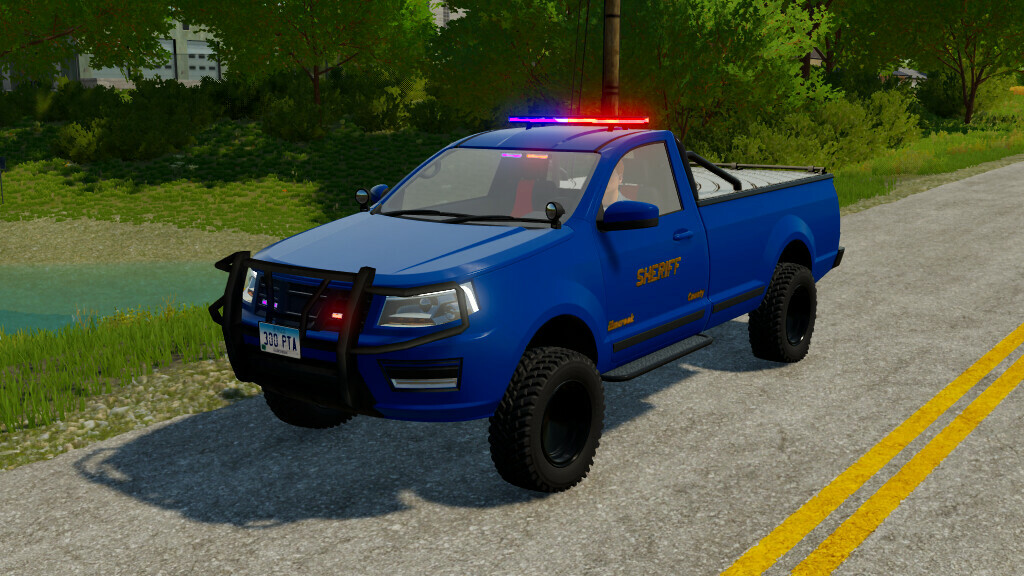
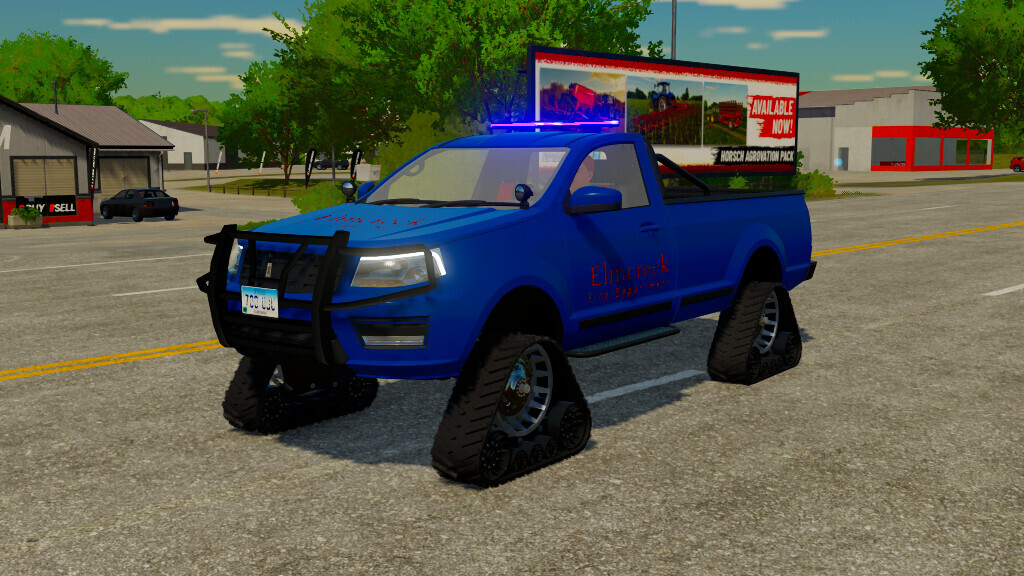
This is modified version of basegame 2017 Lizard Pickup to emergency vehicle.
– Engine Options
– Gearbox Options
– Wheels Brand Options
– Track Option
– Color Options
– Rim Color Options
– Push Bar Option
– Cover Option For Bed
– Emergency Logo Options(Fire, Police and Sheriff)
– Beacon Bar and Strobes Options
– Led Warning Sign Option(English & Turkish)
Characteristics:
– Price: from $35.000
– Engine Power: 185 – 404 HP
– Max Speed: 120 KM/H
Version 3.0:
* Mod Name Changed(Formerly “2017 Pickup Police”)
* New Emergency Logos Added(Fire, Police and Sheriff Logos)
* Led Sign added
* Track Option added (No Cost)
* New Options added for Beacon Bar
Farm Mods TV w/Onur Emre
Farming Simulator 22
How do I install Farming Simulator mods?
Find a mod that you like and want to download first. Then, on your PC, download a mod. Mods are typically in.zip format. However, it is sometimes in.rar format. If the mod file is in.zip format, no additional actions are required. If a file is in.rar format, you must unarchive it using software such as WinRar or Zip7. Windows 10 users do not need to use archive software; Win10 includes an unarchive feature.
The next step is to locate the mods folder on your computer. It is typically found in Documents/My Games/Farming Simulator [Your FS game version, e.g. 2022]. Open the "mods" folder and place the downloaded.zip archive or unarchived.rar file there.
The final step. Have fun with Farming Simulator mods!