

21XE205 Sweeper v 1.0

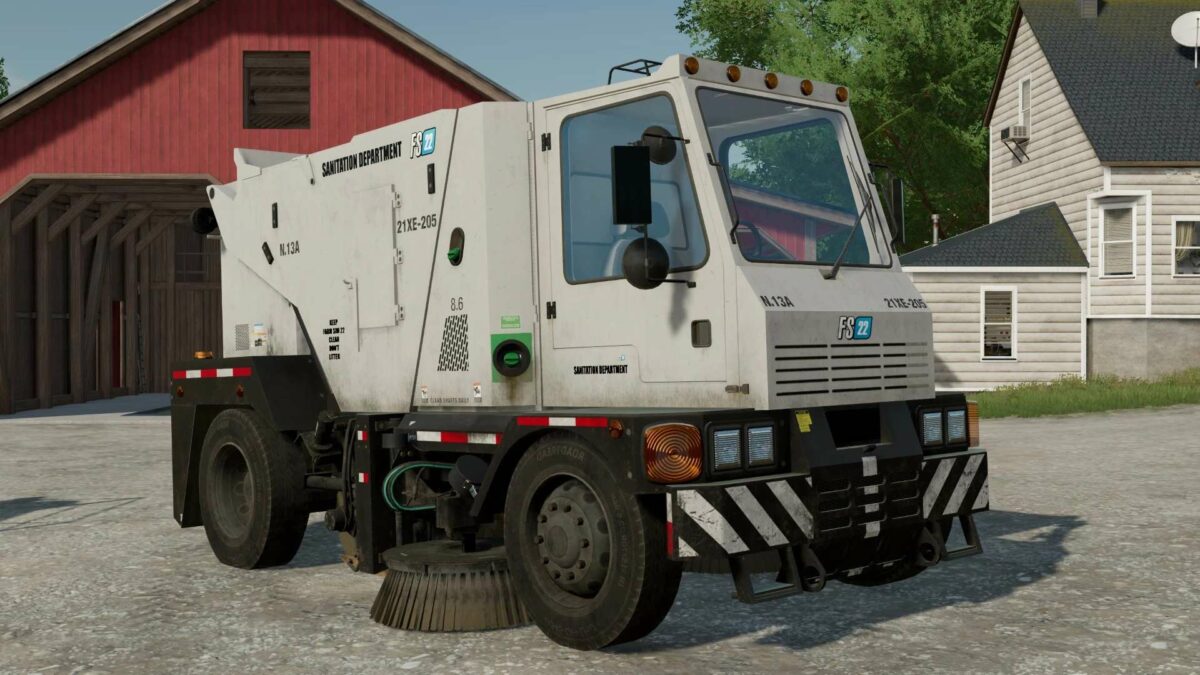
21XE205 Sweeper v 1.0

The 21XE205 Sweeper picks up all Bulk, Shovel, Fork, and Hayloft filltype category materials.
Clean your farm crops off fields, animal pens messes, snow off of owned land, empty those bunker silos, material in your mine. It will handle it all.
Features:
– Power 1500 hp
– Speed 83 km/h
– Animated Brushes – Turn on vehicle to active brushes to spin and start collecting your material (Default B Key)
– Lower Brush Animation – Lower and Raise your Brushes (Default X Key)
– Work Lights – Side and Rear
– Dumpable – Silo Interactor
– Rear Trailer Attacher Points
– Beacon Lights
– Capacity Configurations – from 42710 to 250000 liters
Squigglze
Farming Simulator 22
How do I install Farming Simulator mods?
Find a mod that you like and want to download first. Then, on your PC, download a mod. Mods are typically in.zip format. However, it is sometimes in.rar format. If the mod file is in.zip format, no additional actions are required. If a file is in.rar format, you must unarchive it using software such as WinRar or Zip7. Windows 10 users do not need to use archive software; Win10 includes an unarchive feature.
The next step is to locate the mods folder on your computer. It is typically found in Documents/My Games/Farming Simulator [Your FS game version, e.g. 2022]. Open the "mods" folder and place the downloaded.zip archive or unarchived.rar file there.
The final step. Have fun with Farming Simulator mods!