

Guidance Steering v 2.1

Guidance Steering v 2.1
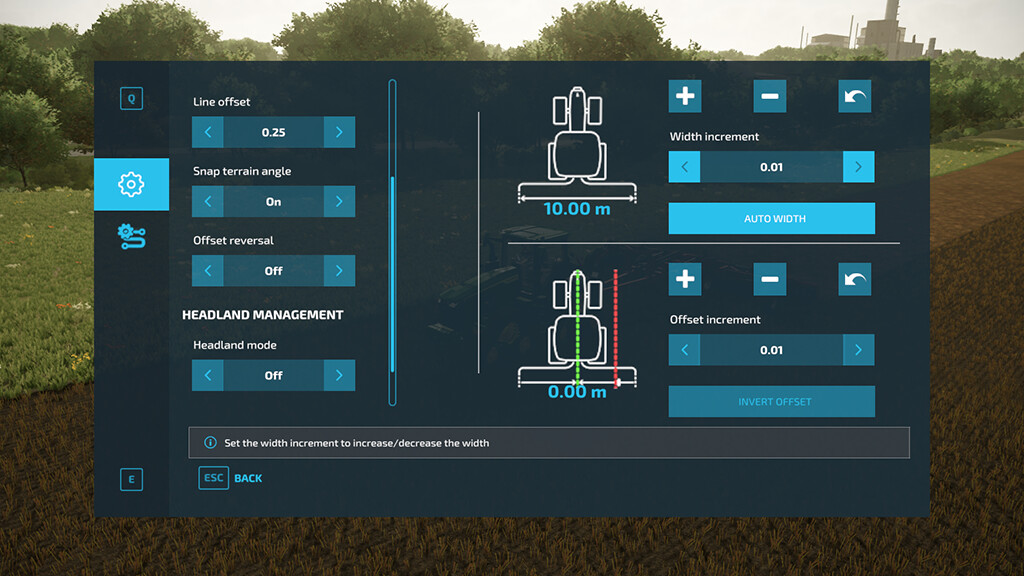
Complete field applications quickly and efficiently with the Guidance Steering mod that helps you accurately setup tracks to work your fields.
Guidance Steering allows you to use different methods in order to create tracks. The AB point method requires you to setup two points (A and B) in order to calculate the steering angle. The A+heading method simplifies this setup with only forcing you to enter the desired steering angle.
Make sure to enable Guidance Steering before you’re able to enter the menu.
In order todo this:
– Enable Guidance Steering: left ALT + C
– Show Guidance Steering menu: left CTRL + S
Version 2.1:
* Added new snap to direction guidance strategy
* Added missing object change configuration XML schema
* Added option to toggle between dotted lines and normal lines
* Fixed issue with reverse driving target direction
* Fixed issue with width calculation for combines
* Fixed possible mod conflict with other mods that overwrite the ConfigurationUtil
* Fixed loading the GPS module from savegame on mission vehicles
* Fixed out of bounds offsets leading to guidance zigzag
* Fixed issue with loading initial first track
* Added and updated translations
* Several improvements