

Combine Addon v 1.0.1.0

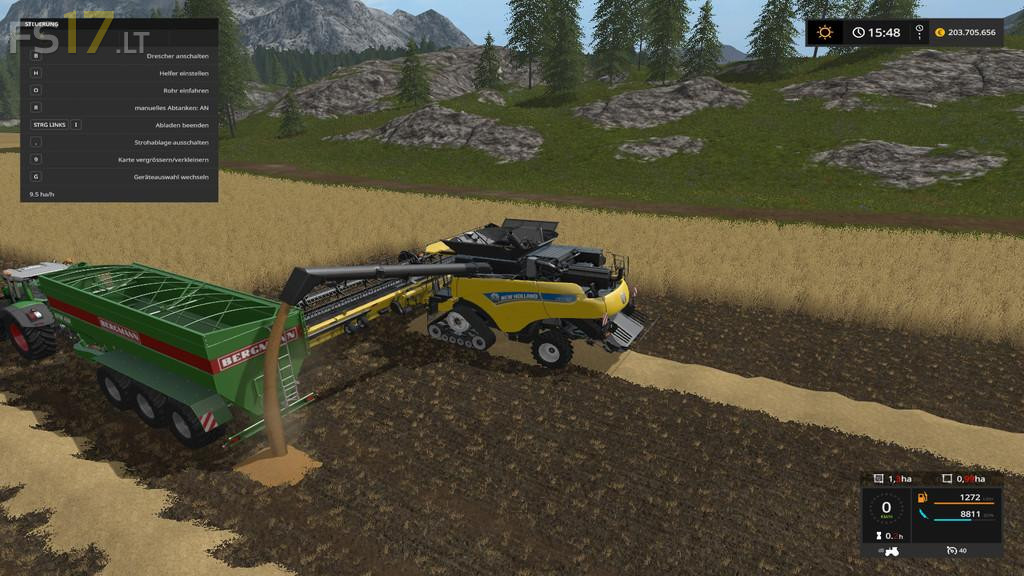
Combine Addon v 1.0.1.0
Additional features and displays for harvesters:
– Hectare counter
– The first display is the total hectare counter. It tells you how much your thresher has already threshed in his life.
– To the right, you’ll find the session hectare counter. It indicates the worked area of the current game.
– This value is set to 0 each time the game is started.
– You can also reset the session hectare counter during the game with a key combination that can be changed in the menu (default: “Alt left + Del”).
– The help window will display the threshing performance in hectares per hour (ha / h).
Manual overloading:
– To start the overloading process from the thresher/rootharvester/augerwagon into a trailer you have to push a button (standard: “R” key).
– ATTENTION: If you miss the trailer, your crop will fall on the ground.
– Only when the trailer is full or is too far away, the overloading process is automatically canceled.
Automatic reel setting:
– This small script saves the height setting of the reel. When the header is lifted, the reel is automatically lowered to have a better overview from the cabin.
– As soon as you lower the header the reel is set to the height that was set before the header was lifted.
Fill level warnings:
– At a level of 80% of the grain tank or bunker volume, the beacon lights are turned on. At the same time you can hear an acoustic signal.
– This acoustic signal is played once again at 99% fill level.