

New Holland FR Pack v 1.0

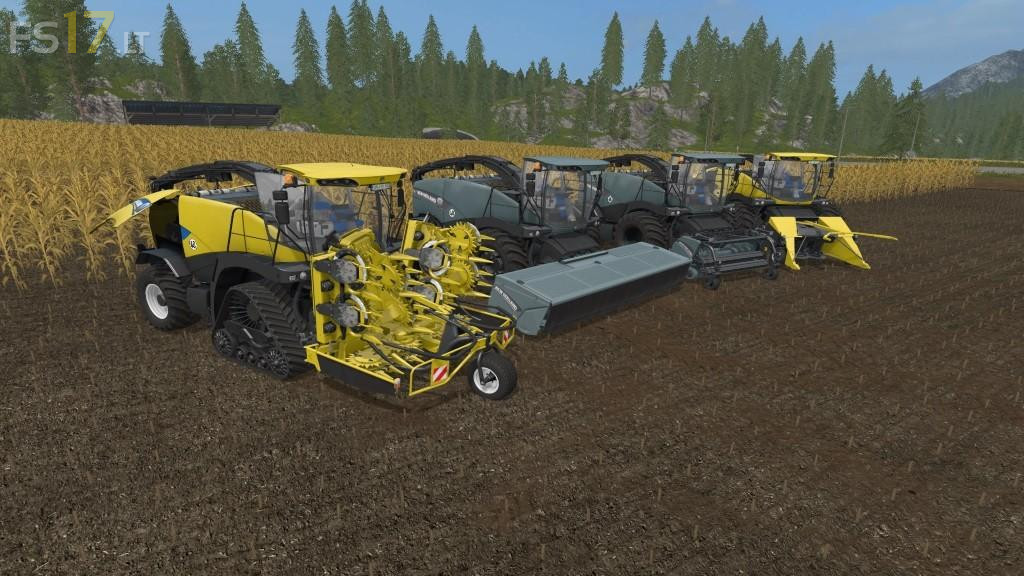
New Holland FR Pack v 1.0
– Color selection on vehicle and all attachments
– Color selection on rims on all devices
– Indicator for standard engine and license plate for turbo engine
– NH Decals Buyable, standard yellow-blue or gray, each change to standard or turbo-labeling after purchase
– NH Decals Available on all attachments, standard yellow-blue or gray
– Animations of the attachments all new adapted
– Cabins Script installed, pedals and joystick animated
– IC mounted on doors, seat and engine lobes
– NHFR Script built for door noise and noise adjustment of the engine nozzles when the doors are open
– Tire selection, standard wheel weight-wide tire treadmills
– Additional decals Buyable on the stern (without, thick box, little boy, or both)
– Additional work lamp installed
– Light adjusted and license plate lighting installed
– Interior lighting
– New Corona built for Rul
– Exhaust gases adapted and script installed so that when switching on the work, the vehicle briefly black smokes
– Fan + radiator and hydraulics in the engine compartment on the right and fan wheel animated
– Driver steers with both hands
– Supplementary Decals “Forage Cruiser” changes automatically when you purchase the NH Decals in blue or gray
It+doesn`t++work+on+1.4.1+game+version,+even+doesn`t+appear+in+mods+menu+during+the+game+start.