

Potato Processing v 1.0

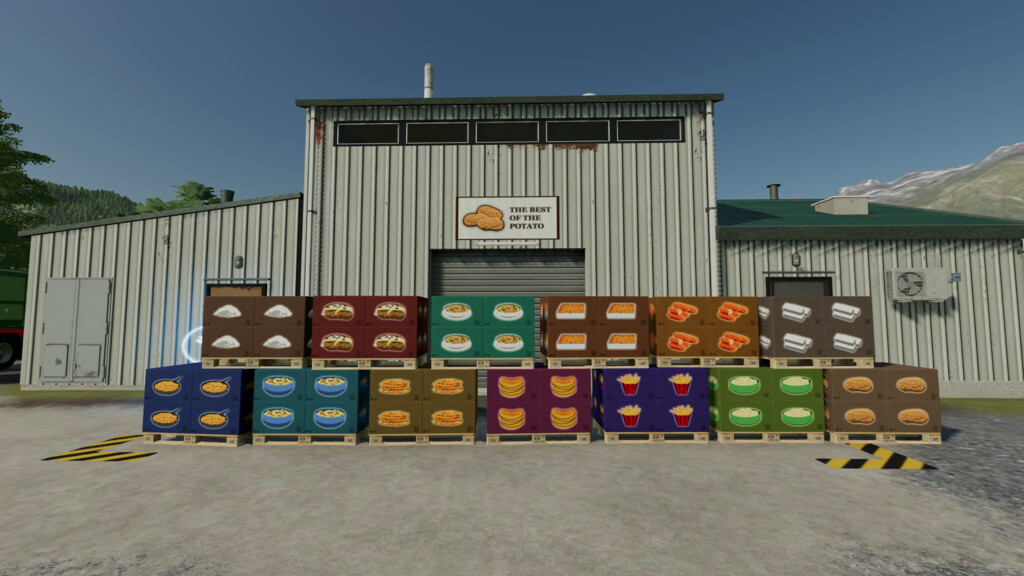
Potato Processing v 1.0
The Potato Processing puts the focus on the potato and turns potato cultivation into a great experience.
Process your potatoes together with numerous farm products into new potato based products.
In addition to the main production building there are new greenhouses and placeable points of sale.
New buildings:
Potato Processing:
– A placeable production building that processes potatoes and several other farm products
Greenhouses:
– A mid sized and a large greenhouse that produce lettuce, tomatoes, strawberries, onions, cucumbers and peppers
Farmer Wholesale:
– A placeable selling point where potato-based products and other farm products can be sold directly
Supermarket:
– A placable building that produces income every hour by selling products directly to the customer
– The profit is about 30% higher than selling directly. However, the selling ammount per day is limited
– Storage space per product 4000 liters
Manufacturable Products:
– Premium potatoes
– Food starch
– Vegetable fat
– French fries
– Potato gratin
– Fried potatoes
– Mashed potatoes
– Potato soup
– Pepper chips
– Potato pancakes
– Stuffed baked potatoes
– Potato salad
– Croquettes
– Onions
– Peppers
– Cucumbers
To further process products within the potato processing (like premium potatoes, starch and mashed potatoes) the production output of these products must be switched to “distribute” so that no pallets are ejected.
The supermarket has a limited storage space for each product (4000 liters) and produces income every hour. Since the supermarket is technically a production, the production lines must be activated once in order for the stored products to be sold.