

Slow Config Hall v 1.0

Slow Config Hall v 1.0
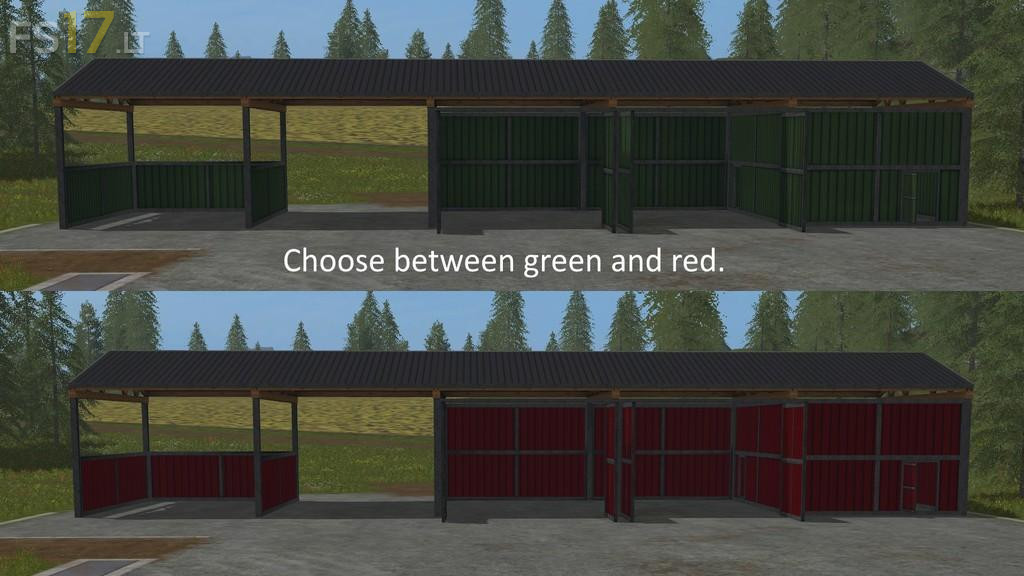
This placeable hall is free configurable ingame.
It is possible to switch between different walls and doors, if you hold key “n” or “m”. Every second changes the wall if you press the key. The triggers for this are at the middle of the walls which you want to change. (First you should use the help-box to find the triggers. After a short time this shouldn´t be neccesary anymore.) All doors can be opened as usual with mouse buttons.
At the four corners of the hall you can switch between green and red wall-colour, also with the keys “n” and “m”.
This hall can be uses as a shelter, a closed garage, or as a storage for bulk. If you want to tip the bulk inside the hall be sure that you aren´t to close to the walls because the bulk could fall through the walls.