

Valtra T120/T190 v 1.1

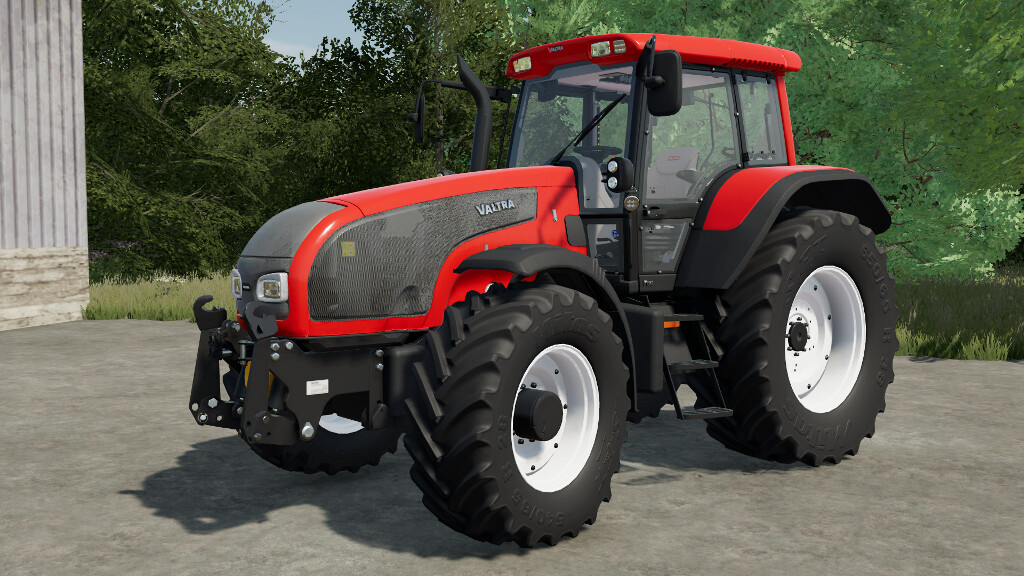
Valtra T120/T190 v 1.1
Valtra introduced the first generation T series back in 2002. With their powerful 6-cylinder engines ranging from 120 to 210 hp, they
are still liked and widely used tractors in many countries.
Models:
2002-2004: T120, T130, T140, T160, T170, T180, T190
2004-2007: T120, T130, T140e, T150, T160, T170, T180, T190
Category: medium tractors
Power range: 120-211 hp
Base price: 80 000 $
Configurations:
2002-2004:
– Color: normal / metallic colors, Claas special color scheme, Cow Edition special color scheme, grille color
– Reverse drive control (Twin Trac)
– Front and rear fenders
– Wheel weights
– Front linkage / front weight holder
– 500 000th Valtra special edition
– Beacon lights (front and back)
– Dashboard
– etc.
2004-2007:
– Color: normal / metallic colors, Claas special color scheme, grille color
– Reverse drive control (Twin Trac)
– Front and rear fenders
– Wheel weights
– Front linkage / front weight holder
– Beacon lights (front and back)
– Dashboard
– Model year based configurations
– Cab suspension
– etc.
Features openable doors and rear window via mouse control or Interactive Control on PC.
Changelog 1.1.0.0:
– Added 2004-2007 facelift models
– Corrected powers of pre-facelift models
– Adjusted sounds and added realistic sounds for cabin animations
– Adjusted colors and materials
– Adjusted prices to be more in line with in-game vehicles
Changelog 1.0.0.2:
– Fixed armrest joystick not working anymore
– Added Interactive Control (IC)
– Changed the way the lights work to be more like in-game vehicles and work with IC
– Fixed cabin rear hand rail not visible in config without Twin Trac
– Changed sounds
– Stiffened the front axle suspension
Changelog 1.0.0.1:
– Fixed problems using automatic gearboxes
– Fixed UV-mapping bugs on seat fabric
– Fixed wear appearing on bonnet and other plastic parts
– Added new color options
– Added few missing decals
– Added Cow Edition (found in Specials configurations)
– Moved indoor camera to the middle of the tractor
– Added crop sensors (Precision Farming)