

Supercharger v 1.0

Supercharger v 1.0
No configuration, just drop in your Mods folder and your done.
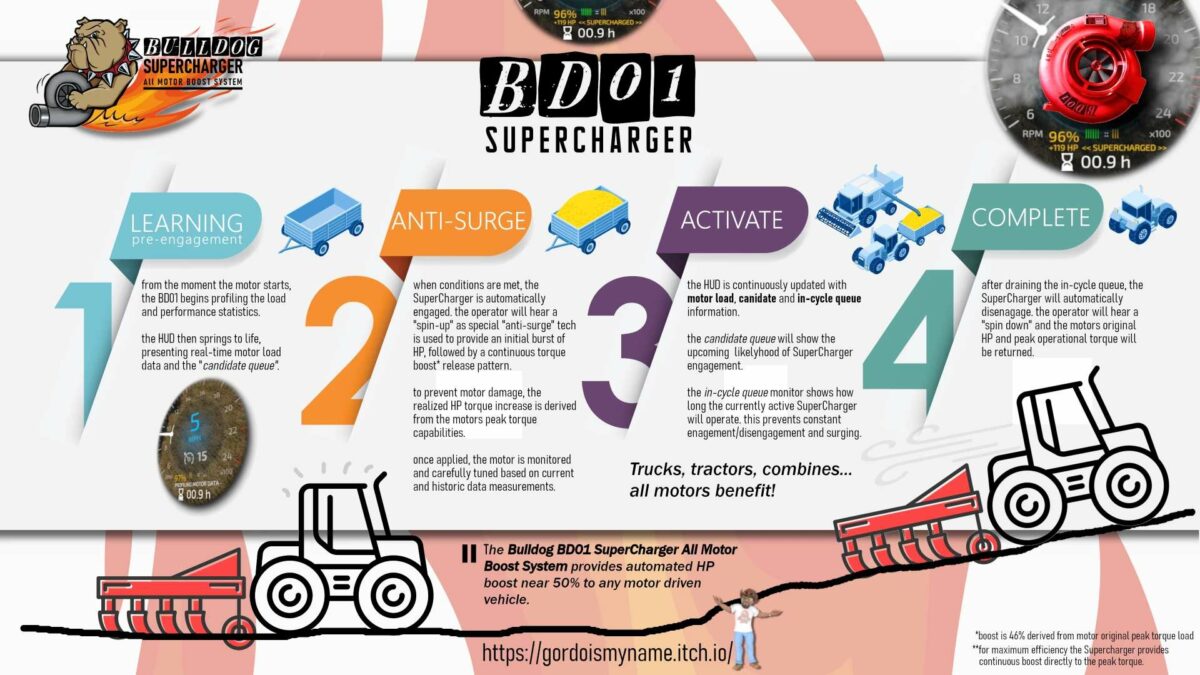
Save some cash on buying that upgraded engine. with this mod, you will add 46% more HP automatically to any motor. by applying the HP directly to the motor’s peak torque curve, you will get a smooth power band, followed by continual boost for as long as your motor is under load. it then eases out, returning the motor to its original HP.
The Bulldog BD01 dynamically adds a SuperCharger to your motor! No configs needed. Automatically gain a 46% HP boost when the motor load is >= 90%.
Features include:
– HUD addition just below speedometer
– Real time motor load
– “Candidate queue” monitor (when boost engages)
– “In cycle queue” monitor (when boost ends)
– Short cycle prevention (prevents boost power surge “lunging”)
– “Candidate queue” engine uses sampled average motor load during runtime
– “In cycle queue” engine monitors and controls when the SuperCharger rolls out
– “Spin up” and “spin down” whine audio for boost engage/disengage