

Lizard Kastrnka v 1.0

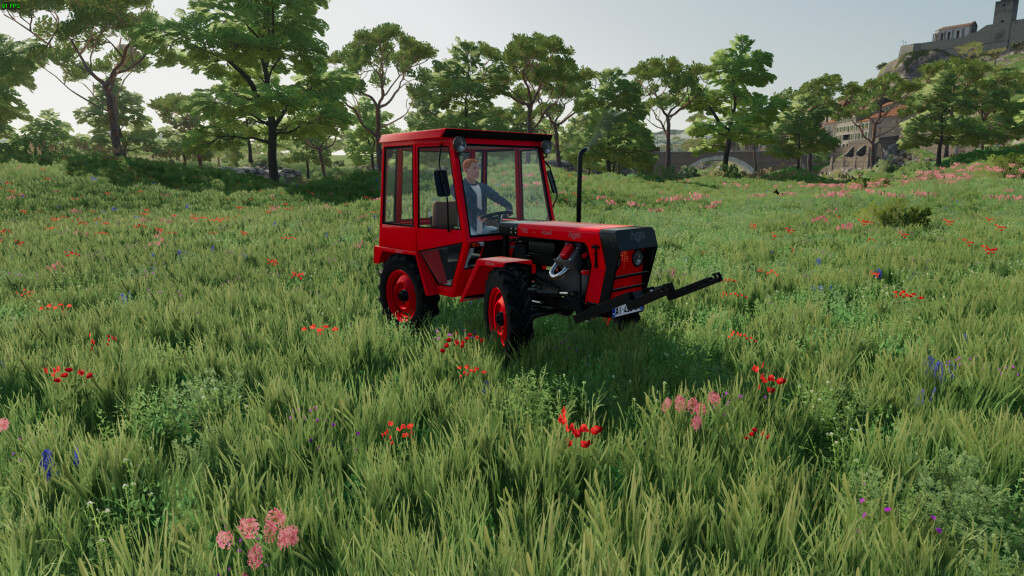
Lizard Kastrnka v 1.0
About the mod:
I would like to present to you my very first created model. I worked on it for about 2 years. That’s why it took so long because I had to learn it all.
Currently, this model is ready for version 1.0. In the future, I plan to make all sorts of modifications to it in terms of appearance, sound, functionality, etc.
A little about the model. It is a home-made tractor with an RS 09 engine, 16-speed gearbox and 4×4 drive.
The tractor is suitable for use in the vineyard and in the field with smaller tools and for pulling smaller sidings.
Manufacturer: Lizard
Engine: RS 09
Production: Homemade
Transmission: Manual 16 gears
Max speed: 35 km/h
Configuration: Front attacher, back attacher
Price: 5000 $
Power: 35HP
Shop Category: Small Tractors
Credits:
GamerSamo