
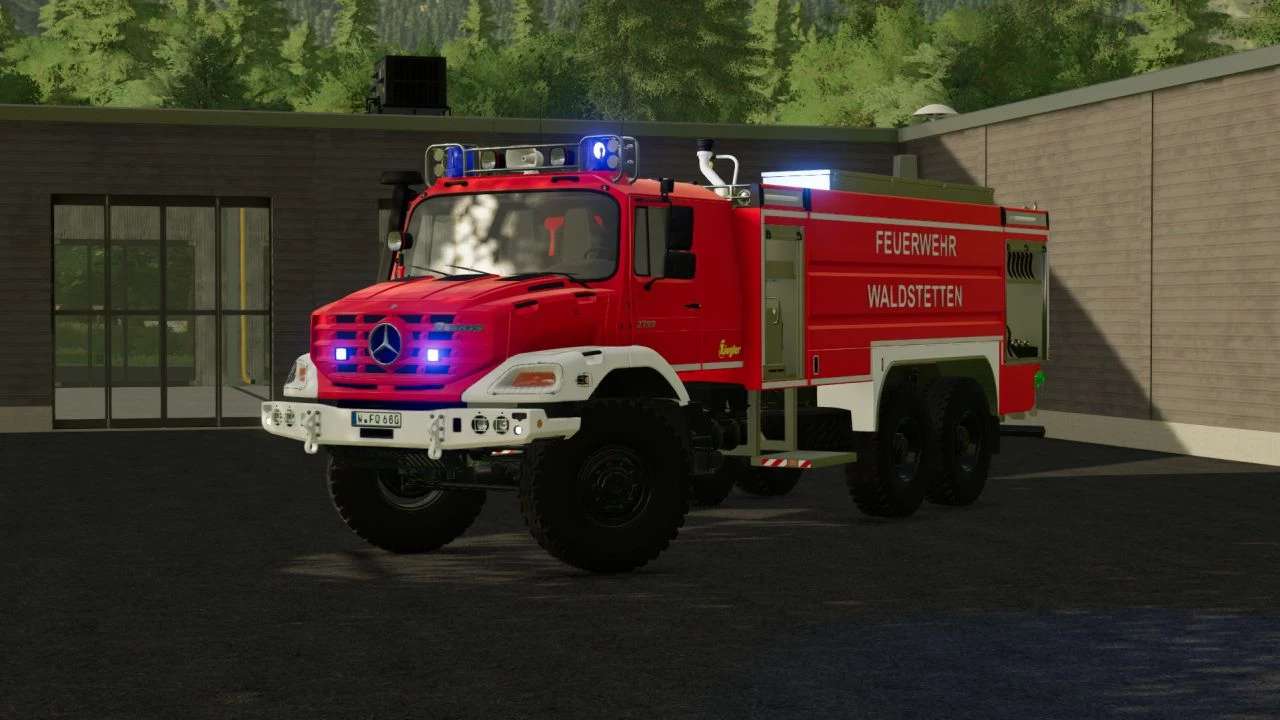
Mercedes Zetros Ziegler GTLF v 1.1

FS22 mods

Mercedes Zetros Ziegler GTLF v 1.1

1 Star2 Stars3 Stars4 Stars5 Stars
About mod:

Features:
– Working water cannon
– Blue light
– Ambient lighting
– Roller shutters via Simple IC
– Illuminated speedometer + symbols
– Numerous configurations
– Configurable license plates
– Passenger Seats (only available with the Kubota DLC)

Ziegler logo configuration:
– Yellow
– White

Compressed air horn configuration:
– Old
– New

Blue light configuration
– Rotating mirror
– Nova LED

Front flasher configuration
– BSX
– BST

Version 1.1:
* Added Skin configuration (Waldstetten / Mittelberg Decal)
* Added Translations (DE, EN)
* Added Water tank (9000L)
* Added Emergency Pack functions
* Added Emergency Pack monitor function
* Added Interactive Control
* Added Animated door steps (back)
* Added Dirt on some parts (WIP)
* Added Blue light via standard functions
* Fixed Outdoor camera no longer rotates into the ground/vehicle
* Improved High beam (now press Ctrl + F)
* Improved Vehicle scaling
* Improved Indoor camera position
* Improved Ladder Animation
* Removed Multiple Materials (Performance improved)
* Removed Simple IC
* Removed Pressluft Configuration (due to Emergency pack)
* Removed Light Extension
* Other small improvements

Credits:

SoSi-Modding

Game version:

Farming Simulator 22

* By clicking [Download this mod from filehost] button you agree to leave this website. The link opens in the new tab. File is hosted in the external website. We are not responsible for the content of the external page and the possibility of free download of the file.

How do I install Farming Simulator mods?
Find a mod that you like and want to download first. Then, on your PC, download a mod. Mods are typically in.zip format. However, it is sometimes in.rar format. If the mod file is in.zip format, no additional actions are required. If a file is in.rar format, you must unarchive it using software such as WinRar or Zip7. Windows 10 users do not need to use archive software; Win10 includes an unarchive feature.

The next step is to locate the mods folder on your computer. It is typically found in Documents/My Games/Farming Simulator [Your FS game version, e.g. 2022]. Open the "mods" folder and place the downloaded.zip archive or unarchived.rar file there.

The final step. Have fun with Farming Simulator mods!

Leave a Reply

Your email address will not be published. Required fields are marked *