

Unloading Point with Animated Control Box v 2.0

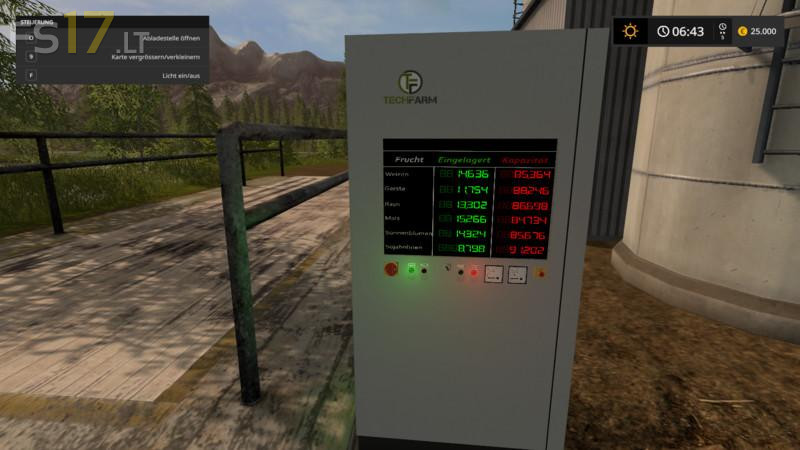
Unloading Point with Animated Control Box v 2.0
Today I have for you the unloading place with switch box V2. New in version 2, the control box and the unloading point are individually controlled.
It is therefore only possible to connect the control box and the unloading point remains closed, or vice versa, or only the unloading point can be opened or whatever.
However, unloading grain only takes place when the unloading point is opened. The control box can stay out of the way. Since Marc inspired me with a nice colored boat animation, I changed the boot animation again. !!! Thanks MarcModding !!!
The switchbox is originally from the placeable Silo System from
Fasi, Eribus and kevink98, but since the yard silo system could not use as a main silo, I have the control box removed and on blacky’s
Digital Amount Mover. The buttons and lights again Animated and added a new ad with boot animation.
Blacky’s Digital Amount Mover allows you to display the silo levels as well as the remaining capacity.
The control box has to be installed with the Giants editor, but I have made it as easy as possible and a detailed installation manual
In the mod, so that everyone of the only basic knowledge in the Giants editor could have embedded in.