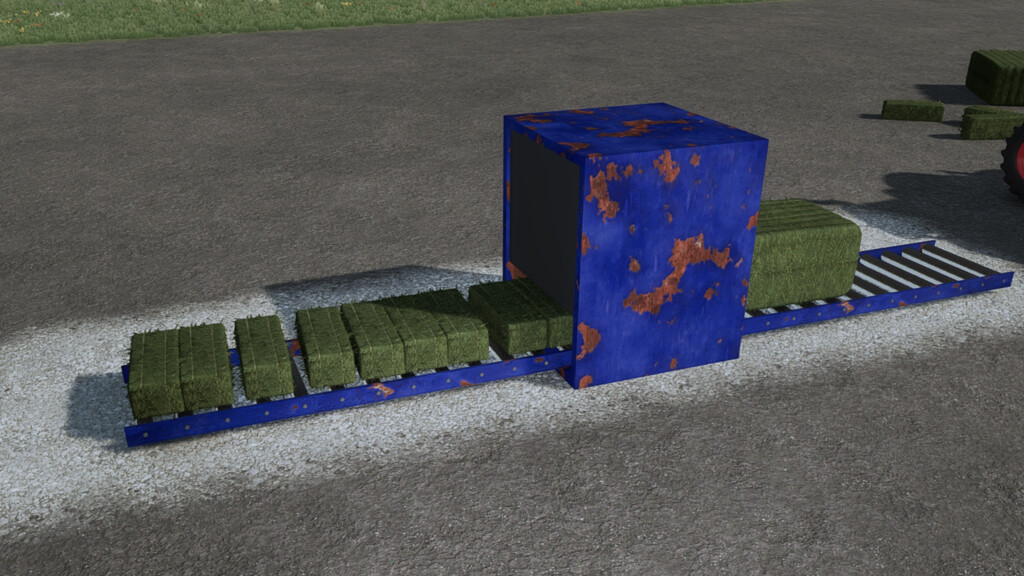
Square Bale HD Wrapper v 1.0.1.0
We have a repacking machine for square bales.
The bales are placed on a roller conveyor and then fed into the repacking machine.
The wrapper disassembles the bales inside and repacks them into HD bales.
All bales can be repacked that are also available in 120 HD bales on the stand.
As soon as the output belt is full, the machine stops until there is enough space again.
Version 1.0.1.0:
* Removed log outputs
* Both specialisations rewritten so that the animation and sound also work on the Dedi
Achimobil
Farming Simulator 22
How do I install Farming Simulator mods?
Find a mod that you like and want to download first. Then, on your PC, download a mod. Mods are typically in.zip format. However, it is sometimes in.rar format. If the mod file is in.zip format, no additional actions are required. If a file is in.rar format, you must unarchive it using software such as WinRar or Zip7. Windows 10 users do not need to use archive software; Win10 includes an unarchive feature.
The next step is to locate the mods folder on your computer. It is typically found in Documents/My Games/Farming Simulator [Your FS game version, e.g. 2022]. Open the "mods" folder and place the downloaded.zip archive or unarchived.rar file there.
The final step. Have fun with Farming Simulator mods!


What is the name of this wrapper