

Liquid Fertilizer Production Pack v 1.0


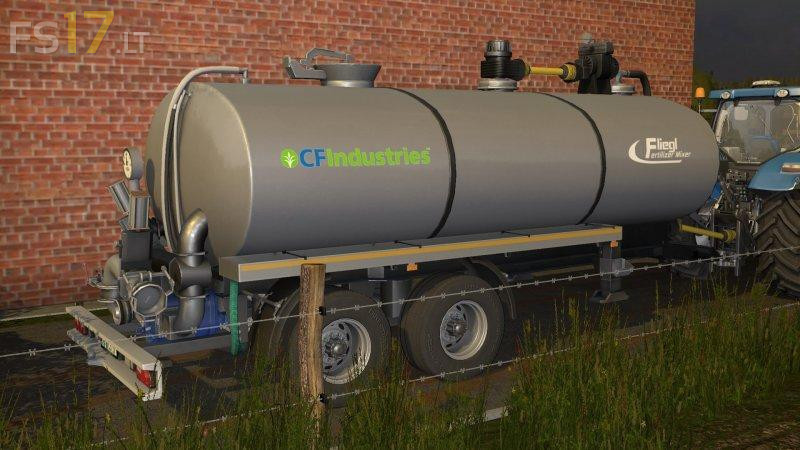

Liquid Fertilizer Production Pack v 1.0
With this package you have the opportunity to make your own liquid fertilizer.
You can place a liquid fertilizer store and a replenishment tank. BigBag can be bought as usual in the store. Big bags do more work, but are cheaper than when you buy them in RefillTank.
For mixing, use a Fliegl mixer, cover the BigBag with a telescopic loader and fill it with the top in the hole. For comfortable people among you there is Refilltank, just move together and replenish as usual. At the end, they still fill the water with a hose or also standard water starters, of course, overloading the Kotte Universal Pack.
The correct mixing ratio can be seen in the F1 help HUD. If the mixture goes wrong, then this is an incorrect mix (but only a deflection if nothing else needs to be stored), and then just turn on the residual emptying. This function is new and will soon be installed in Kotte Pack. If you now have a perfect mixture, you get a liquid fertilizer, liquid fertilizer can be stored with a hose in the tank. Mixer for fertilizer Fliegl has 4 configuration options. It would be.
Mixer Fliegl (without ear overload)
Mixer Fliegl (with an overload of the ear)
Transport barrel (without overhead pipe)
Transport barrel (with air tube)
Note to FillType Nitram, this is documented, since new material can also be downloaded on trailers from BigBags. However, it should be taken into account that it is difficult for nitrates to enter the mixer as bulk material. There is a conveyor, but not so beautiful.