

Quick Camera v 1.0


Quick Camera v 1.0

NOTE: PLEASE REMEMBER TO ADJUST YOUR INPUT KEYS.
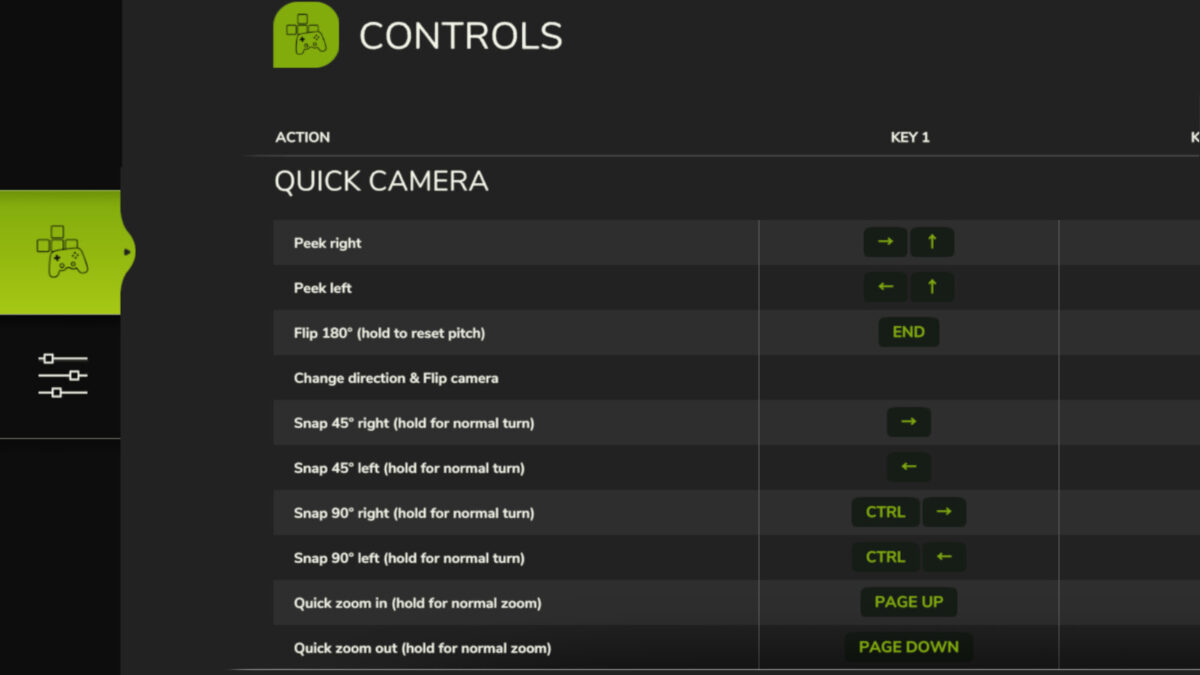
With this Quick Camera mod for FS25, you can use keys to make the vehicle camera:
– Peek left/right
– Flip 180° to quickly look behind/forward (incl. separate option to use with ‘Change Direction’)
– Snap 45°/90° left/right
– Zoom in/out quickly
IMPORTANT INSTRUCTIONS:
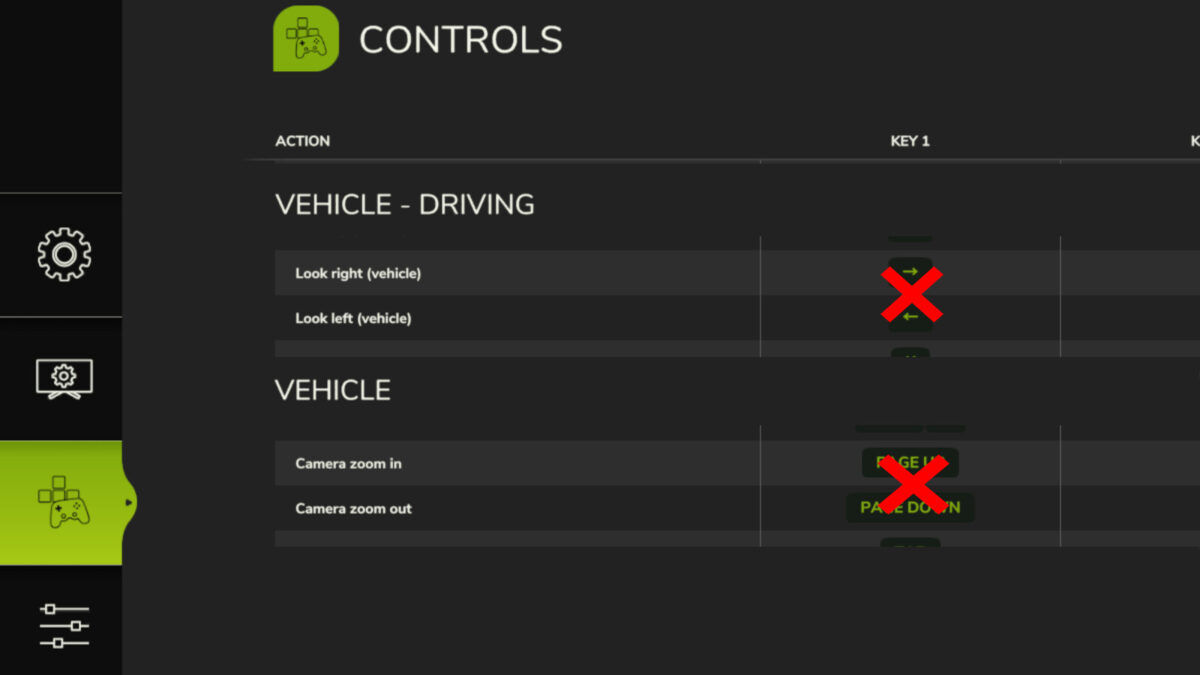
For best usage of this Quick Camera mod, you must delete, remove or unbind any existing keys of the following basegame’s control actions, to avoid overlapping keys for similar actions:
– Look left
– Look right
– Camera zoom in
– Camera zoom out
– Change Direction (only if using same key for Quick Camera’s “Change direction & Flip camera”)
Then also rebind the control action keys for Quick Camera, in case they seem wrong for your style of play.
If you observe problems with this Quick Camera mod’s actions, then please verify that you have followed the instruction above.
Decker_MMIV
How do I install Farming Simulator mods?
Find a mod that you like and want to download first. Then, on your PC, download a mod. Mods are typically in.zip format. However, it is sometimes in.rar format. If the mod file is in.zip format, no additional actions are required. If a file is in.rar format, you must unarchive it using software such as WinRar or Zip7. Windows 10 users do not need to use archive software; Win10 includes an unarchive feature.
The next step is to locate the mods folder on your computer. It is typically found in Documents/My Games/Farming Simulator [Your FS game version, e.g. 2022]. Open the "mods" folder and place the downloaded.zip archive or unarchived.rar file there.
The final step. Have fun with Farming Simulator mods!