

Volvo FH16 Edit v 1.0

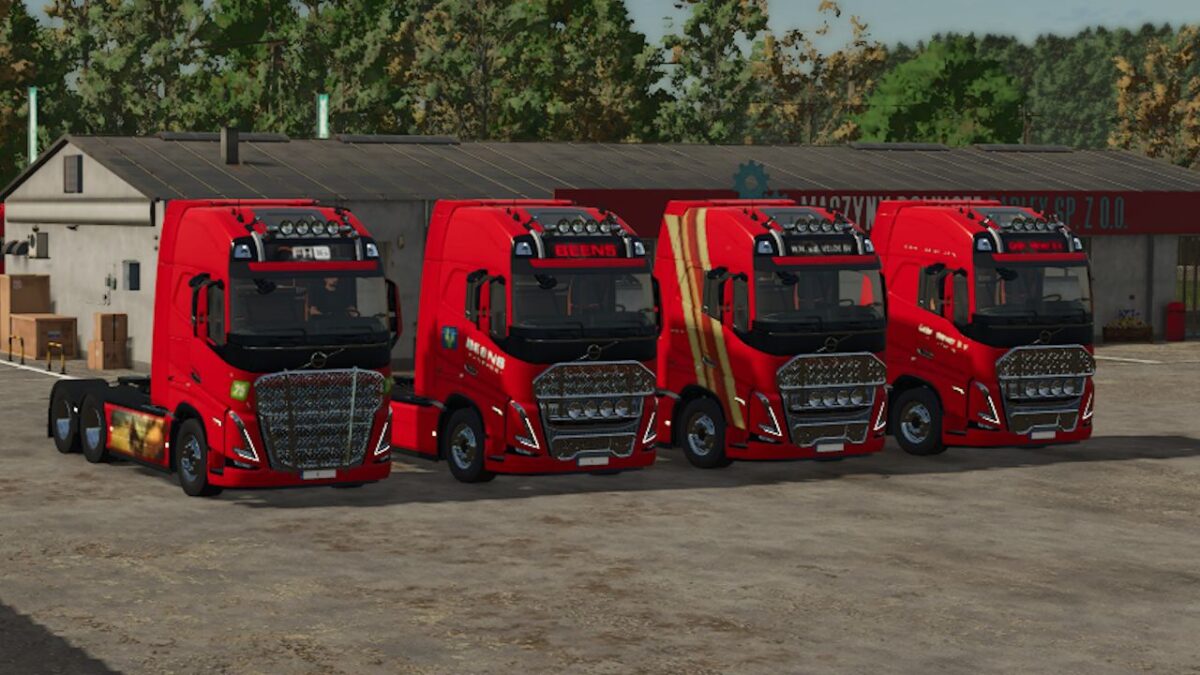
Volvo FH16 Edit v 1.0
About the mod:
This is a Volvo FH16 XL from FS25. With texture from companies in the North East of the Netherlands that drive with sugar beets and potatoes.
– 5 more design Configurations: RoofLogo, CabinLogo, sidePlanksDeco, sideFrontDeco, DoorHandleDeco
– 2 color Configurations: Full Rim Color and Full Trailer Color, both with appropriate colors for the texture “Beens, van der Velde, Wever BV, Wigchers, Henk Wind”
– Added work lights
– Added duble back lights
– Added static lights top cabin
– Added Diesel fillLevel Hud %
– Added sideMarker doors MOTOR ACTIVE
– Added sideMarker lights MOTOR ACTIVE
Credits:
JRK modding