

Steyr Terrus CVT v 1.0

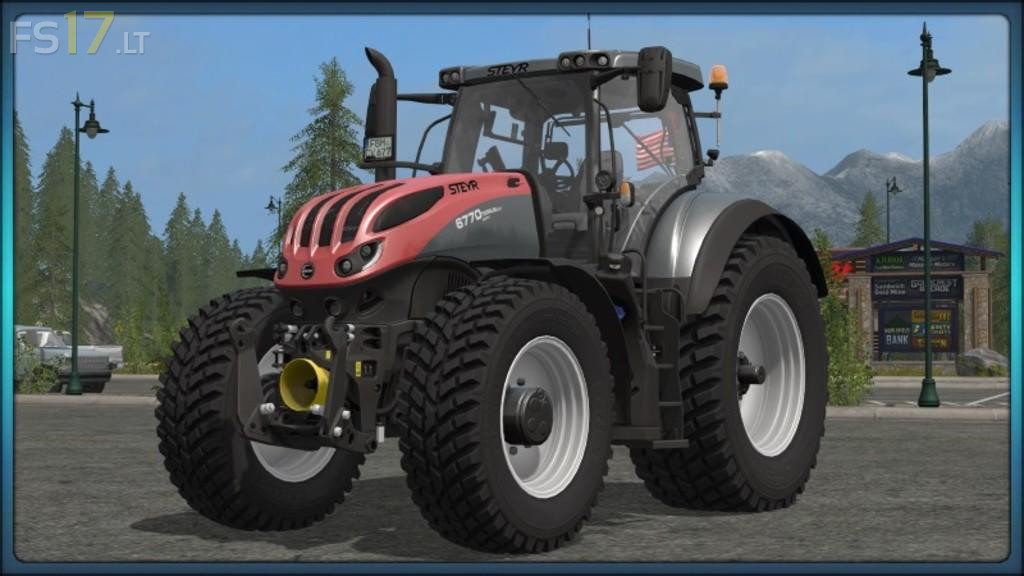
Steyr Terrus CVT v 1.0
– Interior dimensions:
Joystick, brake pedal, accelerator pedal, gear lever, 2 gearshift lever next to joystick for the PTO clutch
Boat monitor, direction indicator, turn signal normal and with trailer, warning light
All cylinders of doors and windows, door / window handle
– Interior lighting:
Monitor, displays, light sources for the light indicator which is currently on, tank indicator
Cooling, door lighting when it is open
– Interior Sound:
Doors / windows open / close, engine sound louder with open door
– 12 different tire configurations:
Standard, standard + weights, wide tire, wide tire + weights, twin tire / narrow tire
Care tires, double care tires, Nokian tires, Nokian wide tires, rear disc drive
– Various Steyr Decal Designs:
Red, Black, Gray, and White
– Scripts installed for:
Passenger, Dynamic Pants, Door Opener, IC Control, Cabin Display Monitor
Particles, engine, interior dimensions
– Color selection
2x on the vehicle – 1 color or 2 color buyable, rims
– IC control:
Doors, roof windows, rear windows, round lights, warning signs
-New exhaust system:
More particles at PTO start / engine start and acceleration
Other highlights:
– Completely revised in Maya
– Dynamic rear and front trousers
– Cooling grille transparent and motor built by Puma
– Motor has a motion animation
– Textures adapted and revised
– Turn the round light with the IC to the top
– Wheelbase widening which automatically adapts to the purchase of the wheels
– For each motor variant own license plate with lighting
– Buyable warning boards with lighting
– Additional indicator lighting installed at the front
Caution!! In order to ensure the correct functionality of the indoor animations, Drive Control or GearBox is recommended.