

Realistic Weather v 1.0

Realistic Weather v 1.0
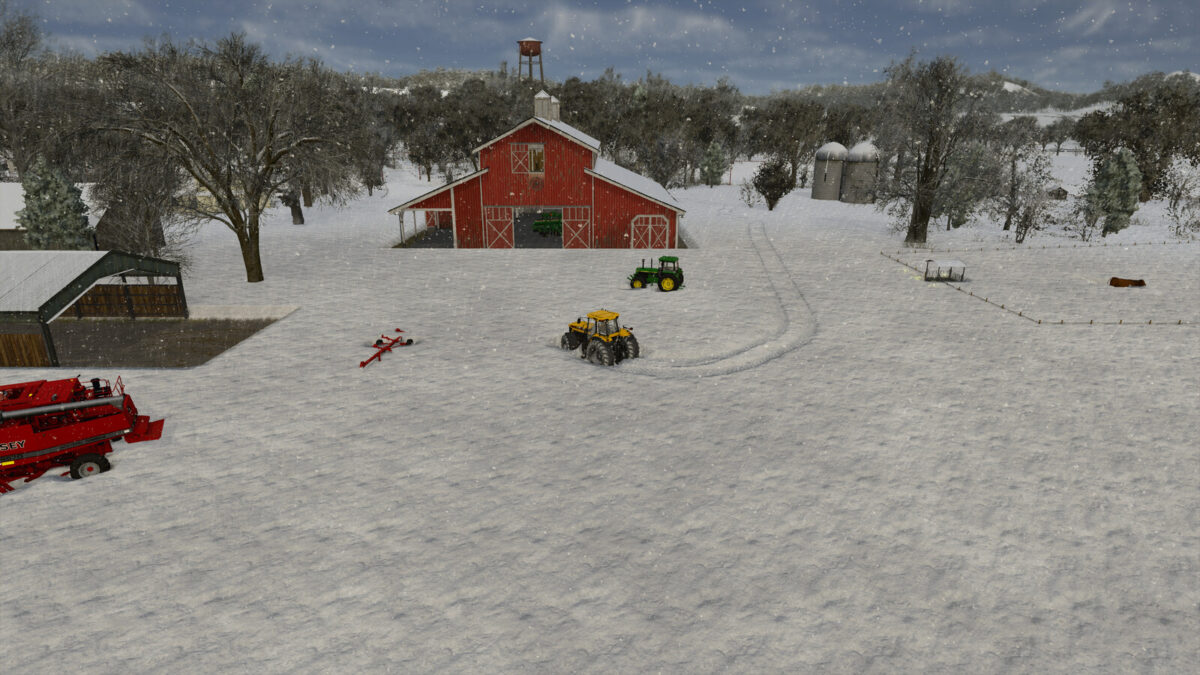
An overhaul to the weather system, focusing mainly on snow.
Features:
– Adds 3 new “disaster” weather events, blizzards, droughts and extremely thick fog
– Extends the info display in the top right, adding information on temperature, upcoming disasters and predicted snow amount
– Adds a moisture mechanic to fields; each type of crop has an ideal moisture range, being inside this range increases harvest yield
– Moisture changes constantly depending on sunlight, temperature and rainfall
– Crops with extremely low moisture will wither
– Hail will now cause damage and wear to vehicles left outside
– Wheel physics changed significantly
– Maximum amount of snow has been doubled
– Livestock will leave “footprints” in deep snow (only on high-end systems)
Blizzards:
– Blizzards are rare events that will cause significant snowfall in a short period of time, causing up to 1 metre high snow
– Temperature during blizzards can go as low as -15 celsius
– Snow will likely remain for much longer time
Droughts:
– Droughts result in extreme heat which will lead to rapid moisture loss in fields
Fog:
– Extremely thick fogs may occur where visibility is extremely low for up to 14 hours
Wheel Physics:
– Friction for all wheel types have been changed to be much more realistic
– Friction will now decrease more realistically based on road and vehicle conditions, including vehicle weight, snow amount, and snow wetness
– Braking times are now dependant on friction and number of wheels; lower friction will result in longer braking times, whereas more wheels result in faster times
– Wheels will gradually destroy snow more realistically, based on the weight the wheel is carrying, snow amount and snow wetness
– Heavier vehicles will sink in snow much more than lighter vehicles; sunk vehicles may get completely stuck
– Driving cars and heavy equipment in heavy snow will be almost impossible as a result, specific vehicles, such as vehicles with tracks, are required