

Winter Grass Texture v 1.0

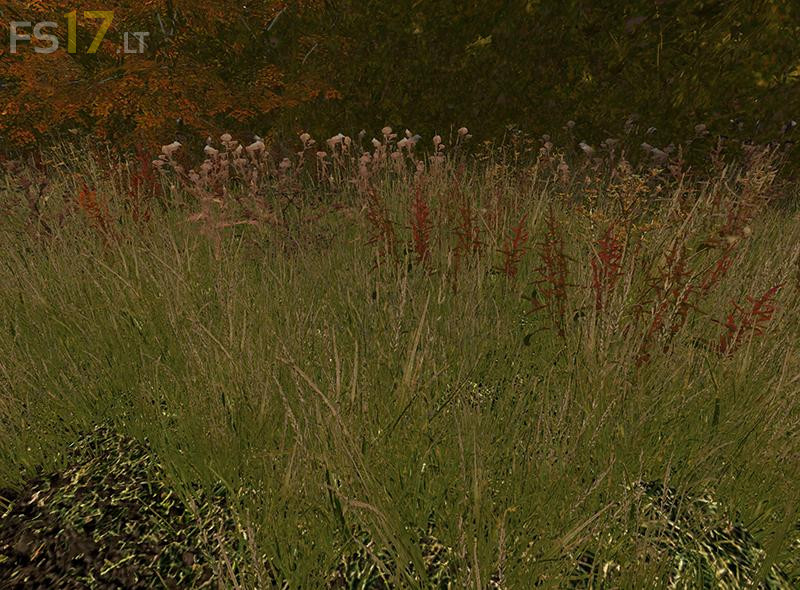
Winter Grass Texture v 1.0
What is new? Now the full length grass you see in early autumn is more realstic.
IMPORTANT!! If you already installed V1 then you need only swap the grass_diffuse.dds file in the foliage folder, the other files remain unchanged.
These are the files for winter grass, they make the short grass of winter look dormant as well as making the early autumn grass look “gone to seed”, the detailed foliage as well as the detailed background are included. The full length autumn grass is an upgrade on the previous version and has no flowering plants, thus it matches more closely the seasonal appearance. As this grass completely replaces the exisitng grass on a map, it will be full compatible no matter what type of grass is used by the author, the reason being, the grass is expect to alter it’s appearance for the autumn and winter, so a different look will not seem out of place.
The distance files are also blended to match.
The folder structure is set in this zip to match that of Coldborough Park Farm, other maps may differ.
To use this mod you will need to first back up the files you currently have that match these files, then simply replace them with this set when the Autumn causes the grass to be at stage 2 (i.e. not fully grown) as long as the game is not running you can simply double click the map zip file in your mods folder and navigate to the correct folders and overwrite the files in the zip (remember to back up the originals first!) once you restart the game the new textures will be displayed
The time to swap these files out will be from early autumn through early spring, during this time keep the winter grass files active. Once you come to the end of early spring, then switch the textures back to your originals, and from mid spring Spring to Late summer you will have the full growth grass your map came with.