
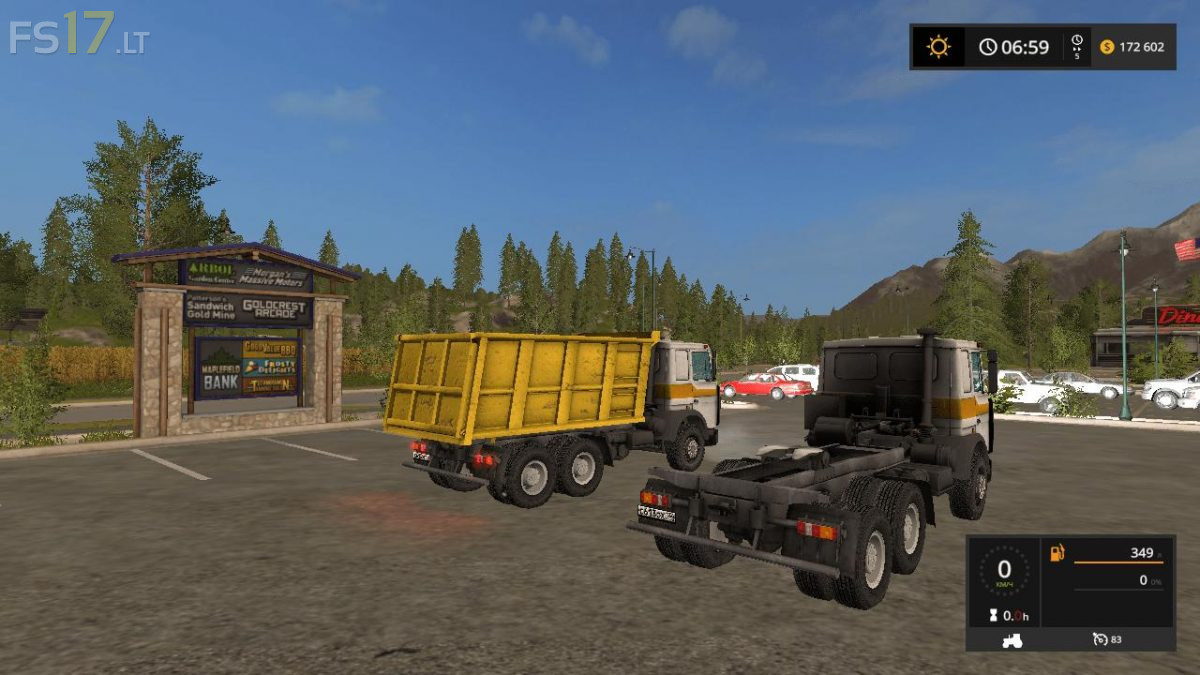
MAZ 5516 v 2.0

FS19 mods

About the mod:

Very good car for your farm.
The volume of the body is 24490 liters.
There is an opportunity to buy with a body or a tractor, a choice of the motor, color of a cabin and a disk, design.
Transport all standard crops.
Now it gets dirty, the working animation of the cardan, the front beams of the rear axle, the motor, the deformation of the tires.
Working mirrors, high-quality light, all indicators are working on the instrument panel (if the indicator light comes on, the tractor will light up with the trailer).
The doors open windows are lowered.

Credits:
JAWA, ANDREI1994, Umbrella666

How to install FS17 mods?

Firstly find a mod which you like and want to download. Then download a mod to your PC. Mods are usually in .zip format file. But sometimes it can be in .rar. If a mod file is a .zip format no needed additional actions. If a file is in .rar, then you must unarchive mod with software like WinRar or Zip7. Windows 10 users no need to use software for archives, Win10 itself has a feature to unarchive files.

The next step is to find mods folder in your PC. Usually, it is in Documents/My Games/Farming Simulator 17/2017. Open the "mods" folder and put downloaded .zip archive or unarchived .rar file to this folder.

Last step. Enjoy of FS17 mods!

Leave a Reply

Your email address will not be published. Required fields are marked *