

Chtz T-130 v 1.0

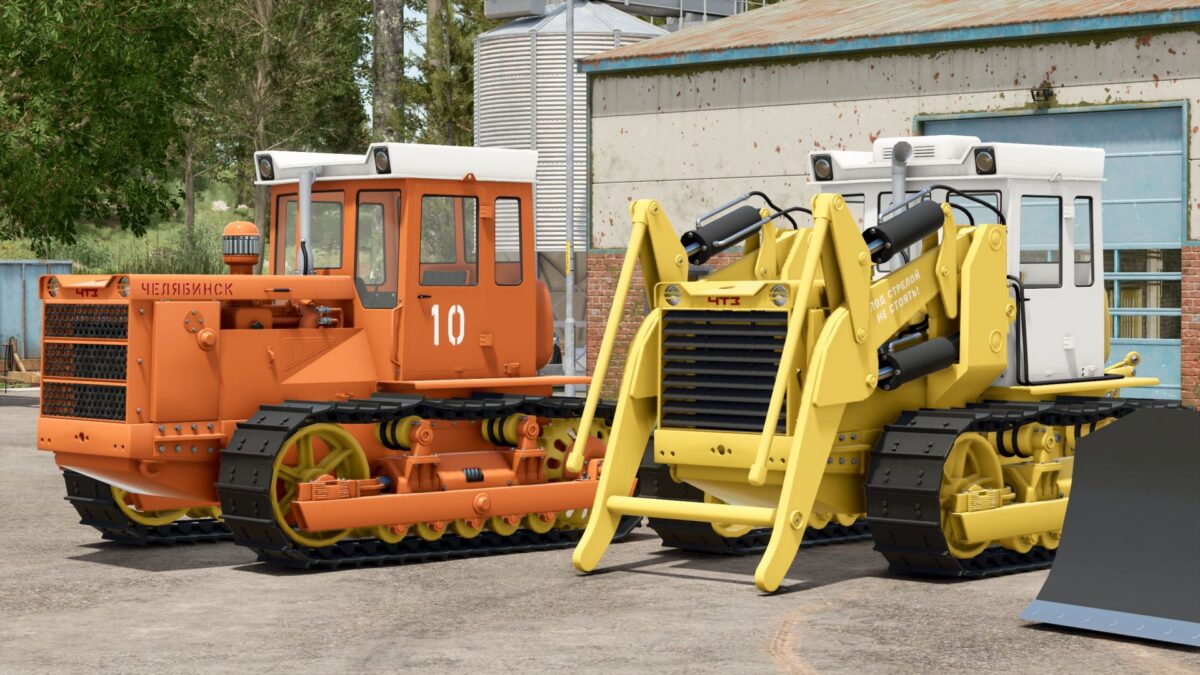
Chtz T-130 v 1.0
The CHTZ T-130 is one of those peculiar machine, mix between a tractor and a bulldozer, so typical of eastern europe
Price: €8,483/€9,530;
Engine power: 160 hp;
Maximum speed: 10 km/h;
2 tractors: T-130 and TO-10A;
2 tipping skips: one for snow and one for other crops;
2,000-liter bucket for TO-10A;
Interactive controls: Open doors, open hood;
Enhanced interactive features;
Enhanced animations;
It gets dirty, washes, gets wet, wears out;
A sack of mud on a goose;
2 additional passenger seats.
Configurations:
Engine flap configuration (via interactive control);
Grille configuration;
configuration of the monocyclone;
Exhaust pipe configuration;
Air conditioning configuration;
Flight number configuration;
Configuration of the stickers on the hood;
– Insulation configuration (via interactive control)
– Attachment configuration: Shield/Attachment/Shield + Attachment
Paintwork:
– Frame;
– Cabin;
– Roof;
– Headlight rings;
– Radiator grille and radiator mesh;
– Logo;
– Running surfaces;
– Hydraulics;
– Charger (only for TO-10A).