

Bergmann Displays (Prefab) v 1.0.0.1

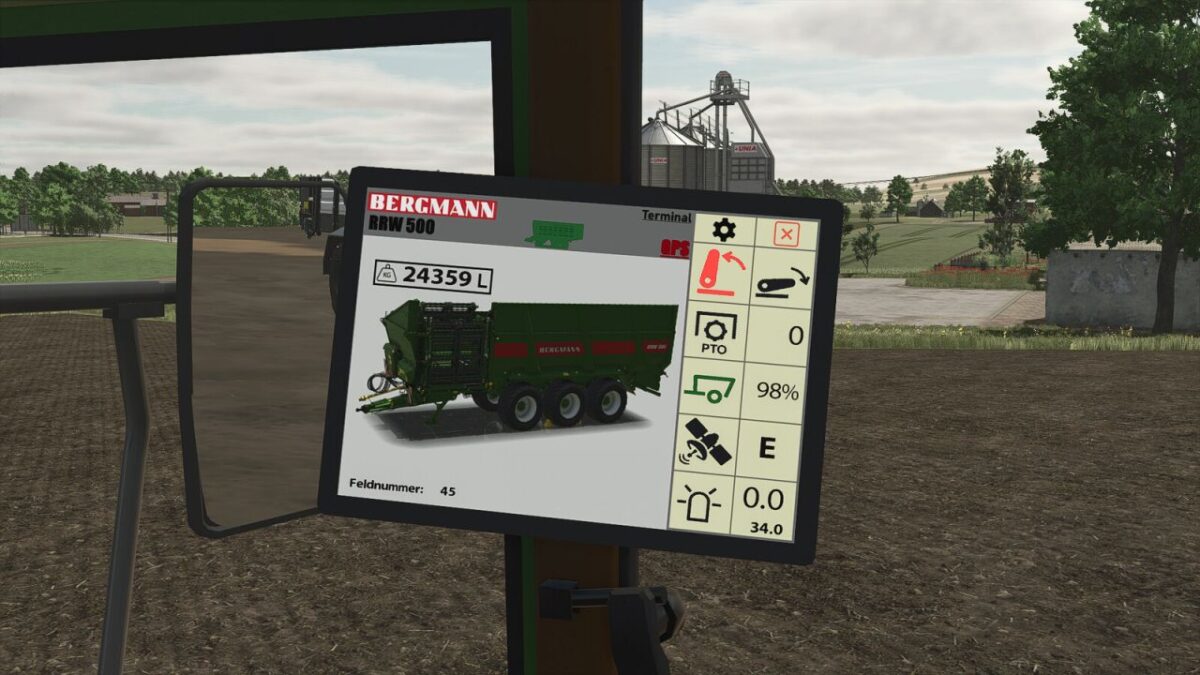
Bergmann Displays (Prefab) v 1.0.0.1
DBL Display – Bergmann Edition
This DBL display was specially developed for Bergmann vehicles and features 5 different pages, compatible with the following models:
Bergmann Shuttle 490 S
Bergmann HTW 65
Bergmann GTW 330
Bergmann RRW 500
Bergmann TSW 6240 W
The display provides all important information needed for daily operation:
Cruise control display
Speed (km/h)
GPS data
Driving direction
PTO speed
and many more functions
In addition, the manure spreader page includes an extra function that clearly displays the current application rate, making precise work easier.
Easy installation
Installation is very easy.
Free to use
The display can be used with all vehicles, including consoles, as it is a Bergmann object.
It is also perfect as a decoration object.
Version 1.0.0.1:
* Filling volume adjusted
* Field numbers adjusted