

Workplace Triggers v 1.0.3.0

Workplace Triggers v 1.0.3.0
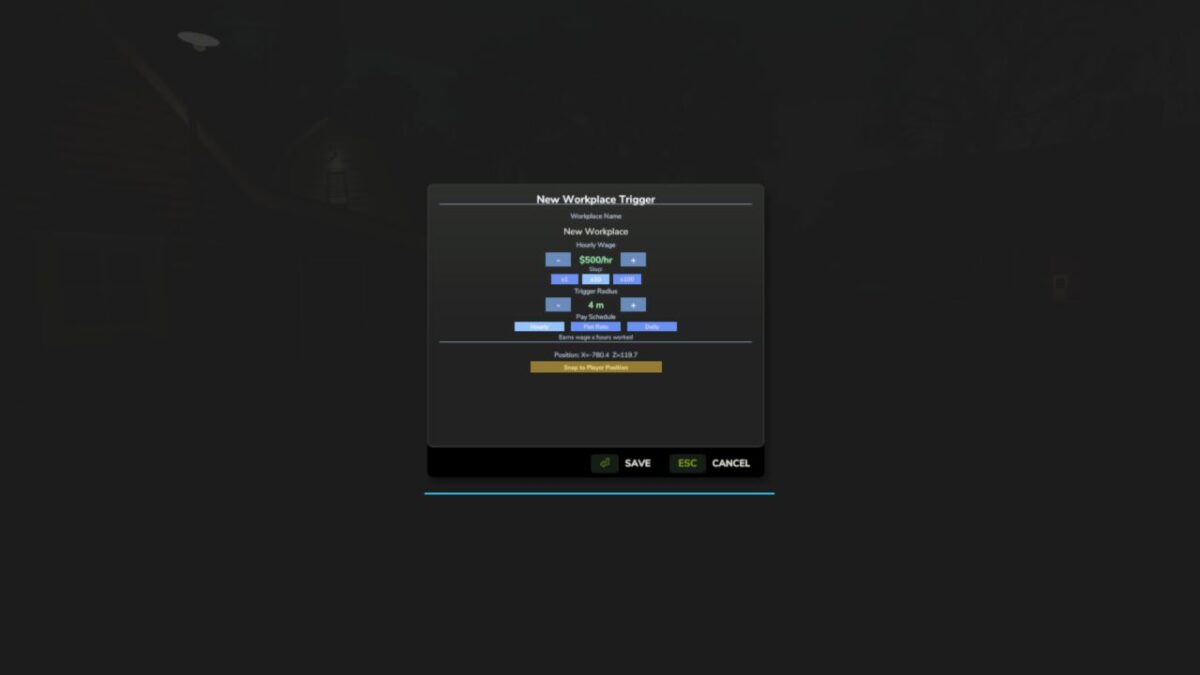
Turn any location on any map into a legitimate workplace. Open the Workplace Manager, add a trigger, give it a name and a wage, place it anywhere on the map — then walk in and clock in. Perfect for roleplayers who want their farmer to have a side job, or anyone looking to supplement farm income with off-farm work.
FEATURES
– Placeable trigger zones — invisible zones you drop anywhere, indoors or outdoors
– Three pay schedules per trigger: Hourly, Flat Rate per shift, or Daily rate
– Shift tracking HUD — live workplace name, time elapsed, and current earnings; drag and resize it anywhere on screen
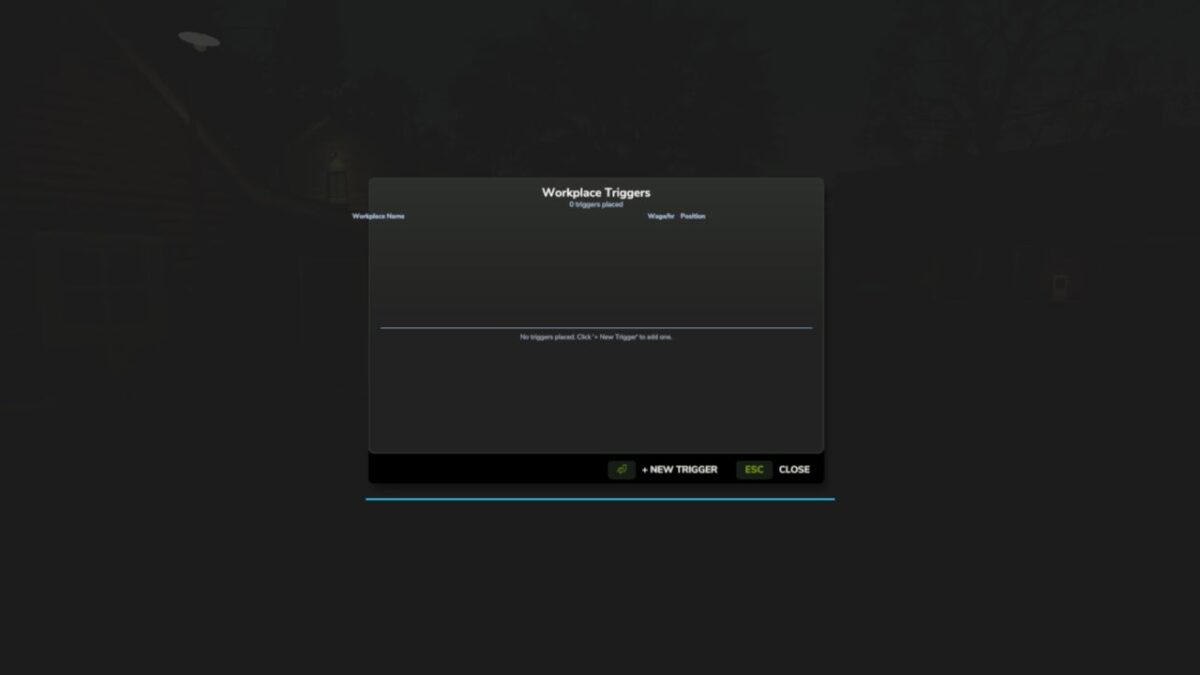
– Workplace Manager (F4) — view, edit, and delete all your triggers from one screen
– Shift history log — last 50 completed shifts saved with name, duration, payout, and in-game day
– Persistent saves — all triggers, names, wages, and schedules survive reloads; each savegame has its own set
– Multiplayer — each player tracks their own shifts; earnings go to the shared farm account
– Optional FS25_NPCFavor integration — completing shifts builds NPC relationships
– Optional FS25_WorkerCosts integration — off-farm income tracked alongside AI worker wages
HOW TO USE
1. Press F4 to open the Workplace Manager and click Add
2. Name the workplace, set a wage, choose a pay schedule, then confirm
3. Place the trigger at any location on the map
4. Walk into the zone and press E to start your shift
5. Press E again to end your shift and collect your wages
CONTROLS
E – Start / end shift (when inside a trigger zone)
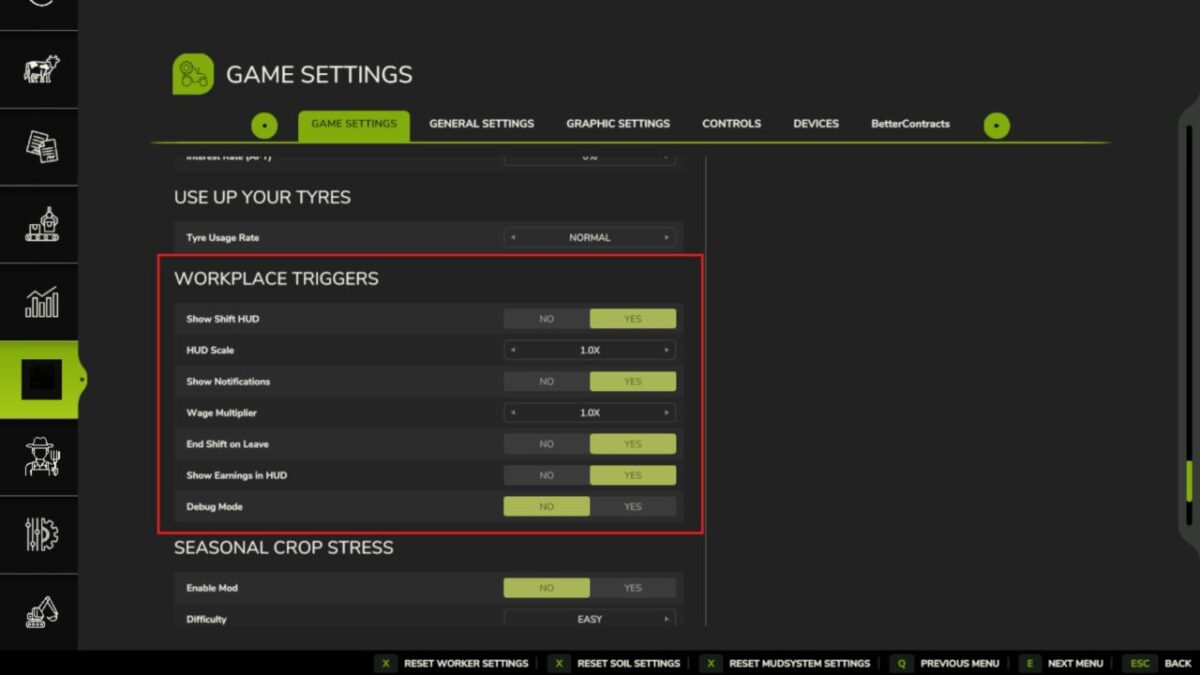
F4 – Open / close Workplace Manager Settings > General Settings > Workplace Triggers:
– Show Shift HUD
– HUD Scale
– Show Notifications
– Wage Multiplier (global modifier on top of per-trigger wages)
– End Shift on Leave (auto-end shift when leaving the zone)
– Show Earnings in HUD
– Debug Mode
Languages: EN / DE / FR / IT / NL / PL
Multiplayer: Yes
Version 1.0.3.0:
* Several crashes and bugs were introduced in the 1.0.1.x series
* This update resolves all of them and makes the mod fully functional on dedicated servers
* Dedicated server no longer crashes when placing or loading workplace triggers
* Zone penalty (pay deductions for leaving work area) now works correctly in multiplayer
* Various crash and regression fixes carried over from the 1.0.1.x audit