
MAN TGS 18.500 Trucks Pack v 1.0

FS25 mods

MAN TGS 18.500 Trucks Pack v 1.0

1 Star2 Stars3 Stars4 Stars5 Stars
About mod:

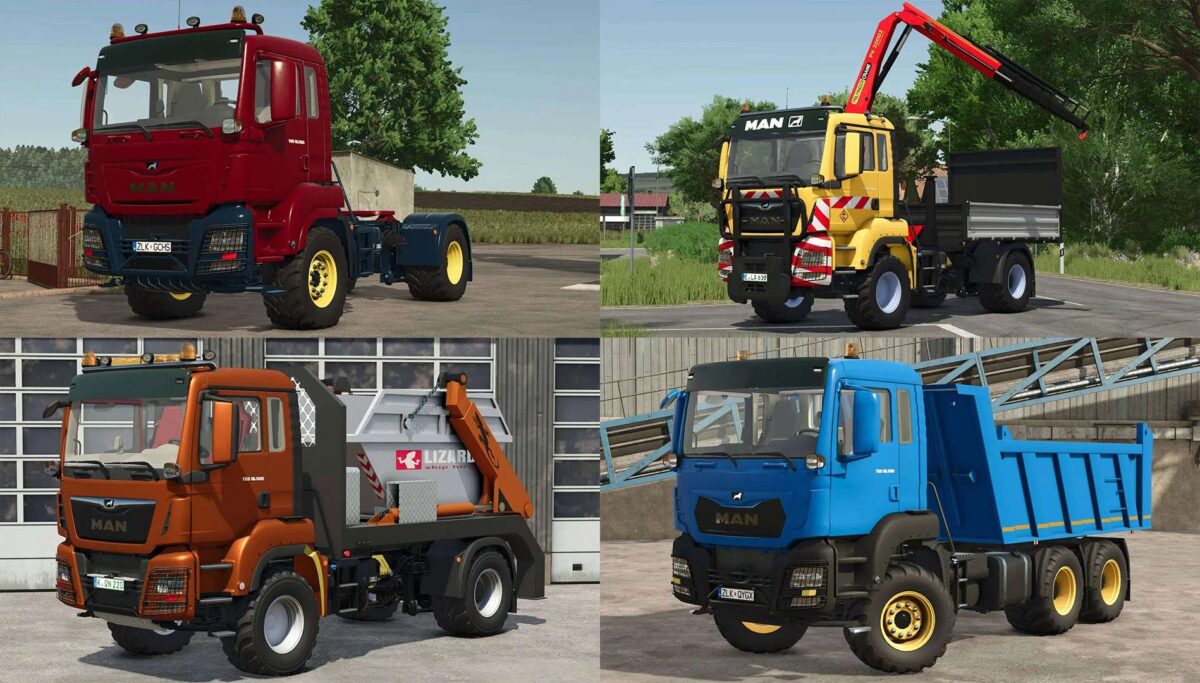
The Pack consist of MAN TGS 18.500 Trucks for Farming Simulator 25:

MAN TGS 18.500 4×4 Truck:
– Power 507 hp
– Speed 80 km/h
– Wheels Configuration Options
– Wheels Brand Configuration Options
– Colors Configuration Options

MAN TGS 18.500 Crane Truck:
– Power 500 hp
– Speed 80 km/h
– Wheels Configuration Options
– Wheels Brand Configuration Options
– Rim Color Configuration Options

MAN TGS 18.500 Skip Loader Truck:
– Power 500 hp
– Speed 80 km/h
– Wheels Configuration Options
– Wheels Brand Configuration Options
– Rim Color Configuration Options
– Included Skip Container: Capacity 6000 liters

MAN TGS 18.500 Dump Truck:
– Power 500 hp
– Speed 80 km/h
– Capacity 13000 liters
– Wheels Configuration Options
– Wheels Brand Configuration Options
– Transport Configuration Options
– Main Color Configuration Options
– Rim Color Configuration Options

Credits:

MasterDietn, FS Miner, Ovidiu 80, Modsfsls

* By clicking [Download this mod from filehost] button you agree to leave this website. The link opens in the new tab. File is hosted in the external website. We are not responsible for the content of the external page and the possibility of free download of the file.

How do I install Farming Simulator mods?
Find a mod that you like and want to download first. Then, on your PC, download a mod. Mods are typically in.zip format. However, it is sometimes in.rar format. If the mod file is in.zip format, no additional actions are required. If a file is in.rar format, you must unarchive it using software such as WinRar or Zip7. Windows 10 users do not need to use archive software; Win10 includes an unarchive feature.

The next step is to locate the mods folder on your computer. It is typically found in Documents/My Games/Farming Simulator [Your FS game version, e.g. 2022]. Open the "mods" folder and place the downloaded.zip archive or unarchived.rar file there.

The final step. Have fun with Farming Simulator mods!

Leave a Reply

Your email address will not be published. Required fields are marked *