

John Deere 8030 Series v 1.0

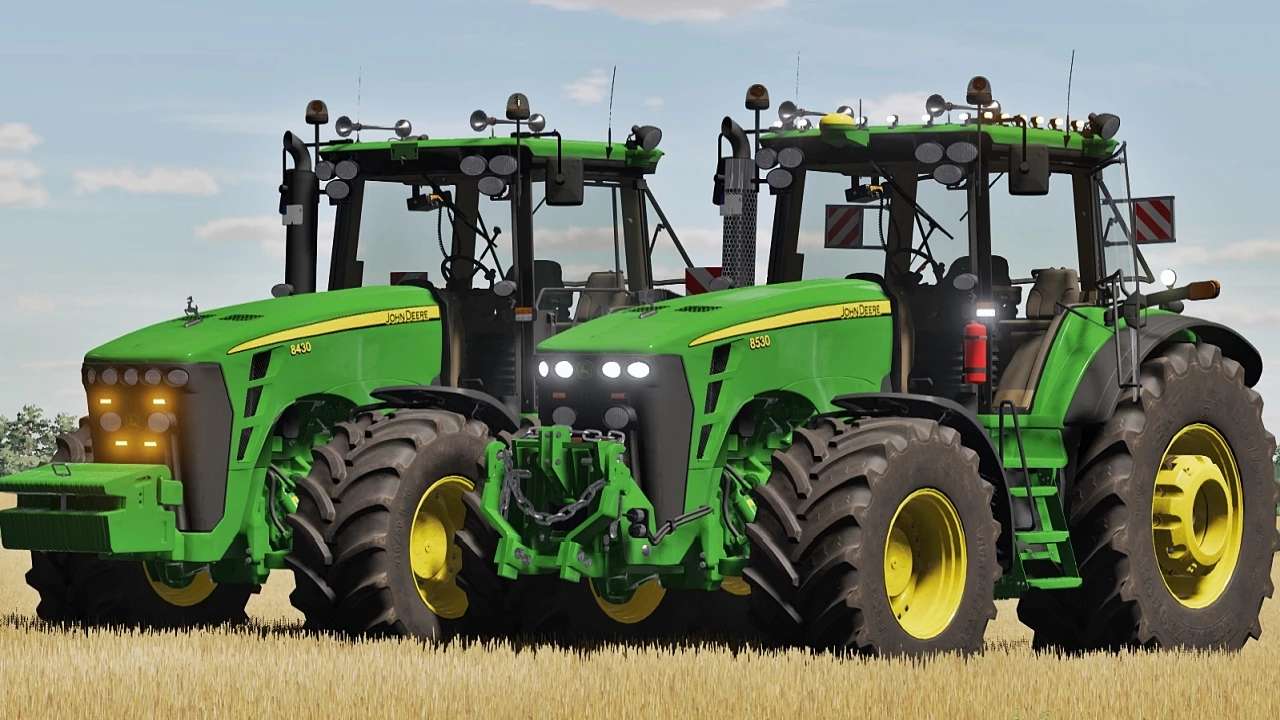
John Deere 8030 Series v 1.0
– Basic Price: 125.000 €
– Max Speed: 52 km/h
– Power: 240 – 360 hp
JD 8130 – 240 hp
JD 8230 – 265 hp
JD 8330 – 300 hp
JD 8430 – 330 hp
JD 8530 – 360 hp
– Interactive Control support
– Precision Farming support [crop sensors configuration] – RealGPS mod support
– Vehicle Years mod support
– Engine power config (8130, 8230, 8330, 8430, 8530)
– Transmission config (AutoPower or PowerShift)
– Wheels and tires config
– Front axle adjustable with mouse control (full animated)
– Exhaust config (standard / chrome)
– Extra lights config (strobes lights , top lights)
– JD GPS Starfire config
– Work Lights config
– John Deere Accessories config (Deer on bonnet statue, ToolBox)
– Front weights or hydraulic config
– Beacon lights config
– Front fenders config
– Rear Fenders config (standard / wide)
– Chain rope config on FH (only front hydraulic)
– Front Lights config
– Warning Signs config (2 types config)
– Extinguisher config
– Air Horn Trumpets config
– Rims color config
– CB Radio config
– Number Plates config
– Animated indoor huds
– Animated parts in cabin
– Lights, work lights, turn signals and beacon lights