

Farming Tablet v 2.1

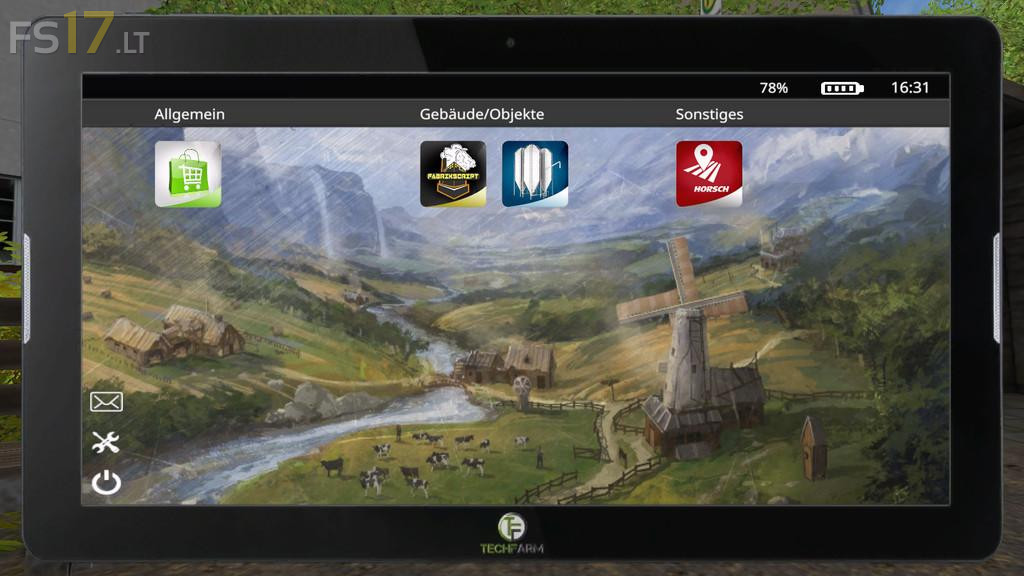
Farming Tablet v 2.1
About the mod:
You want to become an up-to-date farmer? Then the time has come to use the state-of-the-art tablet for your farm work.
Open the tablet with STRG + Y. Close it by pressing STRG + X.
This mod (tablet) is required for all available apps.
Function overview:
Options:
– Selection of background design for homescreen and apps
– Deactivation of pop-up notifications
Notifications:
– Pop-ups ingame
Appstore:
– Equip your tablet with new apps
Other:
– To return to homescreen click on “TechFarm” sign
Caution!
As every other tablet this one has a battery as well. You need a docking station to recharge it. The docking station can be found under ‘placeable objects’.
Credits:
kevink98, Eribus
I can’t use the app’s the tablet just fickers wen i go to the store. I have no mods installed and on the default map.