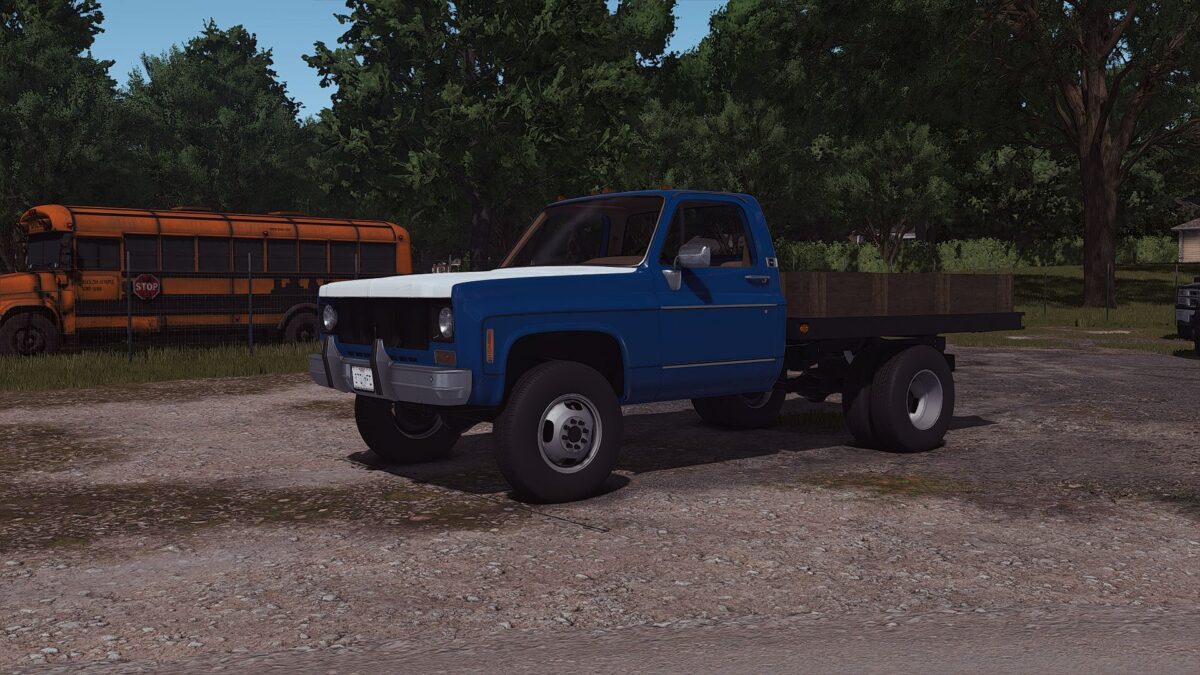
1976 Chevrolet K30 v 1.0
Specifications:
Brand: Chevrolet
Model: K30
HP: 260
Year: 1976
Price: 1699$
Configurations:
Cab Color
Hood Color
Left Door Color
Right Door Color
Bumper (Yes or No)
Bumper Lights (Yes or No)
Bed Type (Flatbed or chassis only)
Bed Walls Wood Type
“For Sale” Sign
Animations:
Doors
Bed walls (can be removed)
Interior animations (pedals, needles, shifter, etc)
Additional Features:
FS25 Standards (material system, wetness, lights)
Tension belts
License plates
Custom dirt and wear (rust)
Brand colors
Custom sounds
Plow mount
Goosneck hitch(drive to the trailer and it will attach)
E55 Modding
How do I install Farming Simulator mods?
Find a mod that you like and want to download first. Then, on your PC, download a mod. Mods are typically in.zip format. However, it is sometimes in.rar format. If the mod file is in.zip format, no additional actions are required. If a file is in.rar format, you must unarchive it using software such as WinRar or Zip7. Windows 10 users do not need to use archive software; Win10 includes an unarchive feature.
The next step is to locate the mods folder on your computer. It is typically found in Documents/My Games/Farming Simulator [Your FS game version, e.g. 2022]. Open the "mods" folder and place the downloaded.zip archive or unarchived.rar file there.
The final step. Have fun with Farming Simulator mods!