Fair Leasing Plus v 1.0

FS25 mods

Fair Leasing Plus v 1.0
1 Star2 Stars3 Stars4 Stars5 Stars
About mod:

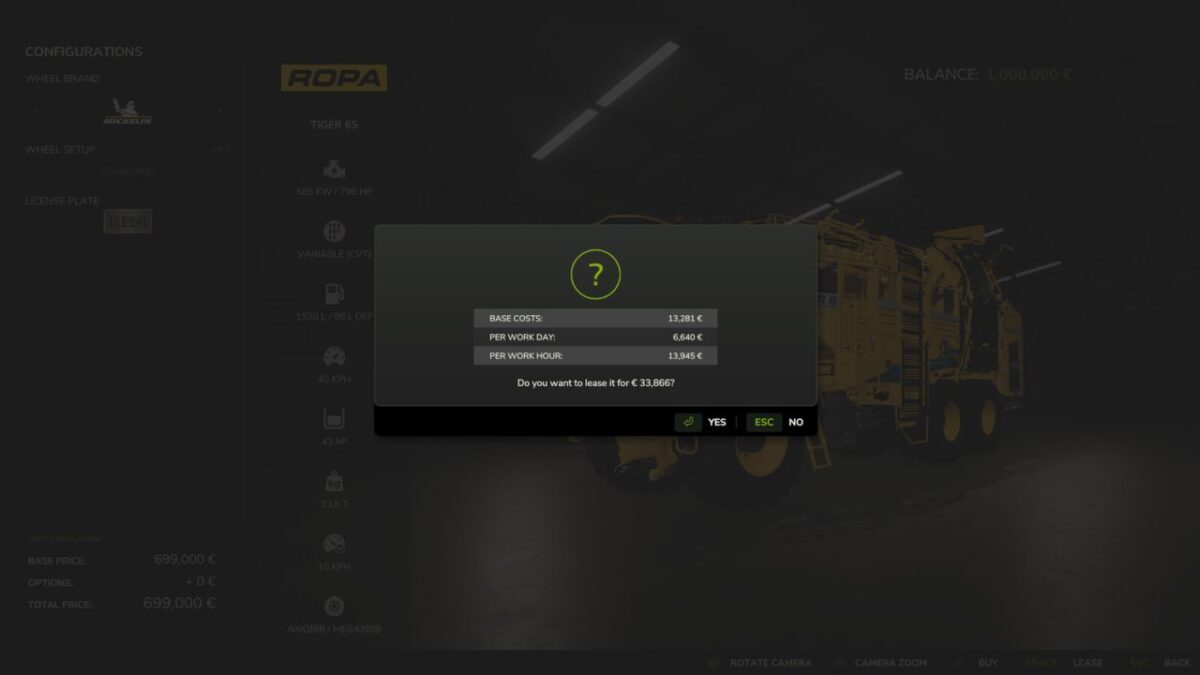
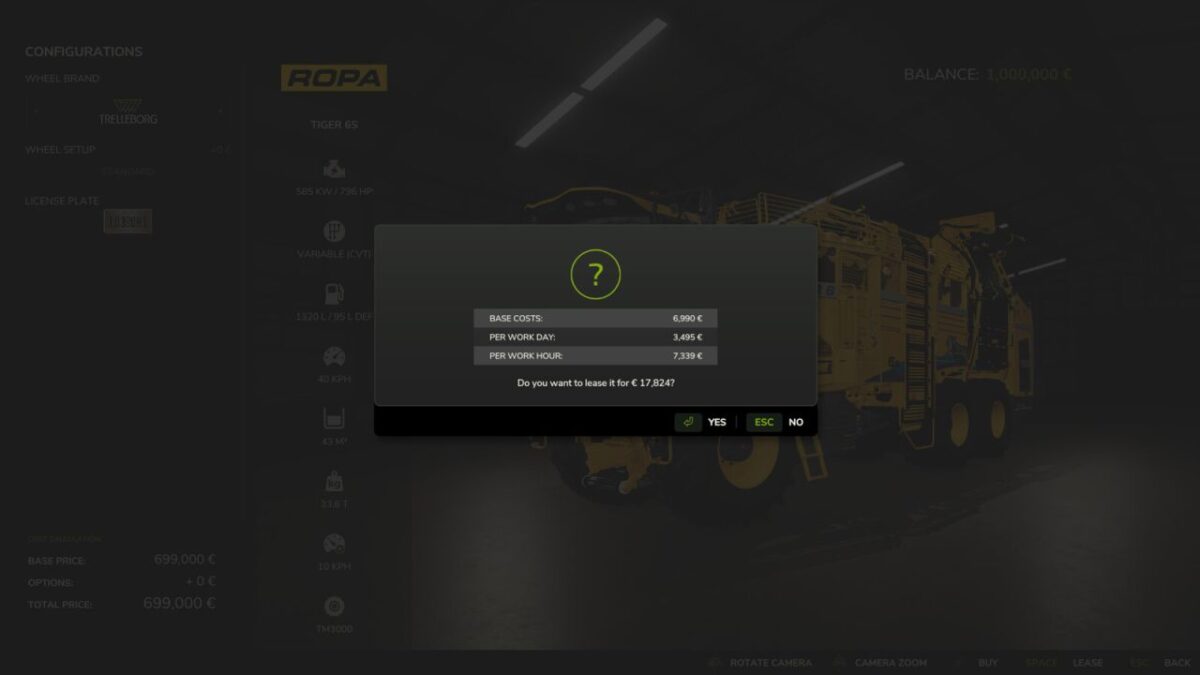
Fair Leasing Plus allows you to reduce leasing costs by up to 50%.
Base price, daily costs and hourly costs can be adjusted directly in the in-game settings menu so every farm can decide how expensive leasing should really be. But there is more.
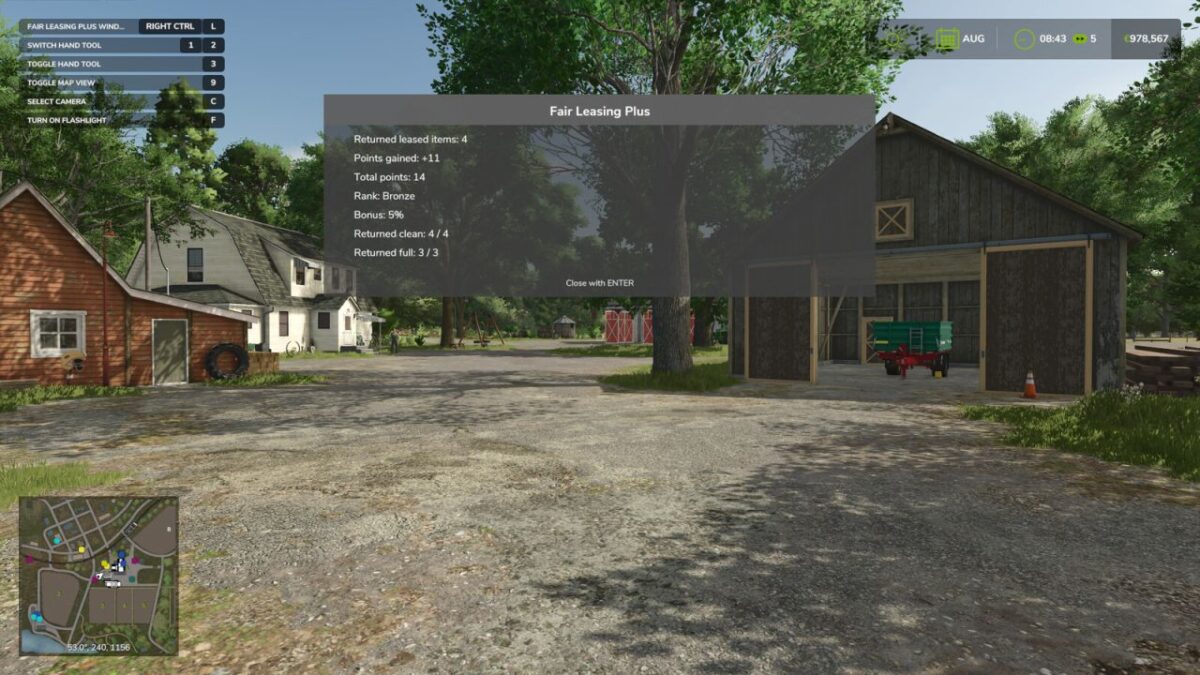
Fair Leasing Plus also introduces a reward system for returning leased vehicles in good condition.
If vehicles are returned clean and with a full tank (or battery), your farm earns points.
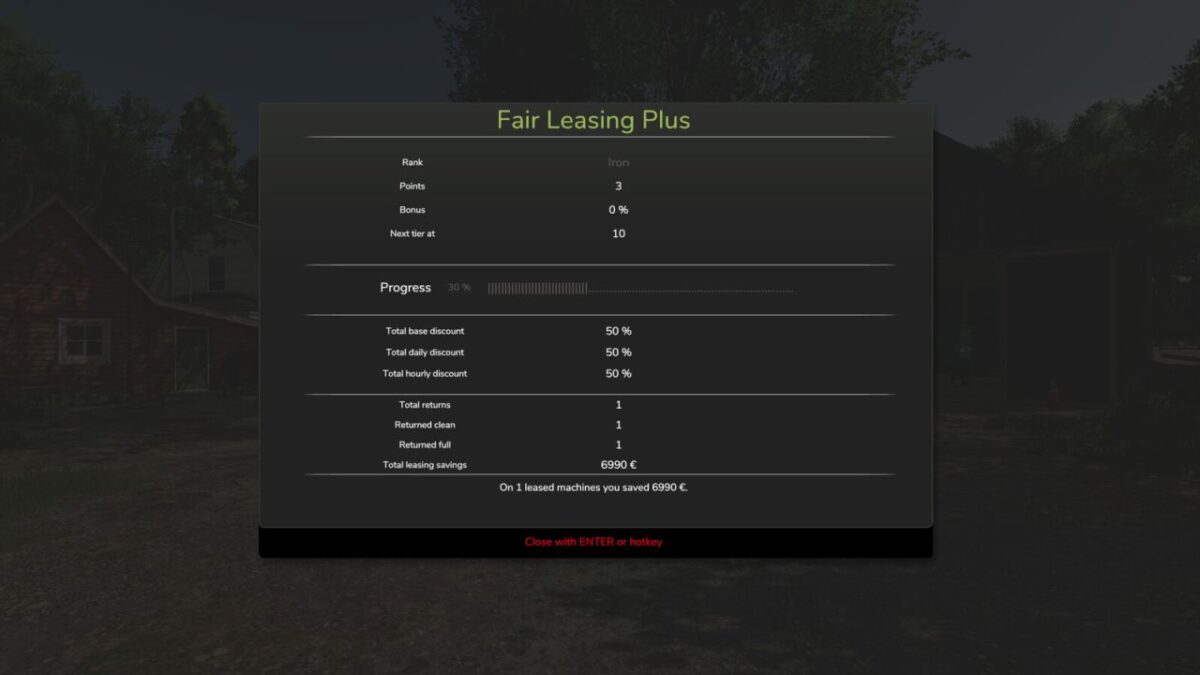
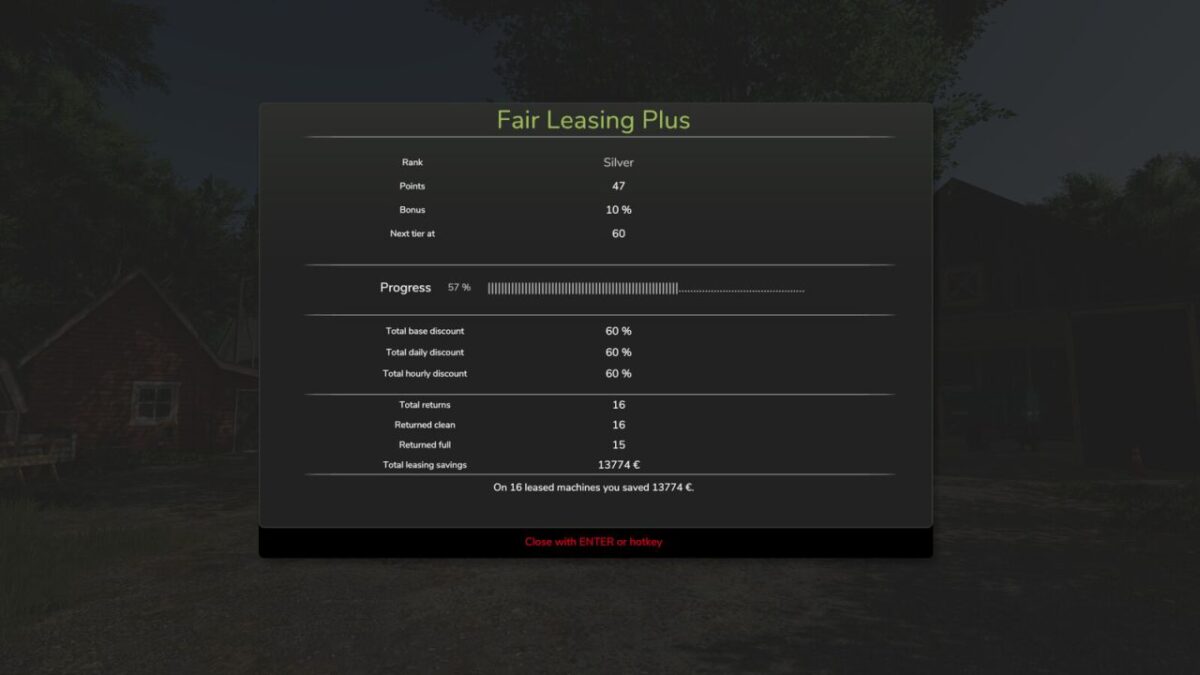
Those points unlock ranks which grant additional permanent leasing discounts.

Ranks:
IRON → BRONZE → SILVER → GOLD → PLATINUM → DIAMOND
The better you treat leased machines, the better the long-term leasing conditions become.

Features:
Adjustable leasing cost reduction up to 50%
Reward system for clean and well maintained returns
Rank progression with permanent leasing discounts
Statistics window showing your progress
Multiplayer compatible

Hotkey:
Right Ctrl + L → Opens the Fair Leasing Plus statistics window

Perfect for players who prefer to treat leased machines properly instead of returning them like rental cars after a demolition derby.

Credits:

Tarabas1977

* By clicking [Download this mod from filehost] button you agree to leave this website. The link opens in the new tab. File is hosted in the external website. We are not responsible for the content of the external page and the possibility of free download of the file.

How do I install Farming Simulator mods?
Find a mod that you like and want to download first. Then, on your PC, download a mod. Mods are typically in.zip format. However, it is sometimes in.rar format. If the mod file is in.zip format, no additional actions are required. If a file is in.rar format, you must unarchive it using software such as WinRar or Zip7. Windows 10 users do not need to use archive software; Win10 includes an unarchive feature.

The next step is to locate the mods folder on your computer. It is typically found in Documents/My Games/Farming Simulator [Your FS game version, e.g. 2022]. Open the "mods" folder and place the downloaded.zip archive or unarchived.rar file there.

The final step. Have fun with Farming Simulator mods!

Leave a Reply

Your email address will not be published. Required fields are marked *