

Massey Ferguson 9S Patriotic v 2.0

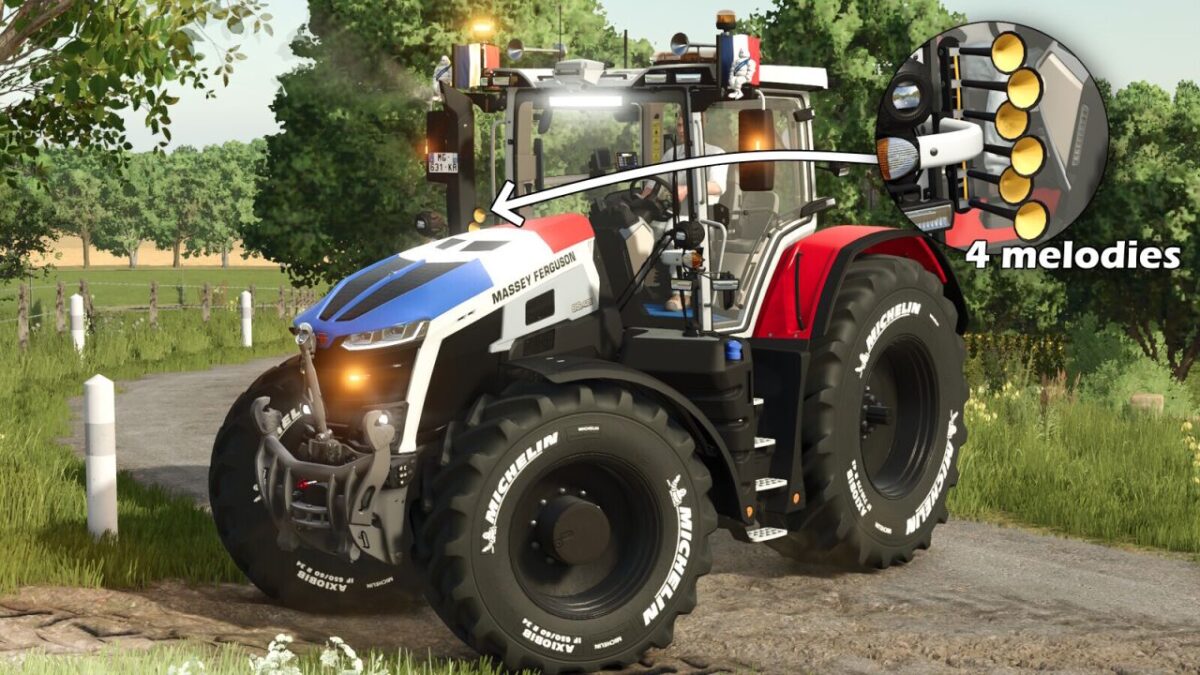

Massey Ferguson 9S Patriotic v 2.0
Available configurations:
– US or EU version
– Wheel selection
– Hood flag (France, Germany, Italia, Belgium or none)
– LED flash (mirror, grille, both or none)
– Phone inside the cabin (yes/no)
– 50 km/h stickers (yes/no)
– Rim color
– Tractor color (use only without a flag to keep accurate colors)
Additional modifications:
– Interactive Control / mouse control installed
– Improved LED beacons
– Revised tractor physics
– Camera on the control terminal (Mercedes-Benz DLC is required)
Added LizardHorn musical horn:
The configuration includes a screen inside the cabin. Once the option is set to “yes”, you can activate the horn melody using the same key used to attach or remove a vehicle cover.
You can select the desired melody (from 0 to 4) using mouse clicks.
Move your joystick or mouse, then check the LizardHorn screen to see the currently selected melody.
Version 2.0:
* Added flags on mirrors with configuration (none / left / right / both). Available countries: France, Belgium, Germany, Canada, Italy, United States and Brazil
* Added horns on the tractor roof, including their horn sound, with configuration (yes / no)
* Added an LED light bar with configuration (yes / no)
* Added a floor mat with color configuration
* Added a configuration for beacons (rotating or flashing)
* Added a Michelin figurine with configuration (yes / no)
* Added hub color configuration
* Added tractor window tint configuration (gray / black / blue)
* Added Interactive Control buttons at the front and rear to raise/lower and fold/unfold the implement
* Added a light bar attached to the cabin with configuration (yes / no)
* Added Michelin tires with white lettering
* Fenders are now configurable (yes / no)
* Adjusted the intensity of some beacons
* Updated the phone screen inside the cabin