

Investment System v 1.1

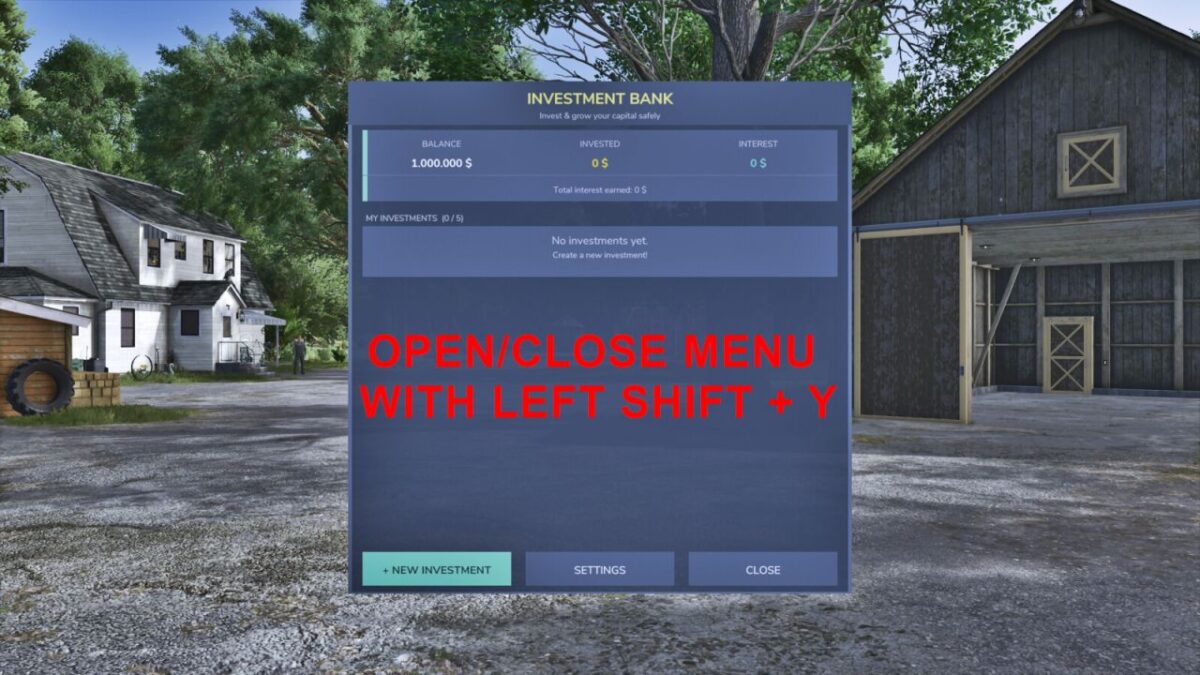
Investment System v 1.1
Manage your farm finances like a pro with a full investment system built right into Farming Simulator 25.
FEATURES:
– Deposit money into fixed-term investments (1 to 5 years)
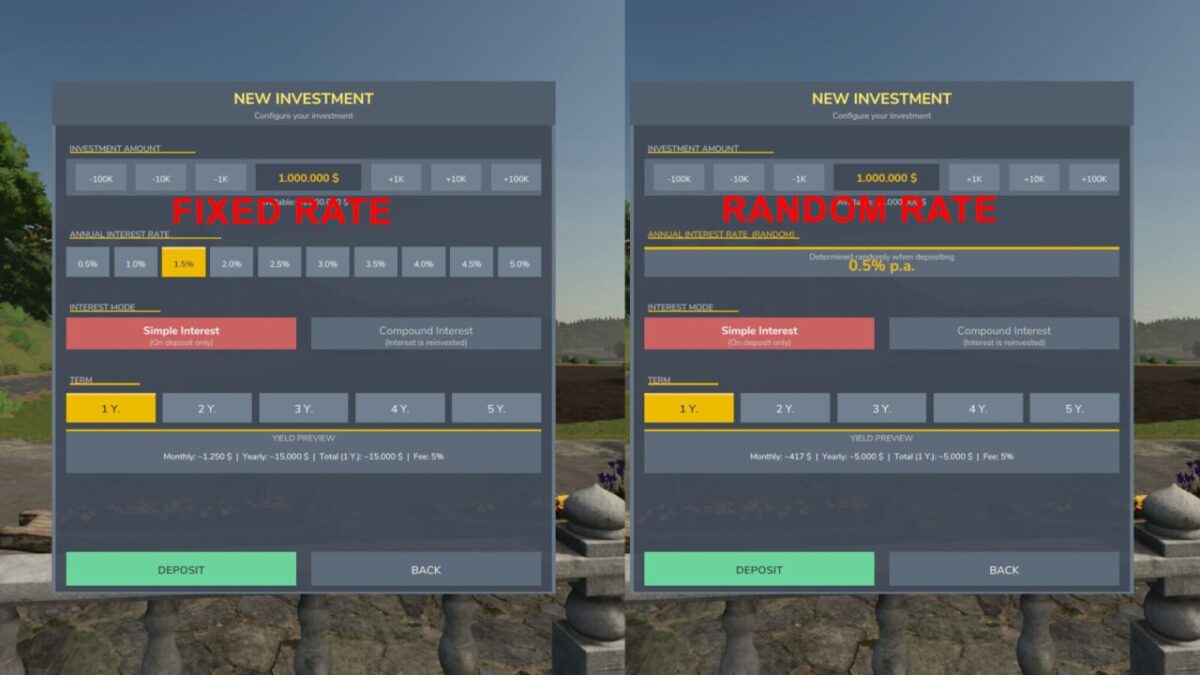
– Selectable interest rates: from 0.5% to 5% per annum (in 0.5% increments)
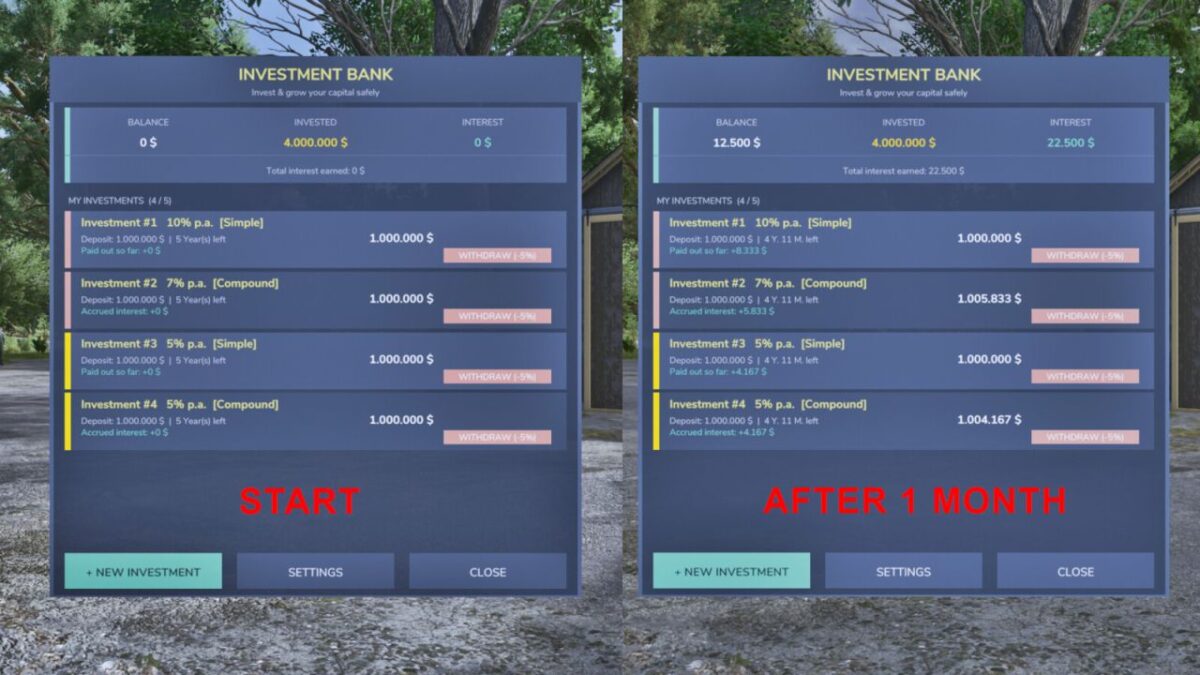
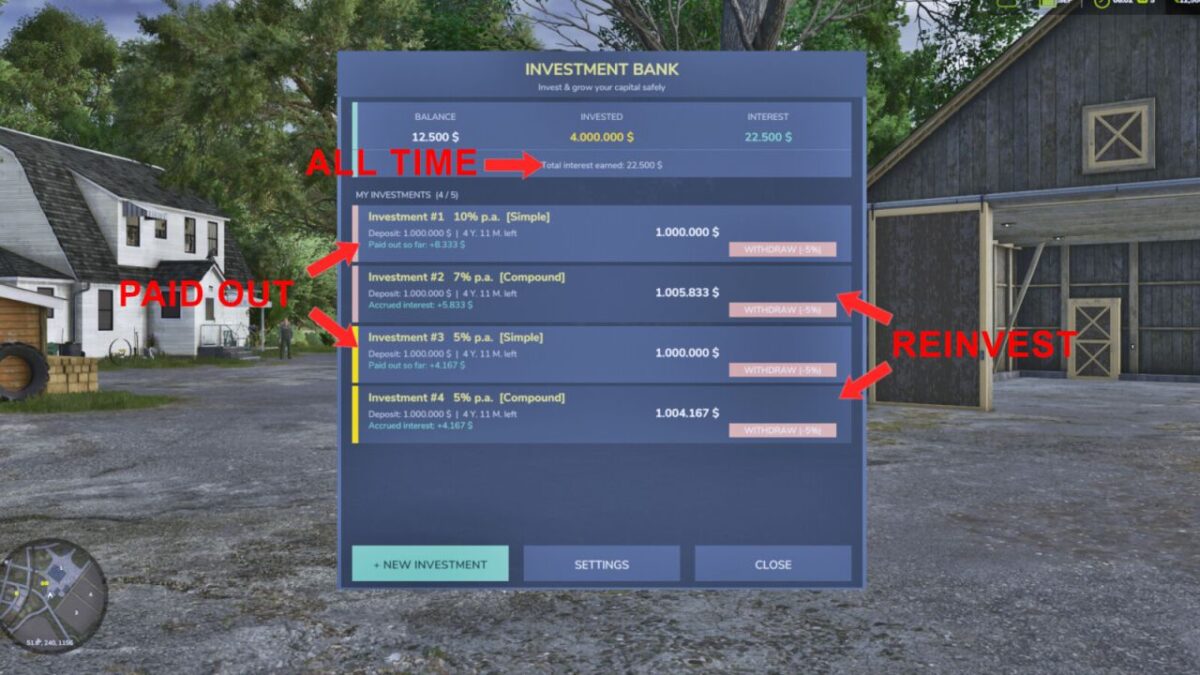
– Simple interest: monthly payouts directly to your account
– Compound interest: interest is reinvested and paid out at the end of the term
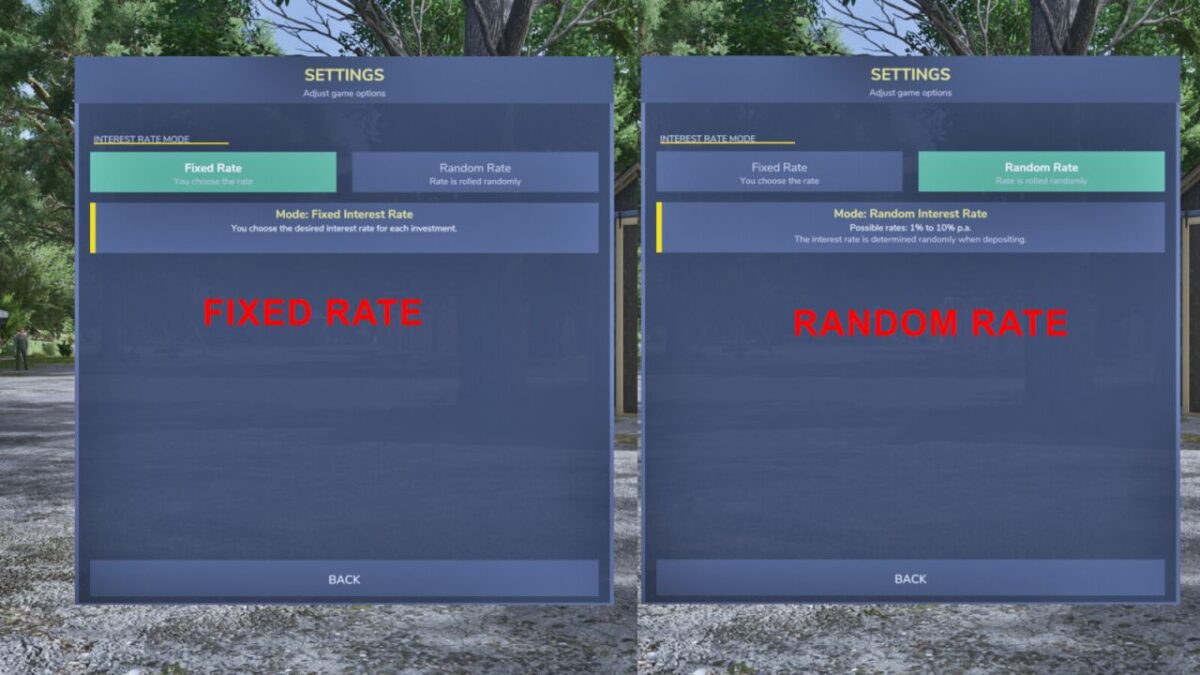
– Random rate mode: the bank rolls a random rate when you deposit (configurable)
– Up to 5 simultaneous investments per farm
– Investments expire automatically and pay out without any fee
– Early withdrawal possible at any time for a 5% fee
– Live yield preview before confirming a deposit
– Remaining term displayed per investment (years & months)
– Settings page to switch between fixed and random interest rate mode
Open/close the bank with “Left Shift + Y”
Minimum deposit: 1,000 | Maximum deposit: 50,000,000
Version 1.1:
* The key combination for opening/closing the menu has been set to “Left Shift + Y”
* Fixed an issue where the key combination change was not being applied
* The amount of money can now be entered via the keyboard
* Added 2 new buttons to add and subtract 1k and -1k
* For random interest rates, the interest rate is now displayed before investing
* Interest rates are rolled once a month
* Selectable interest rates from 0.5% to 5% (Random interest rates can go up to 10%)
* German translation updated