

Mack Pinnacle 6×4 Trucks Pack v 1.2

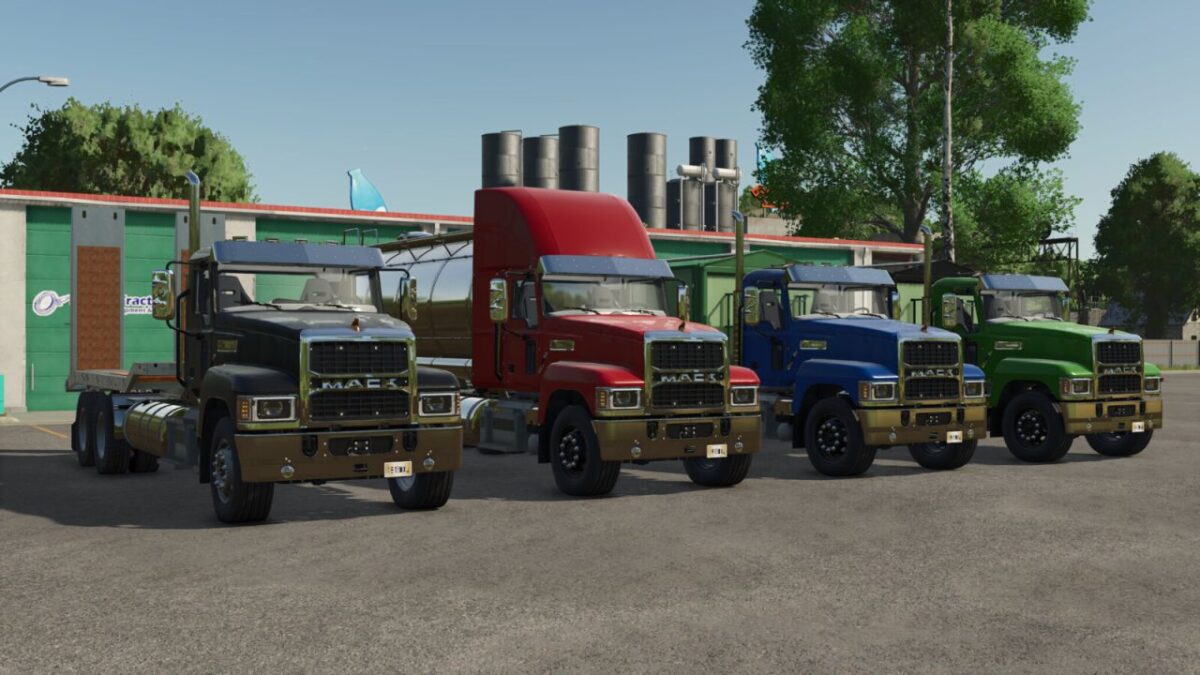
Mack Pinnacle 6×4 Trucks Pack v 1.2
About the mod:
Cabin Options
Main Color Options
Rim Color Options
Rear Attacher Option
Version Options(Following)
Grain Version;
Flatbed Option
Cover Option
Color Options for Dumper
Color Options for Cover
Capacity: 14000L-16000L-18000L
Fill Types: Bulk Materials
Tanker Version;
Color Options for Tanker
Capacity: 14000L-16000L-18000L-20000L-22000L
Fill Types: All Liquids
Lowloader Version;
Perfect for Medium-Sized or Smaller Vehicles and Tools
Beacon Option
Characteristics For All;
Price: 93.500$ (Base)
Engine Power: 425 – 505 HP
Max Speed: 80 KM/H
Version 1.2:
* Added Cover Option for Dumper Truck
* Added New Fill Types for Tanker Truck
* Adjusted Engine Brake Force Scale
* Fixed Translations
Credits:
ONR Modding