

IT Runner Fliegl Trailers Pack v 1.1

IT Runner Fliegl Trailers Pack v 1.1
What’s new?
– New support for the Mercedes-Benz DLC (containers)
– New animation added to the HookLift trailer for the rollers
– New colors using the official FLIEGL templates
– New wheels added
What was fixed?
In FS22, the mod had a bug that prevented the platform container from connecting to the HookLift system. This was fixed in FS25, and all containers were tested for coupling.
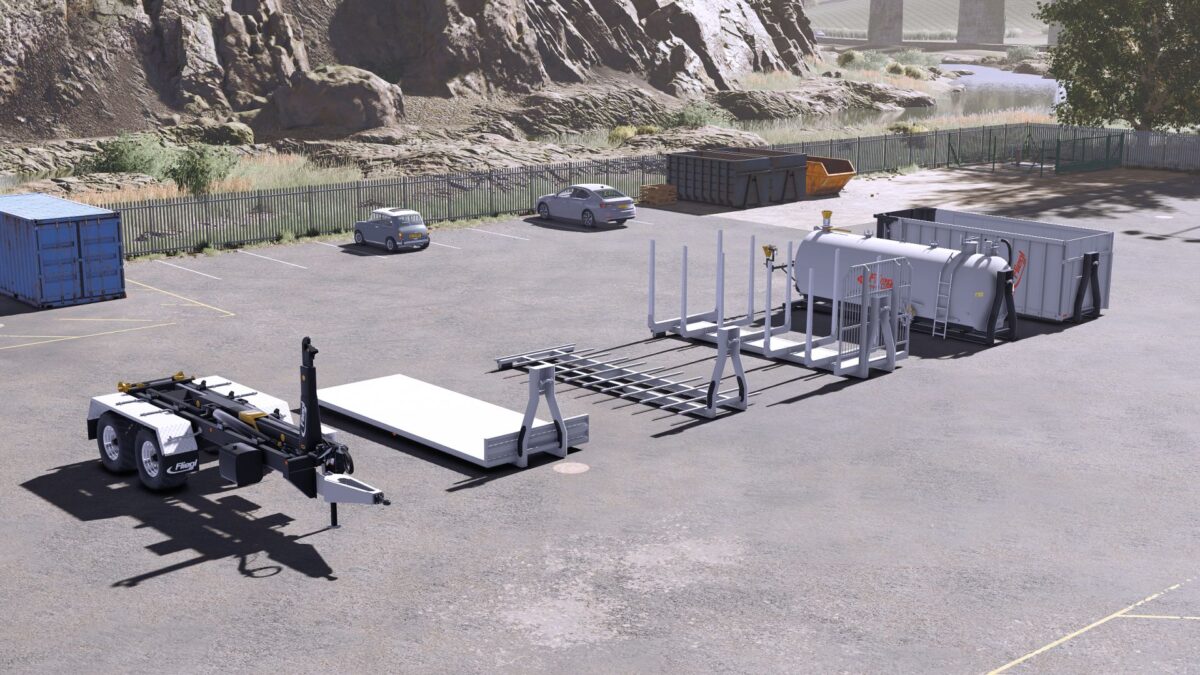
This mod includes:
– Two platforms for round or square bales, although it also supports pallets (Compatible with Universal Autoload and configurable)
– Log platform (Compatible with Universal Autoload and configurable)
– Slurry and digestate spreader tank with a 10,600L capacity (Does not work with AI if you use the Fliegl HookLift trailer; it must be operated manually. If you use, for example, the Mercedes truck, it works perfectly with AI.)
– Fliegl TMK 266 grain container with a 32,000L capacity
– FLIEGL HookLift trailer compatible with any container from the Mercedes-Benz DLC or any mod like ItRunner. However, if using ItRunner, it is preferable to use the 2433HD (6×4) container versions due to their size, although it is compatible with the 2633HD versions. (8×4)
Version 1.1:
* FS25 materials applied
* Wetness system applied
* Updated modDesc version for patch 1.18
* New normal maps and vmask 4096×4096 (4K) for all equipment for better quality
* Increase file size