

Automatic Tramline System v 1.2

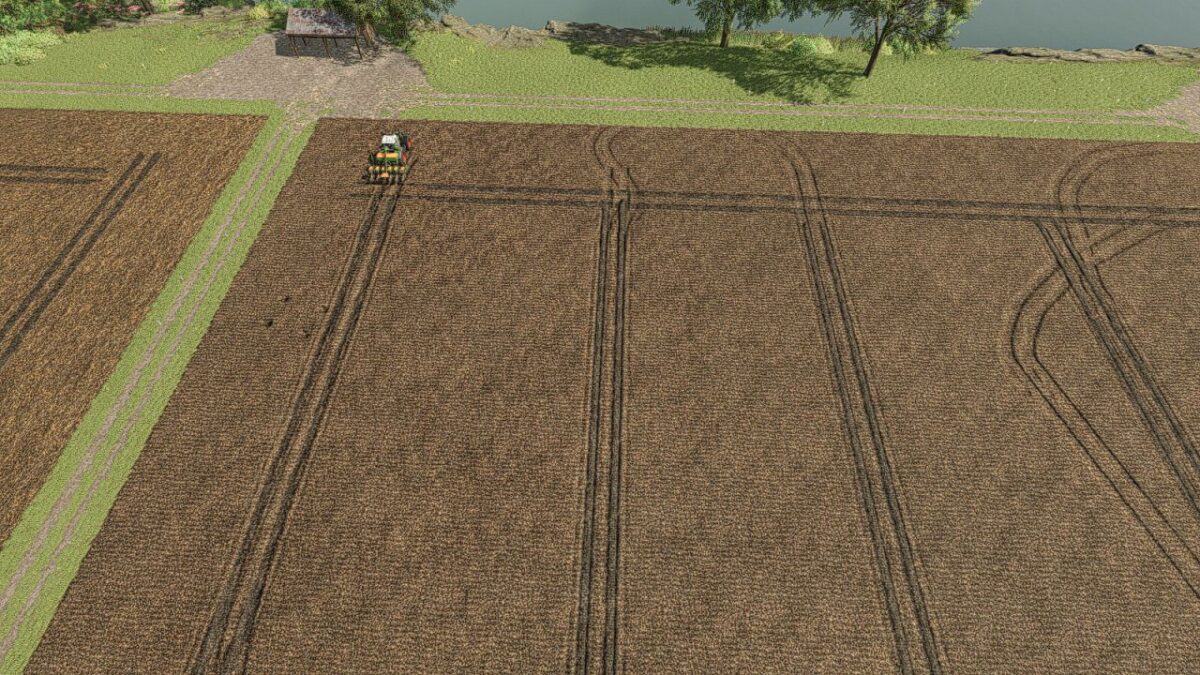
Automatic Tramline System v 1.2
Set Tramline Distance:
Here you set the working width of the sprayer or fertilizer spreader.
This can either be adjusted using two assigned keys or by clicking the plus and minus buttons with the mouse.
Rhythm:
Here you can see the number of passes required for one working width of the sprayer or fertilizer spreader.
In manual mode, the current pass can be adjusted with + and – if necessary.
I would like to reference a PDF by Webalizer, who created ProSeed for LS17.
The half pass should only be done on the second pass.
If you are using GPS and a half pass is required, it should look like this:
First pass normal. Starting from the second pass, set an offset of half the working width in the GPS menu. See the description further below under GPS Offset Mode.
Mode:
The active working mode of the tramline automation can be changed either via an assigned key or with the mouse by clicking on the selected mode.
Pause:
No tramlines will be created.
The counter is paused.
Always:
Tramlines are always active when the implement is lowered.
GPS:
Automatic track detection via GIANTS Steering Assist.
At the beginning, a reference track must be set. This can be done using an assigned key.
Manual:
Counting is done by raising/lowering the implement.
The symbol behind it indicates whether a tramline is currently being created or not.
GPS Offset:
Requirement: GPS mode
Since with an even rhythm number you must work with half the working width on the first pass, you can set the offset so the track does not start jumping.
This value can either be adjusted via an assigned key or with the mouse using the + and – buttons next to the rhythm.
In GPS mode, these buttons are repurposed to increase or decrease the GPS offset.
Track Width:
Here you can see the configured tramline track width.
This can be adjusted with two assigned keys or by clicking the plus and minus buttons with the mouse to match the track width of the crop care tractor, because smaller tractors have a narrower track width than larger tractors.
Buttons:
Tramline distance +/-: Increase or decrease the tramline spacing
CURSOR ON/OFF: Show or hide the mouse pointer
Tramline Mode switch: Switch the tramline mode
GPS reference Lane set: Sets the GPS reference track
reference -½ lane or reference +½ lane: Move the GPS reference track half the working width to the right or left
Track width +/-: Adjusts the track width from 1m to 6m
Version 1.2:
* Courseplay support added with new mode “Courseplay”
* Enhanced Vehicle GPS support added with new mode “Enhanced Vehicle GPS”
* Help page added in the ESC menu where you can read what each mode does and how it works, including a graphic for tramline distances
* Two hectare counters added, one of which can be reset — a key must be assigned for this
* The HUD has been removed from the F1 display and added as its own HUD, as it caused too many problems
* The HUD can be moved and closed with the mouse and reopened with the mouse cursor toggle key
* The values and HUD position are now saved
* Manual mode renamed to Semiautomatic
* Two additional buttons added for adjusting the current pass if you don’t want to use the mouse
* Hectare counter added, one resettable counter and one total counter, reset via an assigned key