

Realistic Shopping v 1.1


Realistic Shopping v 1.1
Realistic Shopping adds a more realistic shopping flow by turning standard shop purchases and leases into delayed deliveries instead of instant spawns.
Features:
Delayed delivery orders for purchases and leases
Optional instant buy and instant lease buttons
Configurable rush delivery fee
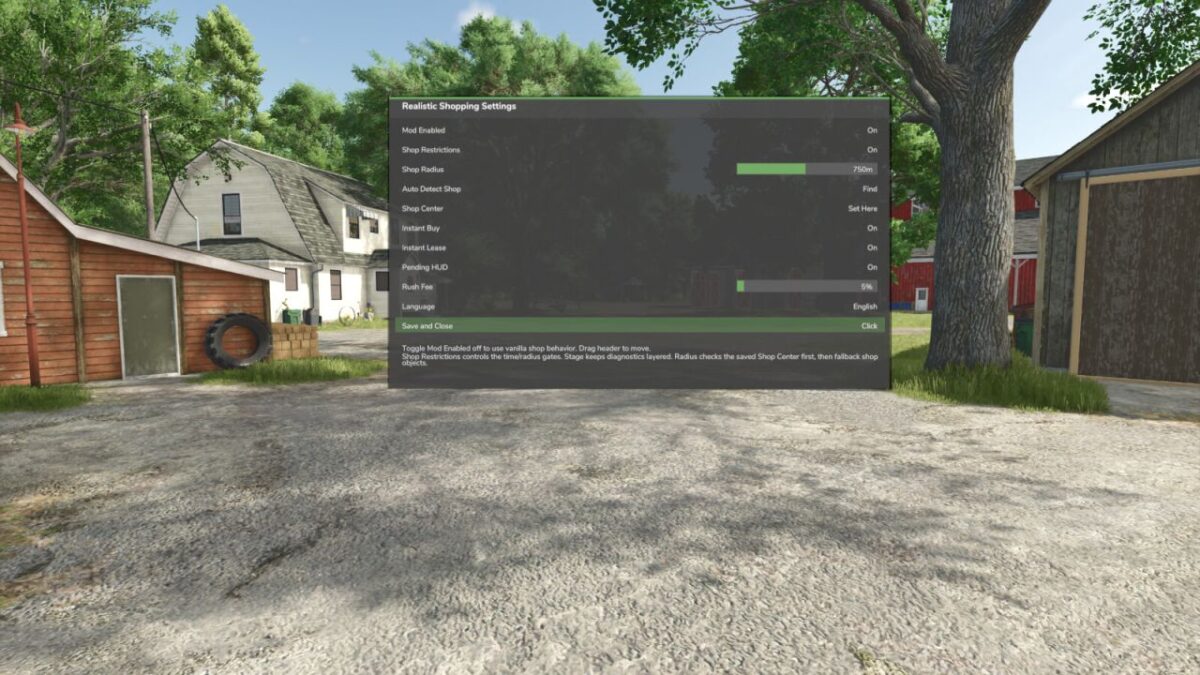
In-game settings panel with mod enable toggle
Pending orders persist through save/load
Movable pending orders HUD
Safeguards for invalid shop items and broken tiles
Controls: Shift + R: Open settings panel
Version 1.1:
* Added shop access restrictions
* Players now need to be near the vehicle shop/dealer area to open and use the shop
* Added shop opening hours
* Shop is open from 6:00 am to 12:00 pm and 1:00 pm to 8:00 pm
* Shop is closed from 12:00 pm to 1:00 pm for lunch and from 8:00 pm to 6:00 am overnight
* Added a message showing when the shop will open again if the player tries to access it while closed
* Added shop radius setup options to the Shift + R menu
* Added Auto Detect Shop option to automatically detect the vehicle shop trigger
* Added manual Shop Center option if auto-detection does not find the correct shop location
* Added adjustable Shop Radius setting
* Added option to disable shop restrictions if needed
* Improved Realistic Shopping settings menu
* Improved pending order handling for vehicles, tools, trailers, pallets, bags, bales, fertilizer, seed, lime, and herbicide
* Improved instant buy and instant lease handling
* Added purchase cooldown to prevent repeated buy/lease actions from overlapping while the shop is still processing
* Reduced right side notification spam when changing settings
* Added shop setup instructions to the mod description