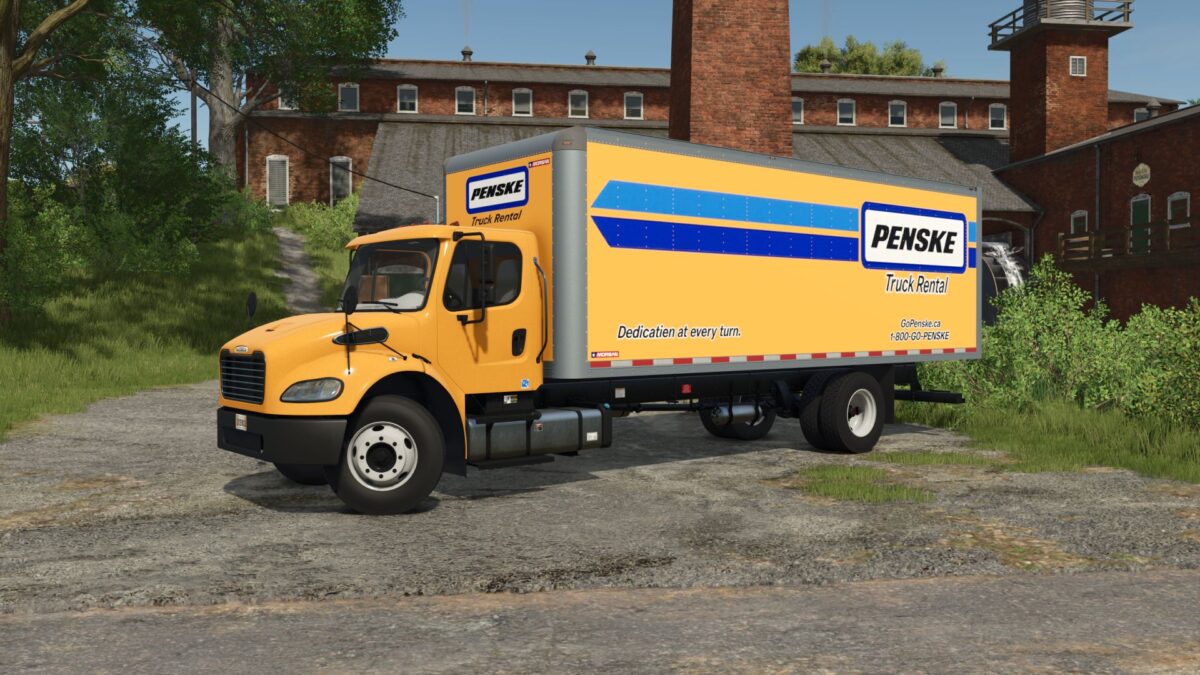
Freightliner M2 Box Truck v 1.5
– Speed 130 km/h
– Selectable wheels
– Selectable main, box, bumper and rim color
– Selectable liftgate
– Selectable box logo
– Selectable mudguards
– Selectable visor
– Selectable spoiler
– Animated suspension, drive shafts, dashboard, wiper, steering column, pedals, ignition key and turn signal switches.
– Passenger support
Version 1.5:
* Added visor configuration
* Added spoiler configuration
* Added 5 hole steel rims
* Added the ability to turn on the interior lighting (IC only)
* Improved dashboard
Canada FS
How do I install Farming Simulator mods?
Find a mod that you like and want to download first. Then, on your PC, download a mod. Mods are typically in.zip format. However, it is sometimes in.rar format. If the mod file is in.zip format, no additional actions are required. If a file is in.rar format, you must unarchive it using software such as WinRar or Zip7. Windows 10 users do not need to use archive software; Win10 includes an unarchive feature.
The next step is to locate the mods folder on your computer. It is typically found in Documents/My Games/Farming Simulator [Your FS game version, e.g. 2022]. Open the "mods" folder and place the downloaded.zip archive or unarchived.rar file there.
The final step. Have fun with Farming Simulator mods!