

Fresh/Perishable Products v 1.0.1.0

Fresh/Perishable Products v 1.0.1.0
Fresh adds shelf life to your products – crops age over time and will spoil if not sold or used!
Your harvested crops, processed goods, and baled forage now have realistic shelf lives – leafy vegetables spoil quickly, while grains and canned products last much longer. Leave produce sitting too long and it will expire and be lost! Customize shelf lives via the Fresh Menu.
Usage
Install the mod and play normally. Open Fresh Menu with Right Shift+F to view inventory, stats, and settings. Check expiry by looking at any vehicle, bale, or storage. Customize shelf lives in Settings if defaults don’t suit your playstyle.
Fresh Menu (Right Shift+F)
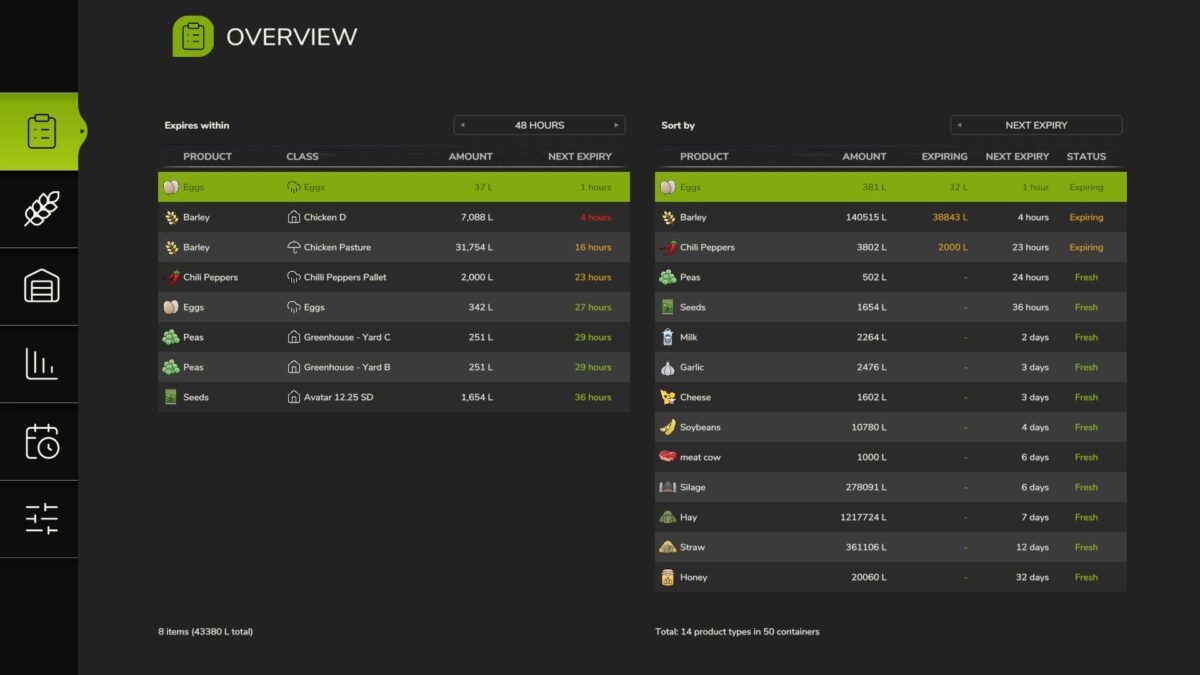
– Inventory Overview: see all perishables at a glance with their oldest ages
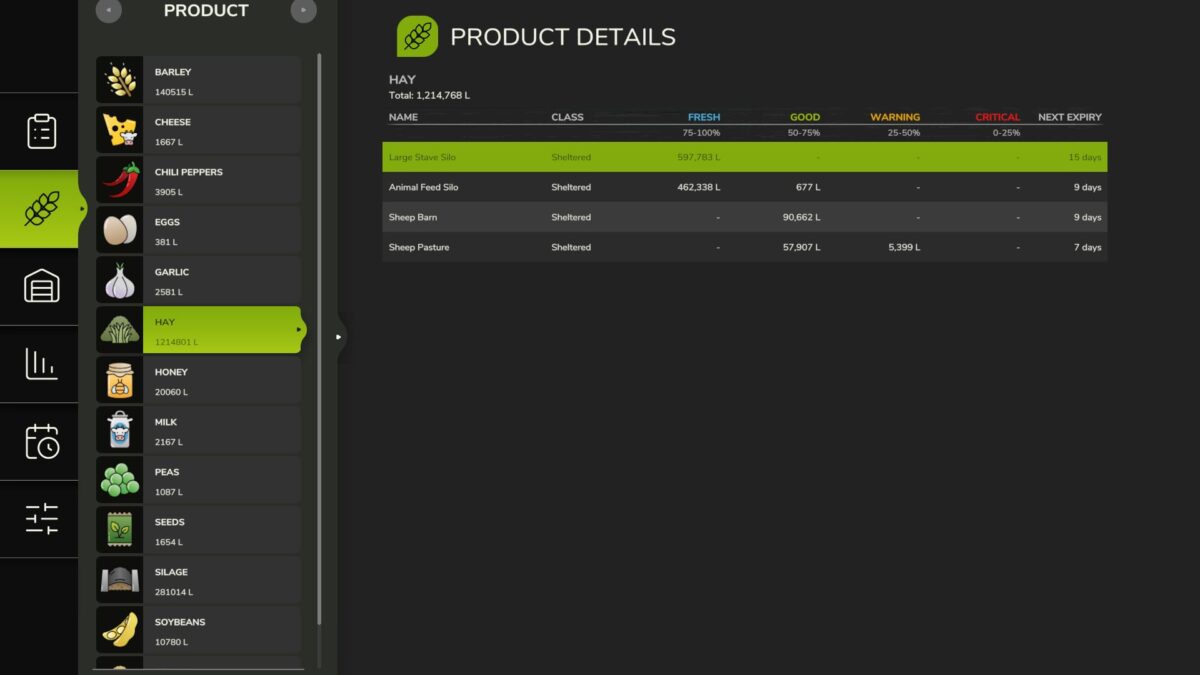
– Product Details: per-storage age breakdown with freshness buckets
– Storage Details: per-product breakdown with age distribution and category filter
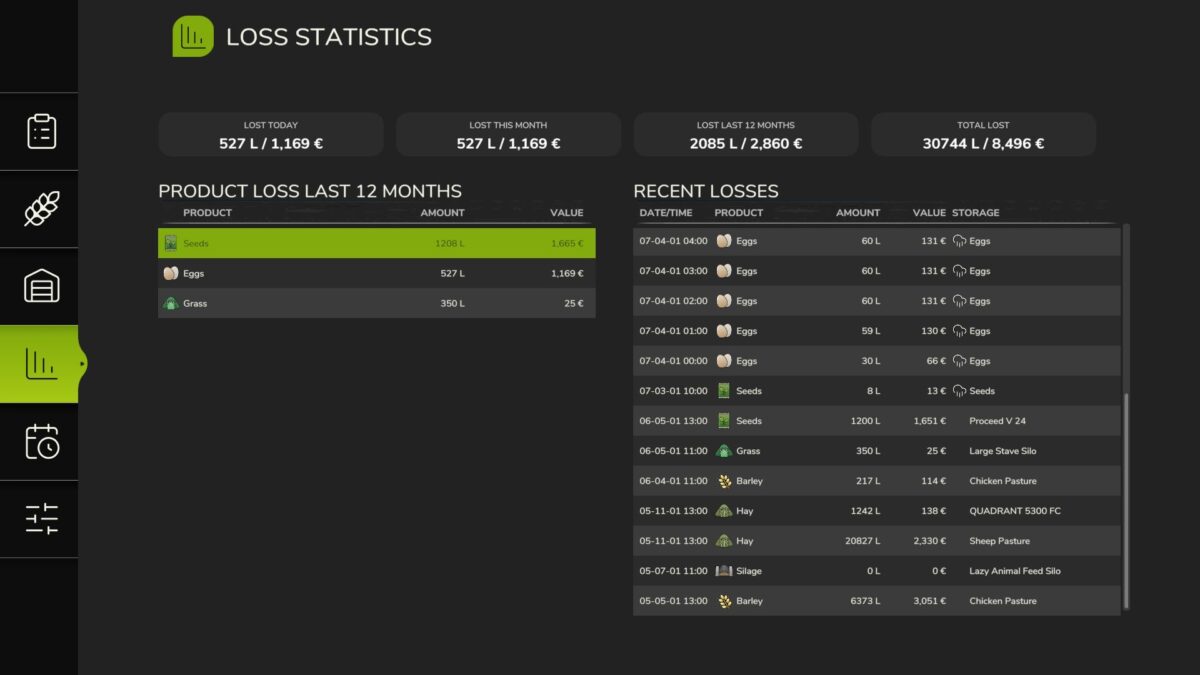
– Loss Statistics: track what you’ve lost and when
– Shelf Life: effective shelf life per storage class
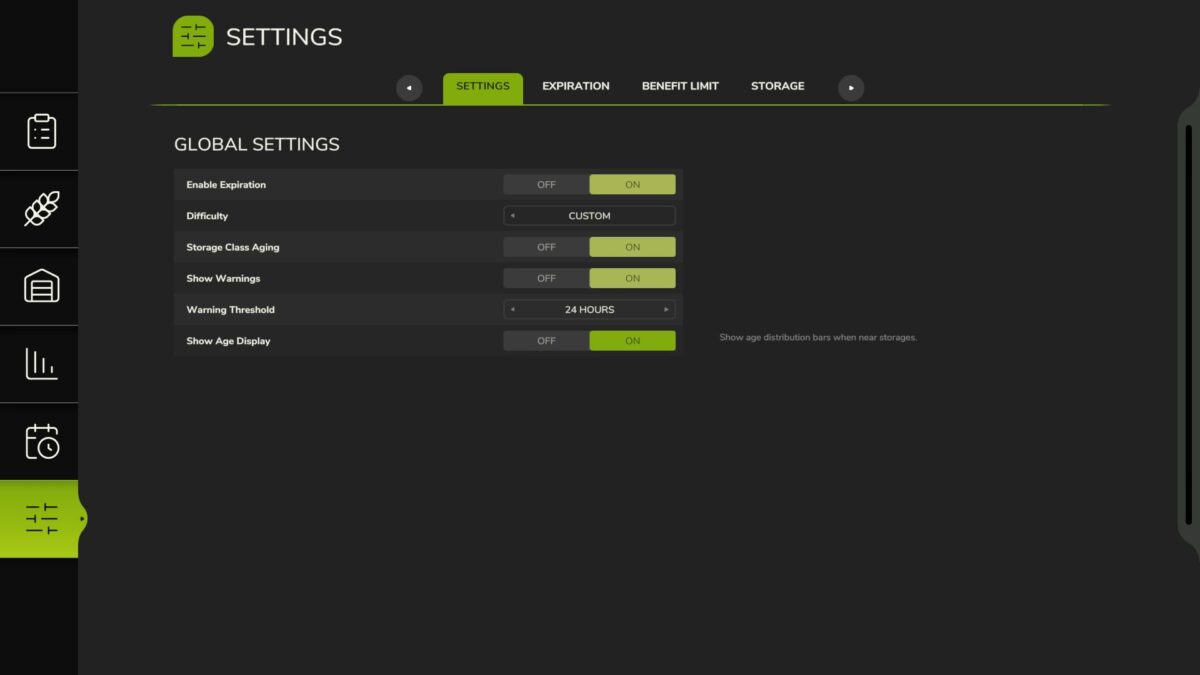
– Settings: customize shelf lives and storage class benefits
Storage Classes
– Storages auto-classified: Exposed, Sheltered, Indoor, Cooled, Frozen, Disabled
– Each class applies an aging speed multiplier – better storage means slower spoilage
– Override storage class per-storage via Settings
– Set per-product max benefit class to cap how much a storage class can help
Visual Feedback
– Age distribution bars when near placeables, vehicles, and bales (color-coded freshness)
– Storage class icons in HUD, expiring soon table, and loss log
– Expiry countdown on vehicles and bales
– Expiring amount and time remaining per fill type on placeables and husbandries
– Warning highlight when products near expiration (configurable threshold)
– Notification when products expire and are removed
Perishable Products
– 100+ products with realistic shelf lives (perishable produce spoils in days, grains last months, canned products up to 3 years)
– 130+ non-expiring products pre-configured
– 4 bale types: Fresh Grass (days), Hay (18 months), Straw (24 months), Silage (12 months)
– Wrapped grass bales begin aging after fermentation completes
Settings & Customization
– Difficulty presets (Very Easy/Easy/Normal/Hard) or Custom for individual control
– Configure shelf life for any product (basegame, DLCs, maps/mods)
– Enable/disable expiration globally or per-product
– Configurable warning threshold (6h/12h/24h/48h/72h)
– Reset all settings to defaults with one click
– Optional external config file (customDefaults.xml) to add or override shelf life, storage class, and aging for any crop – including custom map/mod crops – without editing the mod (update-safe, server-side in multiplayer)
– Per-savegame settings
– Multiplayer: host/admin controls settings for all players
Loss Tracking
– All expirations recorded in loss log
– Daily notifications summarizing your farm’s losses
– View loss history in menu
Tracking Locations
– Vehicles: trailers, tankers, combine tanks, etc.
– Bales and pallets: on the ground and in storage buildings
– Placeables: silos, productions, husbandries, object storage
How It Works
– Each harvest or production run is tracked as a separate batch with its own age
– Oldest items retrieved first from storage (FIFO)
– Expired products automatically removed
– Batch ages preserved during transfers between containers
– Multiplayer support (server-authoritative)
– Ages saved with your game
Limitations & Known Issues
– No loose item tracking (loose grass, grains, etc. on the ground)
– Silo extensions are tracked separately rather than as a shared pool
Fresh: Because hoarding should have consequences.
Version 1.0.1.0:
* Added optional external config (modSettings/FS25_Fresh/customDefaults.xml) to add or override shelf life, storage class and aging multipliers for any crop – including custom map/mod crops – without editing the mod (update-safe, re-read each launch, server-side in multiplayer)
* Added user guide documentation for the custom defaults config file (setup, precedence, schema, multiplayer)
* Added Ukrainian localization – contributed by sava4903-coder
* Improved stability: a rare error while aging or expiring one item no longer interrupts the rest of the hourly/daily update
* Fixed near empty containers (under 1 L, e.g. a combine grain-tank leftover) showing as “0 L” rows in the inventory menus and skewing the displayed expiry
* Fixed inventory and loss statistics amounts ignoring locale number formatting – thousands separators now display correctly for non English languages (e.g. 1.234 L)