

RPM Work Mode v 2.4.2.0


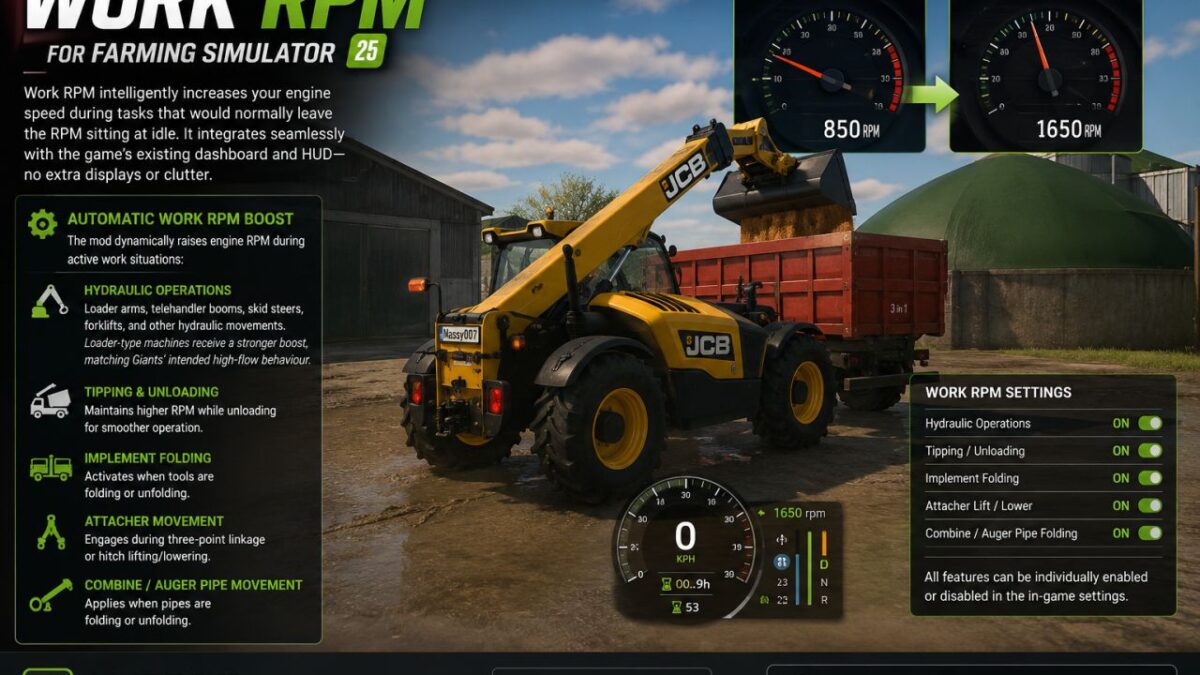
RPM Work Mode v 2.4.2.0
Work RPM intelligently increases your engine speed during tasks that would normally leave the RPM sitting at idle.
It integrates seamlessly with the game’s existing dashboard and HUD no extra displays or clutter.
What It Does
Automatic Work RPM Boost
While you are in control of a vehicle from the cab, the mod dynamically raises engine RPM during active work situations:
Hydraulic Operations
Loader arms, telehandler booms, skid steers, forklifts, and other hydraulic movements.
Loader-type machines receive a stronger boost, matching Giants’ intended high-flow behaviour.
Tipping & Unloading
Maintains higher RPM while unloading for smoother operation.
Implement Folding
Activates when tools are folding or unfolding.
Attacher Movement
Engages during three-point linkage or hitch lifting/lowering.
Combine / Auger Pipe Movement
Applies when pipes are folding or unfolding.
Customisation
All features can be individually enabled or disabled in the in-game settings, giving you full control over how the system behaves.
Version 2.4.2.0:
New:
– Works on manual / hand-push tools, not just normal drivable vehicles.
– Works properly on manual gearbox tractors.
– Works on tools that only have an on/off start, without a full engine.
– Mod icon converted to icon.dds (fixes texture warnings in the log).
Fixed:
– Other mods loaded after this one now get WorkRpm on their vehicles too.
– RPM boost no longer gets wiped out by the game engine each frame.
– Tractor plus front loader: boost and hold now follow attached tools.
– Attached tools no longer lose RPM between hydraulic movements.
– Hand push tools no longer boost when nobody is nearby.
– Settings no longer reload from disk for every vehicle on the map.
– Boost logic only runs on the server in multiplayer.
– Store category lookup no longer reads invalid vehicle XML paths (log spam fixed).
– FIX Lagging of game
Improved:
– Boost works when you are in the tractor cab, even if the work is on an attached tool.
– More vehicle types supported; trains and conveyor belts still excluded.