I need a Loan v 1.0.0.1

FS25 mods

I need a Loan v 1.0.0.1
1 Star2 Stars3 Stars4 Stars5 Stars
About mod:

Tired of spending minutes customizing a vehicle, lining up a purchase, or preparing a placement only to discover you are short on cash at the last second?

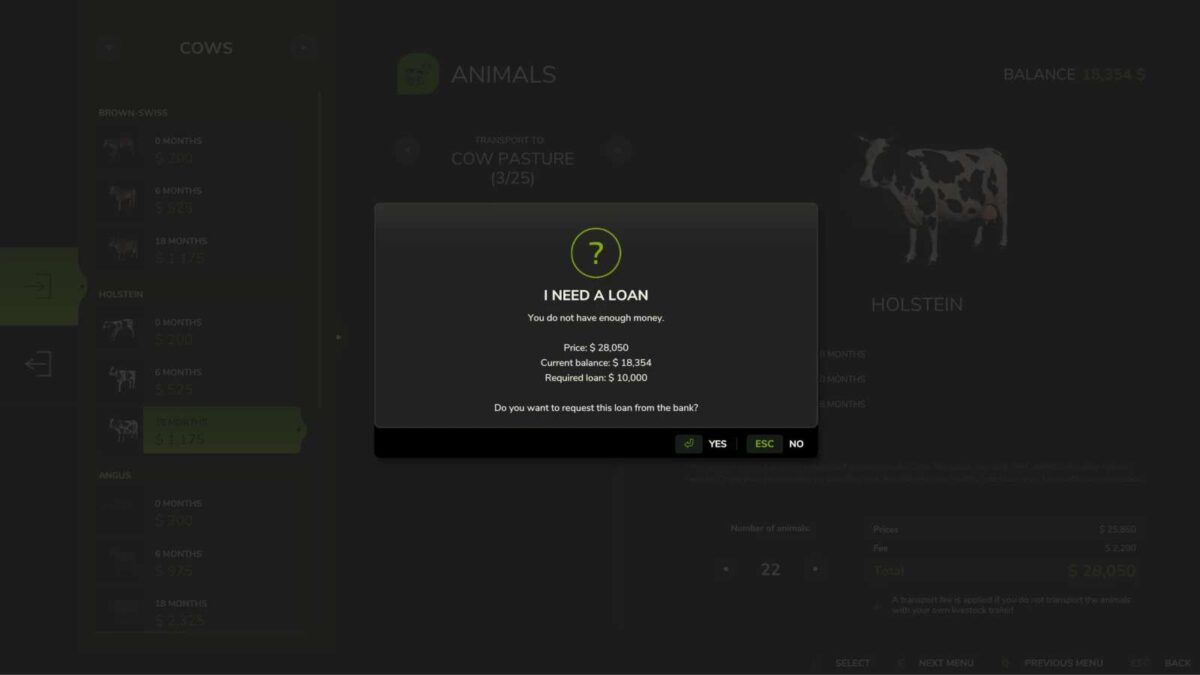
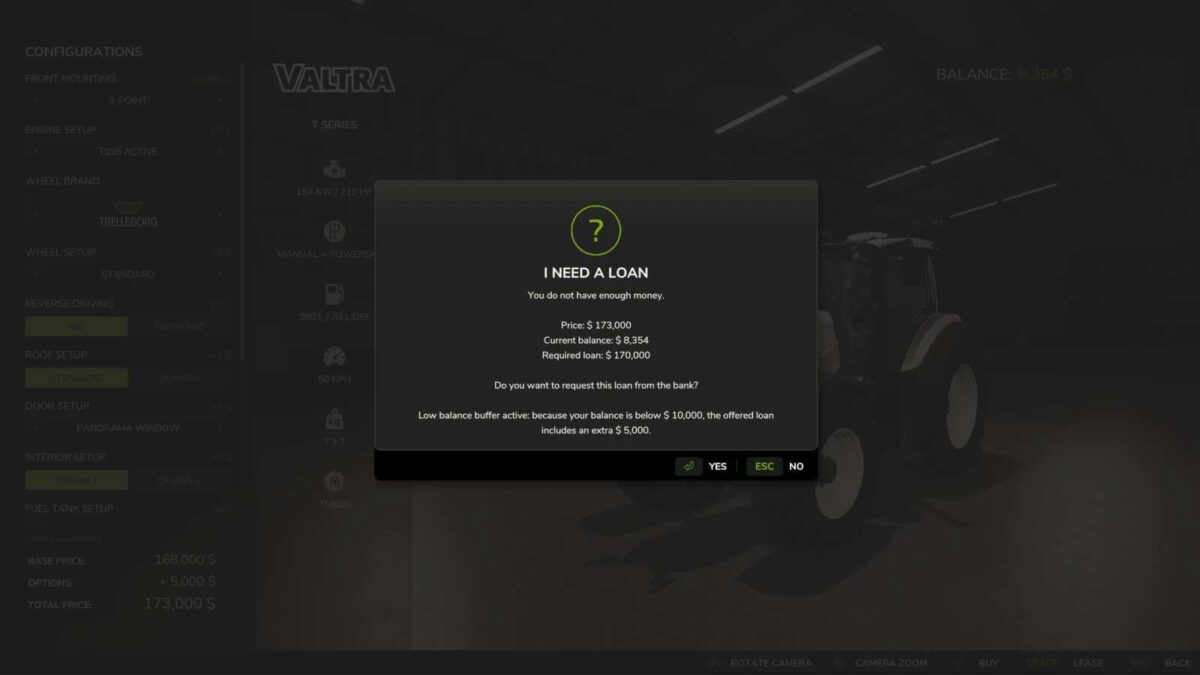
Instead of stopping everything with the usual “not enough money” message, the game can immediately offer the exact loan your farm still needs, as long as the bank limit allows it.

What you can expect:
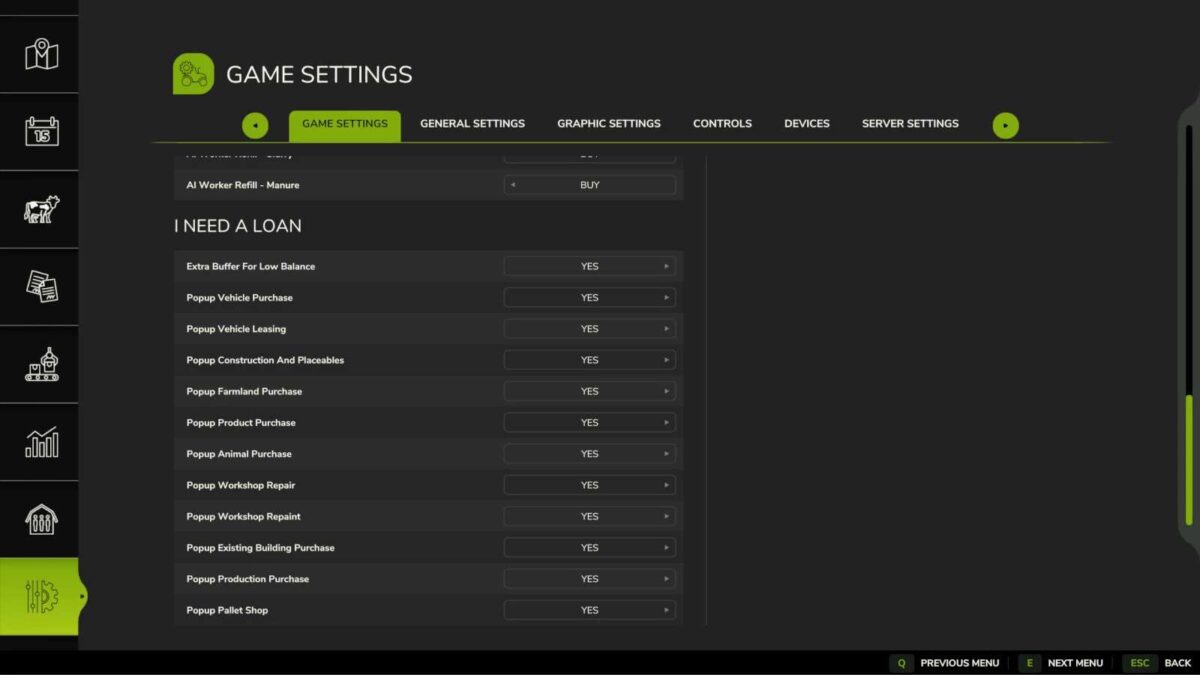
Works with vehicle purchases and leasing in the shop
Helps with construction mode, placeables, and production buildings already on the map
Supports farmland purchases, refill products, animals, workshop actions, and pallet shop orders
Requests only the missing amount, always rounded up to the next 5000
Can add an extra 5000 safety buffer when your balance is low
Never exceeds the current farm loan limit
Keeps multiplayer safe by validating loan requests on the server

If you decline the offer, nothing is bought and your balance stays untouched.

Version 1.0.0.1:
* Fixed the extra 5000 low balance buffer so it also applies when your balance would remain below 10000 after the purchase
* Updated the translations for most supported languages

Credits:

NYKK3

* By clicking [Download this mod from filehost] button you agree to leave this website. The link opens in the new tab. File is hosted in the external website. We are not responsible for the content of the external page and the possibility of free download of the file.

How do I install Farming Simulator mods?
Find a mod that you like and want to download first. Then, on your PC, download a mod. Mods are typically in.zip format. However, it is sometimes in.rar format. If the mod file is in.zip format, no additional actions are required. If a file is in.rar format, you must unarchive it using software such as WinRar or Zip7. Windows 10 users do not need to use archive software; Win10 includes an unarchive feature.

The next step is to locate the mods folder on your computer. It is typically found in Documents/My Games/Farming Simulator [Your FS game version, e.g. 2022]. Open the "mods" folder and place the downloaded.zip archive or unarchived.rar file there.

The final step. Have fun with Farming Simulator mods!

Leave a Reply

Your email address will not be published. Required fields are marked *