

Seasonal Crop Stress v 1.2.5.0

Seasonal Crop Stress v 1.2.5.0
FS25 Seasonal Crop Stress – Soil Moisture & Drought
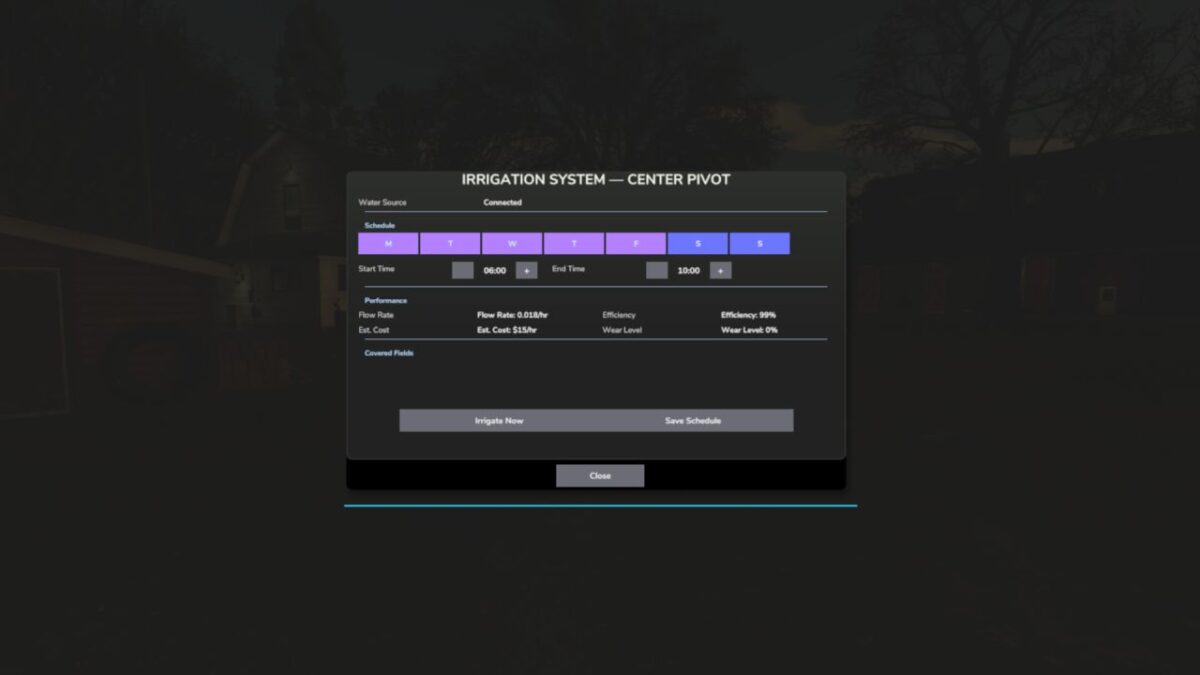
FS25 fields look lush even when your crops are quietly dying of thirst. This mod changes that. Real soil moisture physics: heat evaporates water, rain puts it back, sandy soil drains fast while clay holds on longer. Let moisture fall during the windows that matter most, wheat at heading or corn at pollination, and drought stress eats straight into your yield. Place a center-pivot irrigator, schedule it, and protect what you’ve grown.
Features
Real Soil Moisture Physics
Soil-Type Drainage
Crop-Critical Stress Windows
Drought Yield Penalty
Field Moisture HUD & Forecast
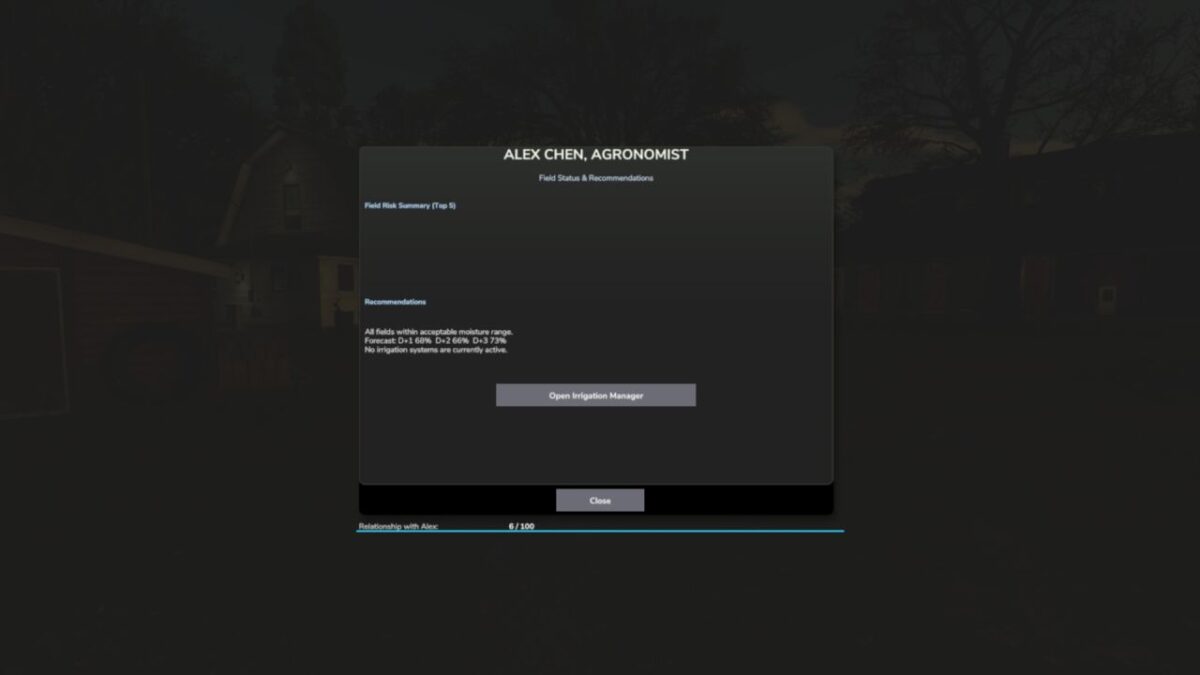
Crop Consultant Risk Summary
Water Pump & Center-Pivot Irrigation
Multiplayer & 9 Languages
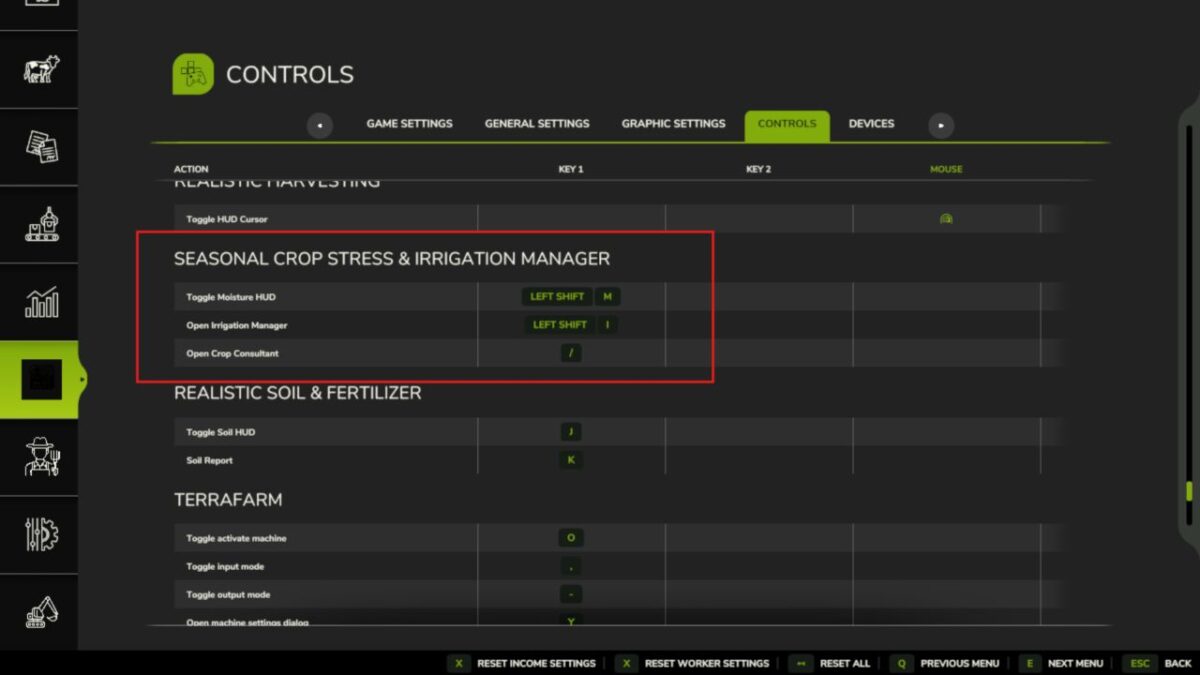
Controls
Toggle Field Moisture HUD: Shift + M
Open Crop Consultant: Shift + C
Set irrigation schedule: Shift + I (or E near a pivot)
Open Settings: Shift + S
Move / resize the HUD: Shift + H
Note that drought stress only bites during each crop’s critical growth window, so a Crop Consultant warning is your cue to irrigate before harvest, never after!
Version 1.2.5.0:
* This release adds the release gate: the mechanism that lets new systems ship locked until deliberately released
* Release gate. Seasonal Crop Stress now carries a lock registry that keeps experimental systems off until they are deliberately released, as an explicit opt in that is independent of the difficulty setting
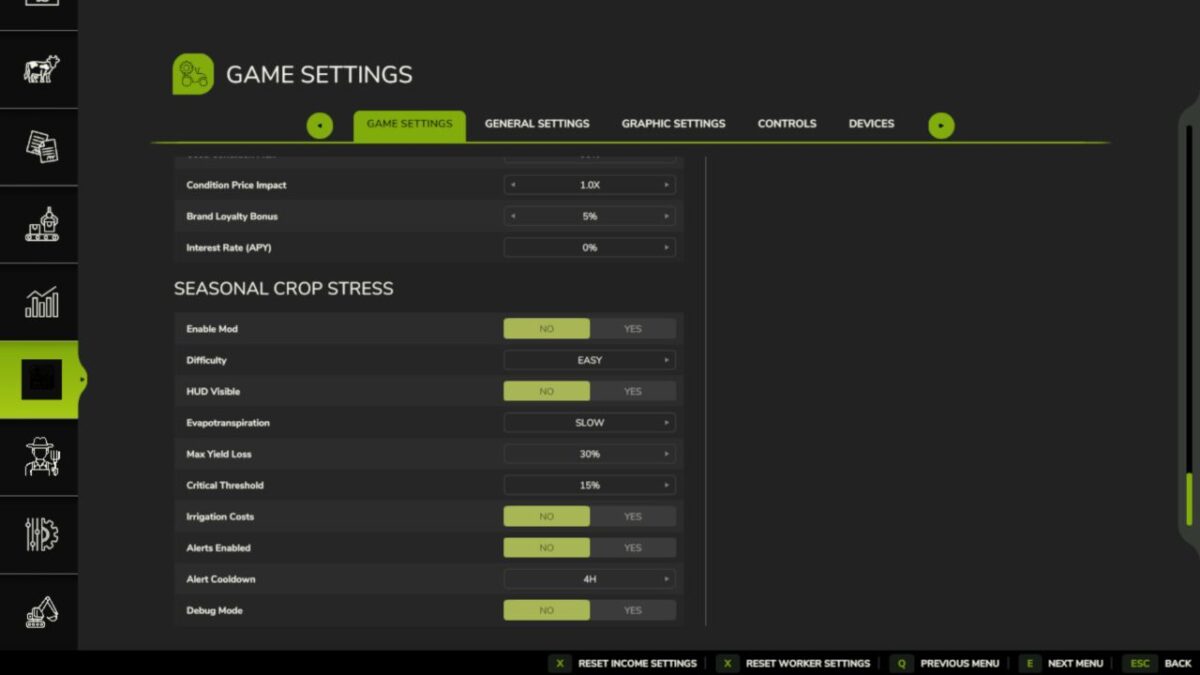
* New setting: Experimental Systems. Under the mod’s settings, default off (stable only). Turn it on to use experimental systems at your own risk
* Nothing gated yet. This release wires the mechanism in. The future #89 rebuild and moisture coupling rows are noted but not built
* The F93 temperature fix stays in the stable baseline
* Everything else works exactly as before. Soil moisture, crop stress, irrigation, and the F93 temperature fix are untouched