

Rau/Lizard Sprayers Pack v 1.0

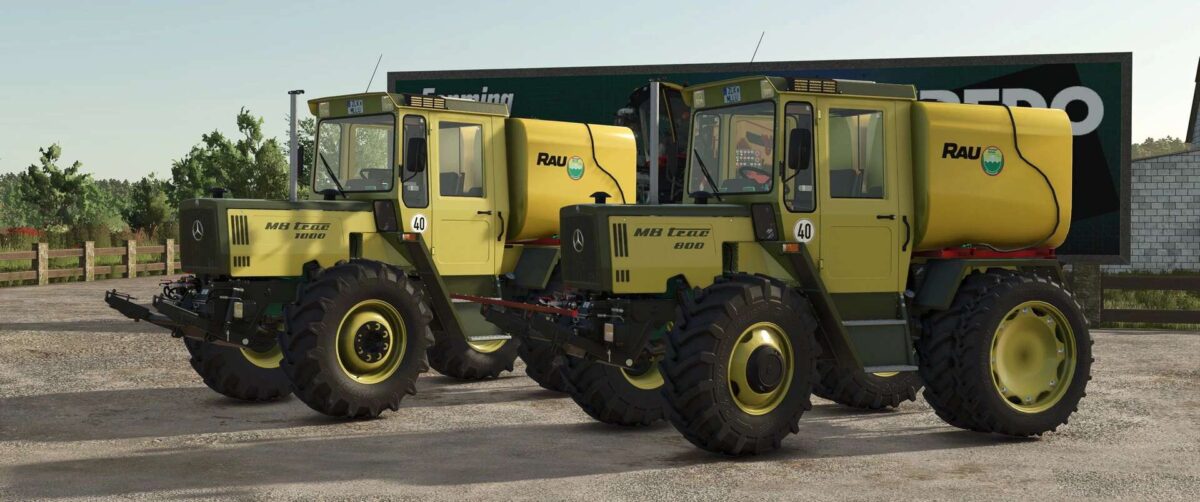
Rau/Lizard Sprayers Pack v 1.0
Sprayer Pack for the Mercedes-Benz MB-trac Series by Bremi456
Shop Information:
Rau Mounted Tank:
Base Price: €4,500
Capacity: 3,000 liters
Rau Front Sprayer:
Base Price: €450
Working Width: 3.5 meters
Lizard Front Tank:
Base Price: €300
Capacity: 400 liters
Configurations for All Equipment:
Mounting coupling type
Weight (for heavier implements)
Terminal
How do I attach the equipment to my MB-trac?
Mounted Tank:
Configure the “Subframe” on the MB-trac and select the appropriate MB-trac mounting coupling type on the tank.
Front Tank:
NO front hydraulics required. The tank is attached to the drawbar.
Front Sprayer:
Configure the 3-point hitch, then attach the sprayer to the FRONT with the tank mounted on top, OR use the “Rau Trailed Tank” from the ModHub
Required / Optional Mods:
Mercedes-Benz MB-trac Series – by Bremi456 (Required)
Rau 2700L Trailed Tank – by Kamilos0397 (Optional)