
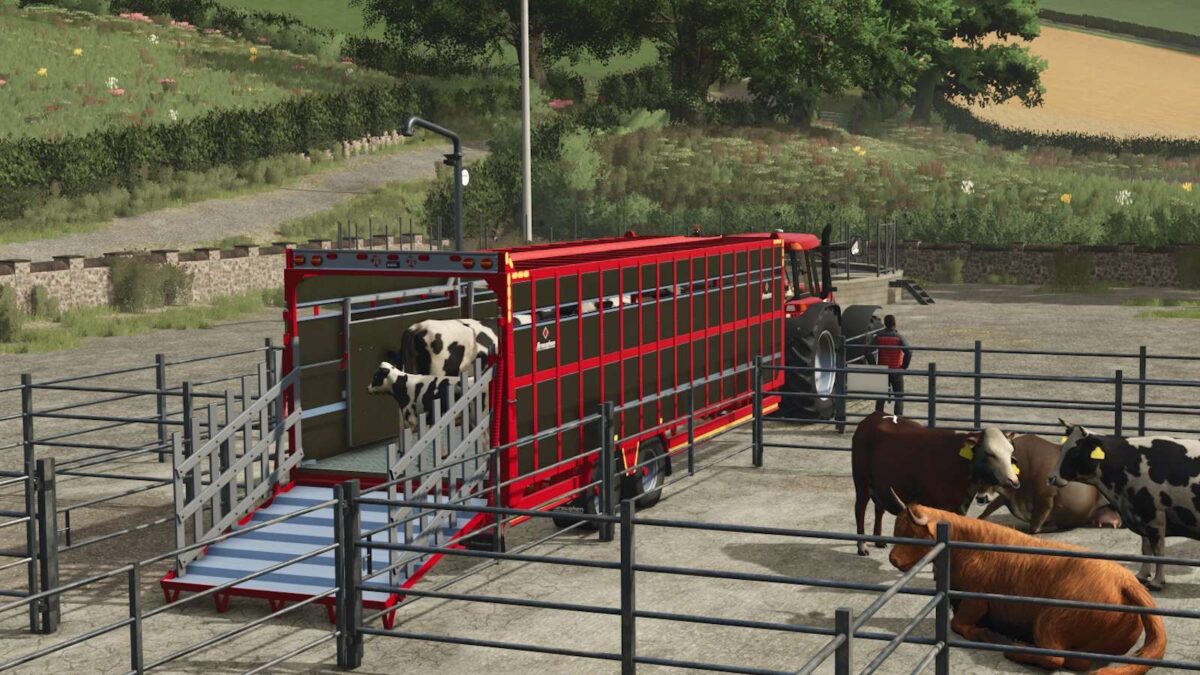
Broughan 28 Ft Animal Trailer v 1.0

FS25 mods

Broughan 28 Ft Animal Trailer v 1.0

1 Star2 Stars3 Stars4 Stars5 Stars
About mod:

Holds 10 cows, 26 pigs and 22 sheep

Broughan Engineering Ltd designs, engineers and manufactures a full range of high quality, bespoke agricultural trailers, located just outside. Tullow in County Carlow Ireland and owned by brothers and founding directors Patrick and Paul Broughan.
28 ft animal trailer with aluminium sides and chequered floor and ramp.

Standard Features:
LED Lights
Ladder
Aluminium Loading Gates
Interior Loading Lights
Slurry Tank
Dividing Gate
Side Markings
Crash Bar

Optional Features:
Air Brakes
Air Suspension
Steering Axles – 10 Stud Commercial
Price: $28.525

Credits:

Eire Agri Modding

* By clicking [Download this mod from filehost] button you agree to leave this website. The link opens in the new tab. File is hosted in the external website. We are not responsible for the content of the external page and the possibility of free download of the file.

How do I install Farming Simulator mods?
Find a mod that you like and want to download first. Then, on your PC, download a mod. Mods are typically in.zip format. However, it is sometimes in.rar format. If the mod file is in.zip format, no additional actions are required. If a file is in.rar format, you must unarchive it using software such as WinRar or Zip7. Windows 10 users do not need to use archive software; Win10 includes an unarchive feature.

The next step is to locate the mods folder on your computer. It is typically found in Documents/My Games/Farming Simulator [Your FS game version, e.g. 2022]. Open the "mods" folder and place the downloaded.zip archive or unarchived.rar file there.

The final step. Have fun with Farming Simulator mods!

Leave a Reply

Your email address will not be published. Required fields are marked *