

Krone Balers Pack v 1.0.2.0

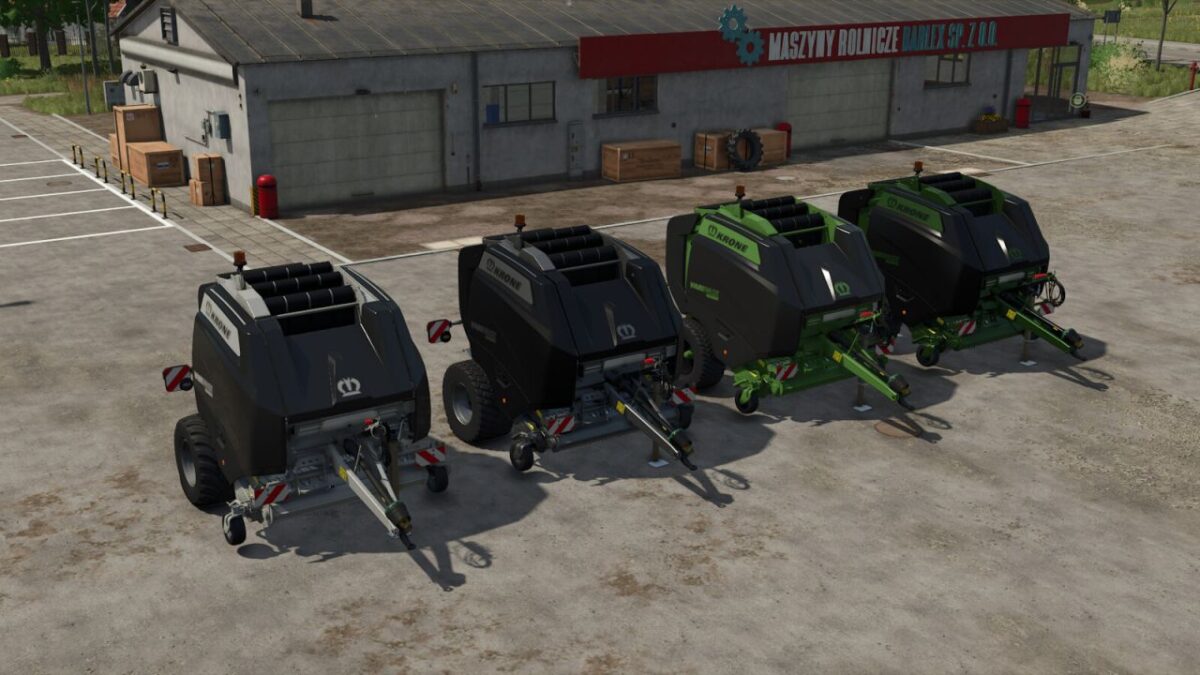
Krone Balers Pack v 1.0.2.0
Krone BigPack 1290 VC and VariPack V 190 XC Plus
Adjustments to BigPack 1290 VC:
Tire brand changed to BKT for the main tires on BigPack 1290 VC
Fire extinguisher replaced and realigned
Sticker for fire extinguisher added
Fire extinguisher selectable
Color config “Black Edition” and “Green Black Edition” added
(Device color, rim color and hub color changes depending on design selection)
Adjustments to V 190 XC Plus:
Fire extinguisher added and selectable
Sticker for fire extinguisher added
Color config “Black Edition” and “Green Black Edition” added
(Device color, rim color and hub color changes depending on design selection)
Version 1.0.2.0:
* Small adjustments to the BaleCollector BigPack 1290VC
* Added a rearview camera system to the BigPack 1290VC (MB DLC required)