

Dynamic Market v 1.2

Dynamic Market v 1.2

Dynamic Market makes selling prices change over time, on top of the normal seasonal swings from the base game. Each product group develops differently, so the best time to sell keeps changing.
Prices
Additional monthly market swing on top of base game prices
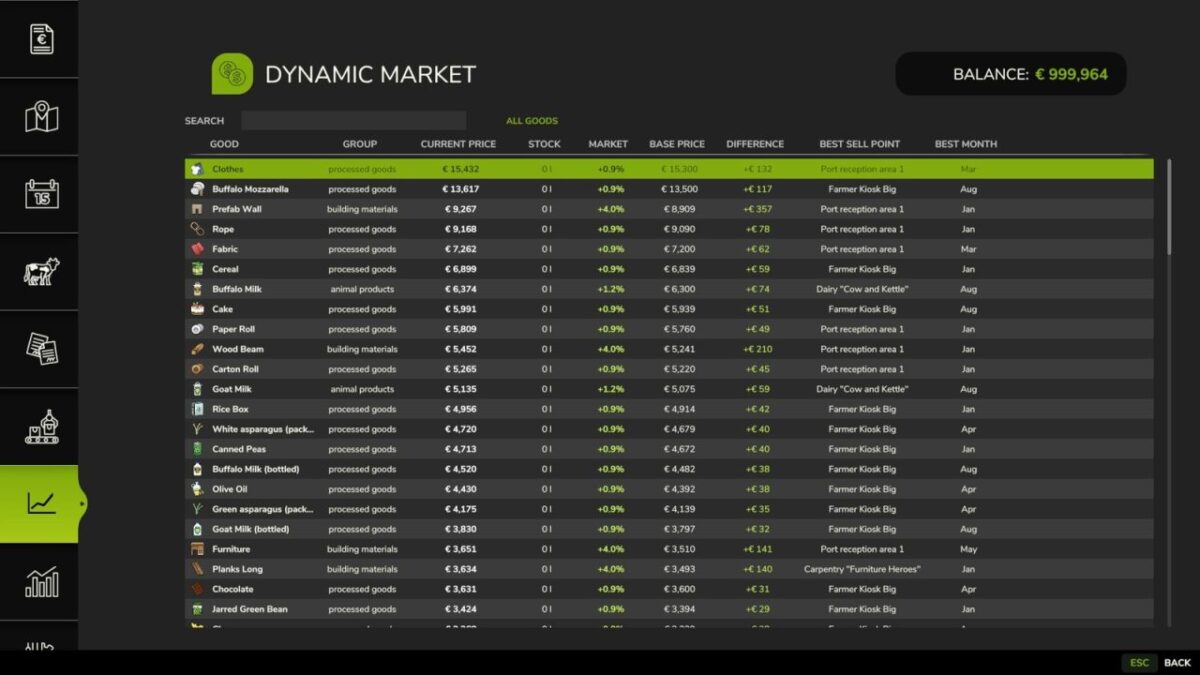
Every product group (crop farming, forage crops, animal products, livestock, processed goods, building materials, map-specific goods) follows its own price curve
Optional yearly average mode: replaces the base game’s seasonal peaks with one stable yearly value, so you don’t have to wait for a specific month
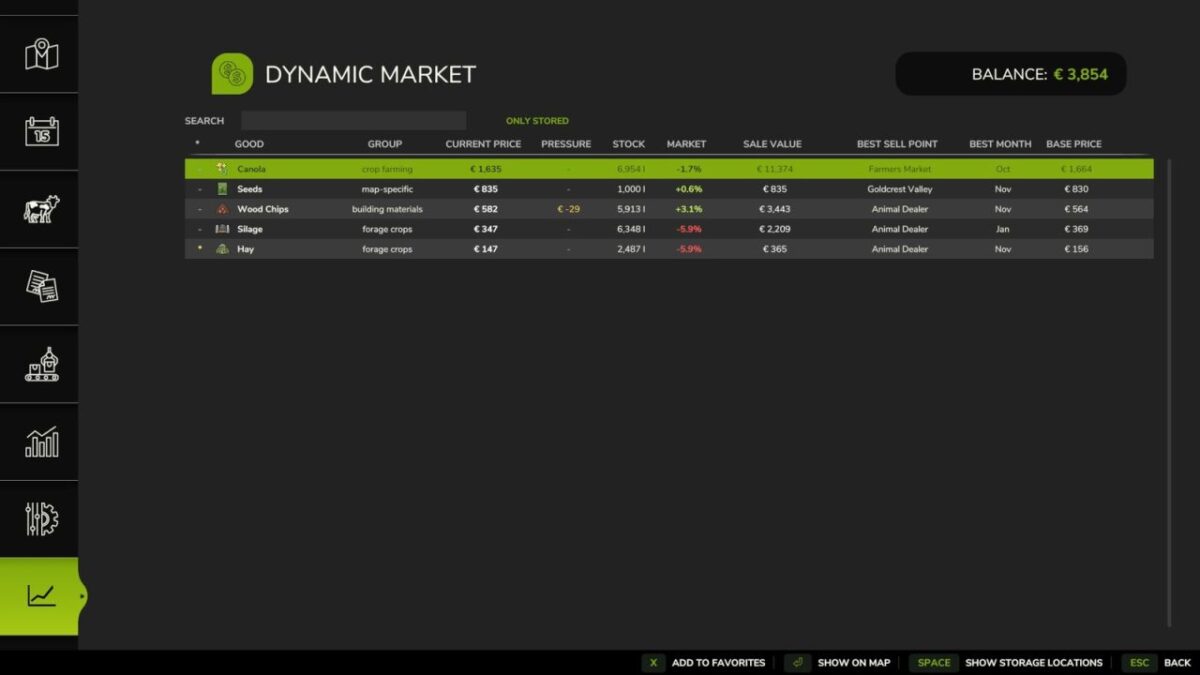
Sales pressure at selling stations: selling large quantities at once temporarily lowers the price there, which then recovers over time (threshold and strength adjustable)
Stock & Notifications
Shows your actual stock per product: in storage, trailers/implements, and the output storage of production buildings and animal barns
In-game notification when a good you have in stock rises notably in price
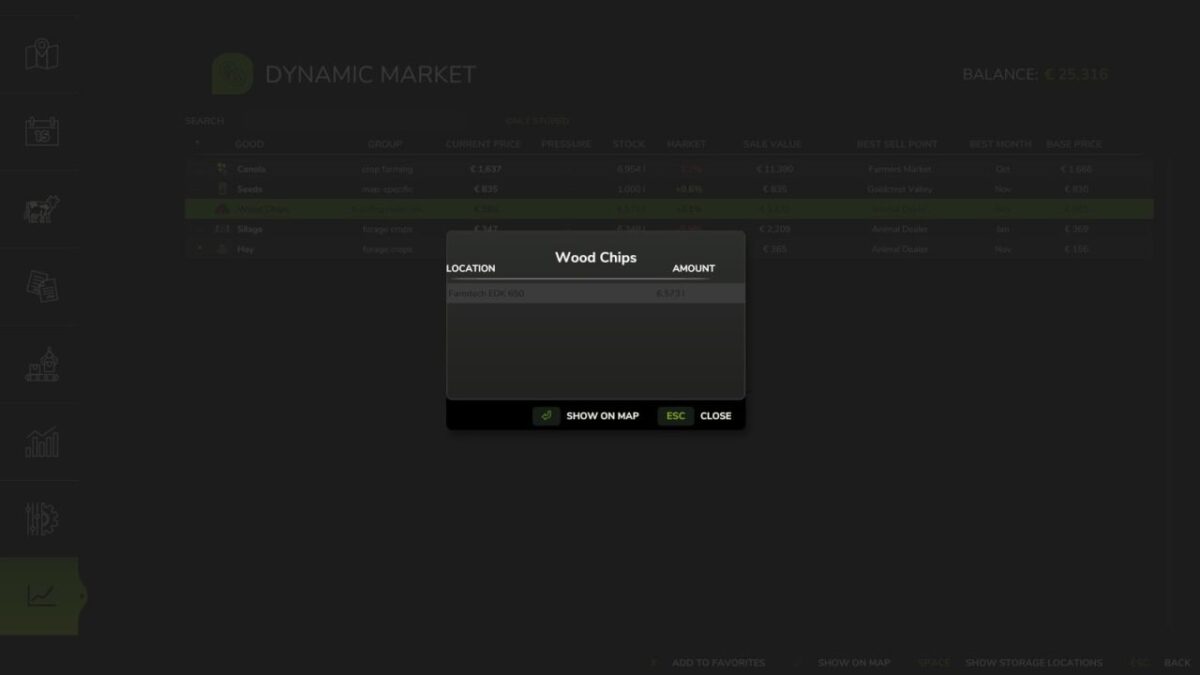
Show an item’s storage locations at the press of a button, including map markers for the storage location and the best sell point
Overview
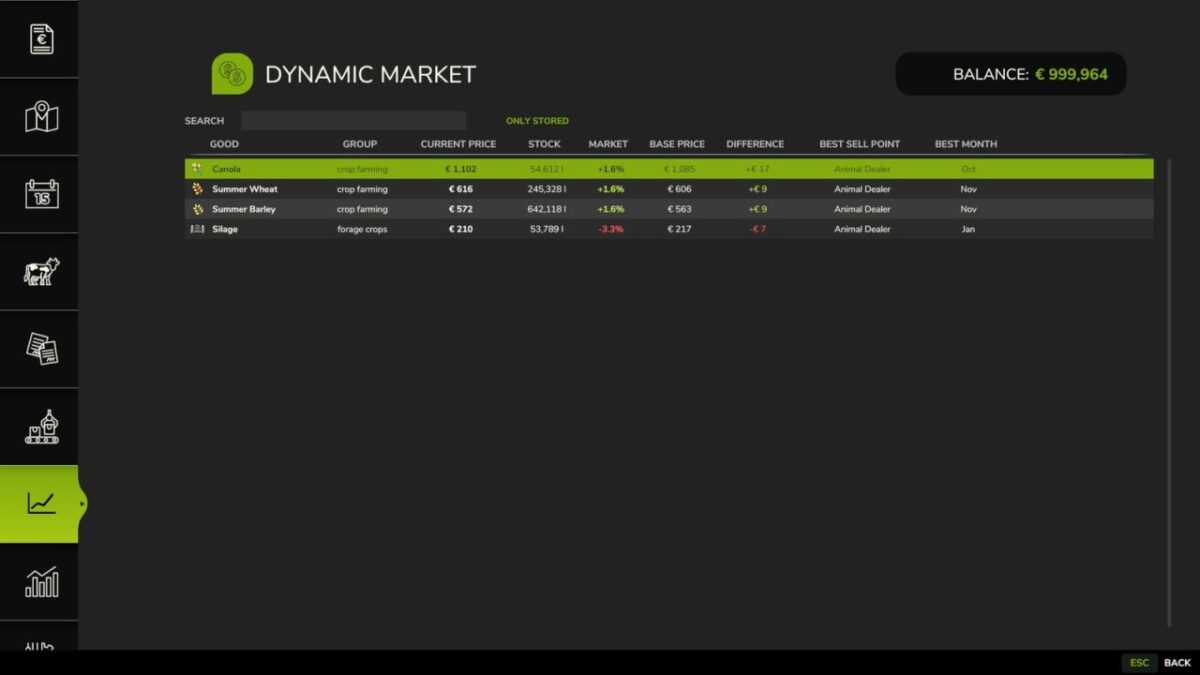
Dedicated market screen with base game price, adjusted price, percentage difference, selling location and best selling month
Search, storage filter and sortable columns for fast navigation
Favorites
Mark goods as favorites directly in the market overview
Filter the overview to show only favorites, and sort by favorite
Favorites are saved with your savegame
Automatic detection
Automatically detects sellable goods from any map or mod, without manual setup
Goods that don’t fit an existing group but can genuinely be sold end up in their own “Map-specific” group instead of being ignored
Manual group assignment available for special cases
Multiplayer
All market calculations run server-side, so every player sees the same prices
Version 1.2:
* New: get an in-game notification when a good you have in stock rises notably in price
* New: show an item’s storage locations at the press of a button, including map tagging for the storage location and the best sell point
* New: the “Sale value” column now shows stock x current price instead of just the price difference to base price
* New: goods in trailers/implements and production building outputs now count towards the shown stock
* New: manure, liquid manure and digestate are now tracked as sellable animal products
* New: unclassified but genuinely sellable goods now get their own “Map-specific” price group instead of being ignored
* New: sales pressure at selling stations: selling large quantities at once temporarily lowers the price there, which then recovers over time. Two new settings control the threshold and the price drop per step
* Fixed: market prices were recalculated every 5 seconds even when the period had not changed
* Fixed: “Normal” price-base mode now keeps the original seasonal curve instead of flattening it
* Fixed: group names and market notices now consistently use the shipped translations
* Fixed: crop farming and other merged categories had lost their seasonal price influence
* Only actually unloadable and sellable products are now shown for production buildings, animal barns and attached implements
* Simplified how the mod’s menu tab registers itself, to be more robust for gamepad/controller navigation
Nalathan
How do I install Farming Simulator mods?
Find a mod that you like and want to download first. Then, on your PC, download a mod. Mods are typically in.zip format. However, it is sometimes in.rar format. If the mod file is in.zip format, no additional actions are required. If a file is in.rar format, you must unarchive it using software such as WinRar or Zip7. Windows 10 users do not need to use archive software; Win10 includes an unarchive feature.
The next step is to locate the mods folder on your computer. It is typically found in Documents/My Games/Farming Simulator [Your FS game version, e.g. 2022]. Open the "mods" folder and place the downloaded.zip archive or unarchived.rar file there.
The final step. Have fun with Farming Simulator mods!