

Ursus 6 cyl Pack v 1.4

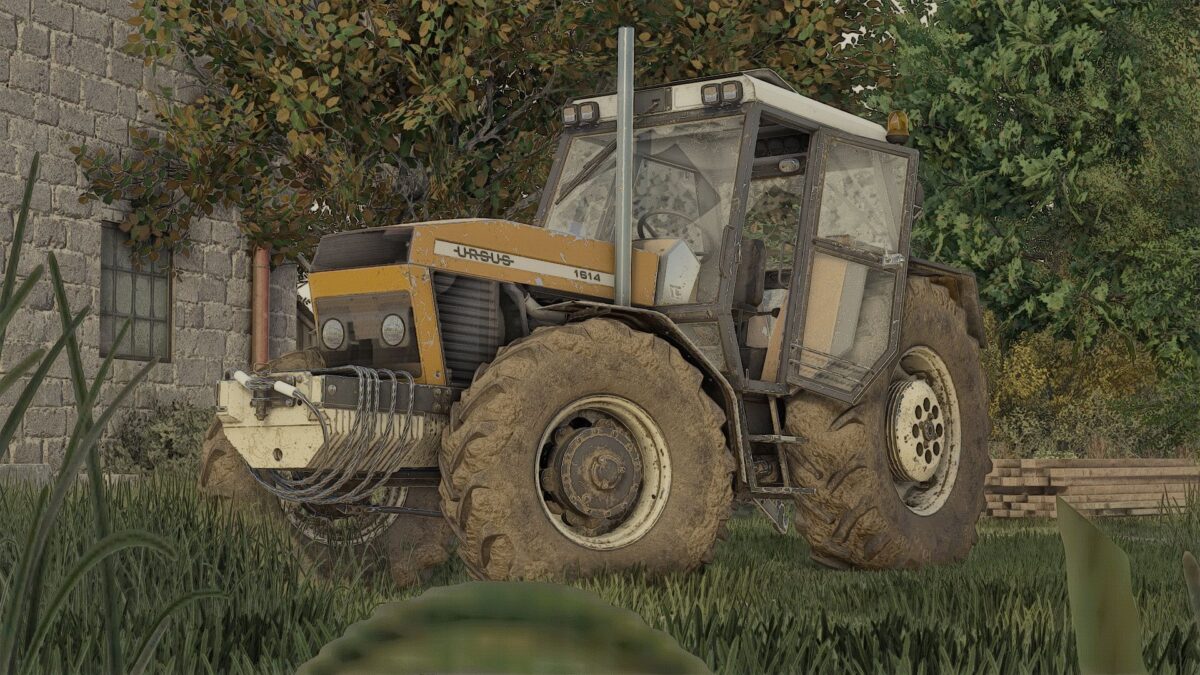
Ursus 6 cyl Pack v 1.4

Ursus 6-cylinder package: these are 100% functional 6-cylinder models with a clean log (0 errors, 0 warnings).
– Decals
– Tires
– Gearbox
– Markings
– Front weight
– Wheel weights
– Rear fenders
– Front fenders
– Mud flaps
– Cab
– Front lights
– Grille
– Rear hitch
– Exhaust system
– Steering wheel
– Hood
– Front loader console
– Animations: IC
Color configurations:
– Engine
– Hood
– Fenders
– Cab
– Grille
– Rims
– Front weight
– Wheel weights
– Roof
Version 1.4:
* Fixed stickers and a few minor changes
Derbiii670, kasztan18m
How do I install Farming Simulator mods?
Find a mod that you like and want to download first. Then, on your PC, download a mod. Mods are typically in.zip format. However, it is sometimes in.rar format. If the mod file is in.zip format, no additional actions are required. If a file is in.rar format, you must unarchive it using software such as WinRar or Zip7. Windows 10 users do not need to use archive software; Win10 includes an unarchive feature.
The next step is to locate the mods folder on your computer. It is typically found in Documents/My Games/Farming Simulator [Your FS game version, e.g. 2022]. Open the "mods" folder and place the downloaded.zip archive or unarchived.rar file there.
The final step. Have fun with Farming Simulator mods!