

No Winter Weeds v 1.2

No Winter Weeds v 1.2

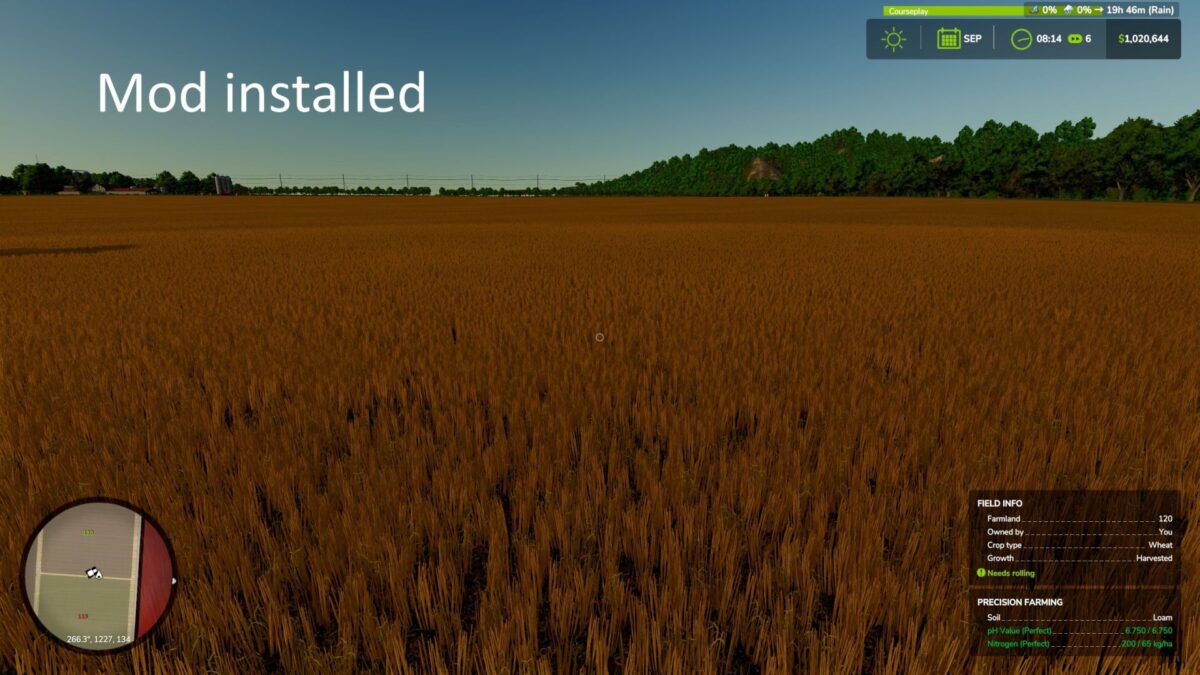
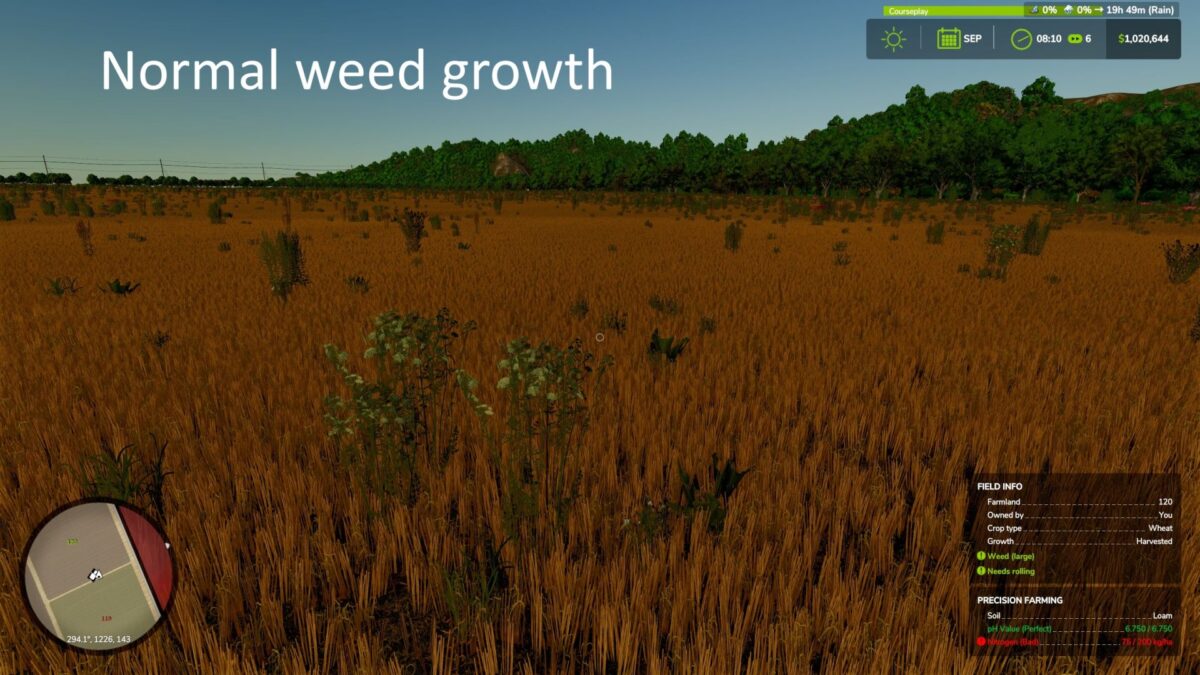
On real North America, farms, weeds aren’t sprouting immediately after harvest in autumn or winter.
This mod sets a block on weed growth from September to February, allowing residue to remain without your fields getting packed with weeds.
Weeds start growing normally in March.
If you choose no till, leaving crop residue for soil health through the winter, the government pays you $100/hectare at the end of February.
HOW IT WORKS
This should work on any FS25 map. Multiplayer should be supported
CONSOLE COMMANDS
gsNoWinterWeedsStatus – print the current period number and whether blocking is active right now
gsNoWinterWeedsForce 0 or 1 – force blocking off/on immediately, for testing without waiting for the season to change
dcoo

How do I install Farming Simulator mods?
Find a mod that you like and want to download first. Then, on your PC, download a mod. Mods are typically in.zip format. However, it is sometimes in.rar format. If the mod file is in.zip format, no additional actions are required. If a file is in.rar format, you must unarchive it using software such as WinRar or Zip7. Windows 10 users do not need to use archive software; Win10 includes an unarchive feature.
The next step is to locate the mods folder on your computer. It is typically found in Documents/My Games/Farming Simulator [Your FS game version, e.g. 2022]. Open the "mods" folder and place the downloaded.zip archive or unarchived.rar file there.
The final step. Have fun with Farming Simulator mods!