

3D Attitude Compass v 1.0.3.7

3D Attitude Compass v 1.0.3.7
About the mod:
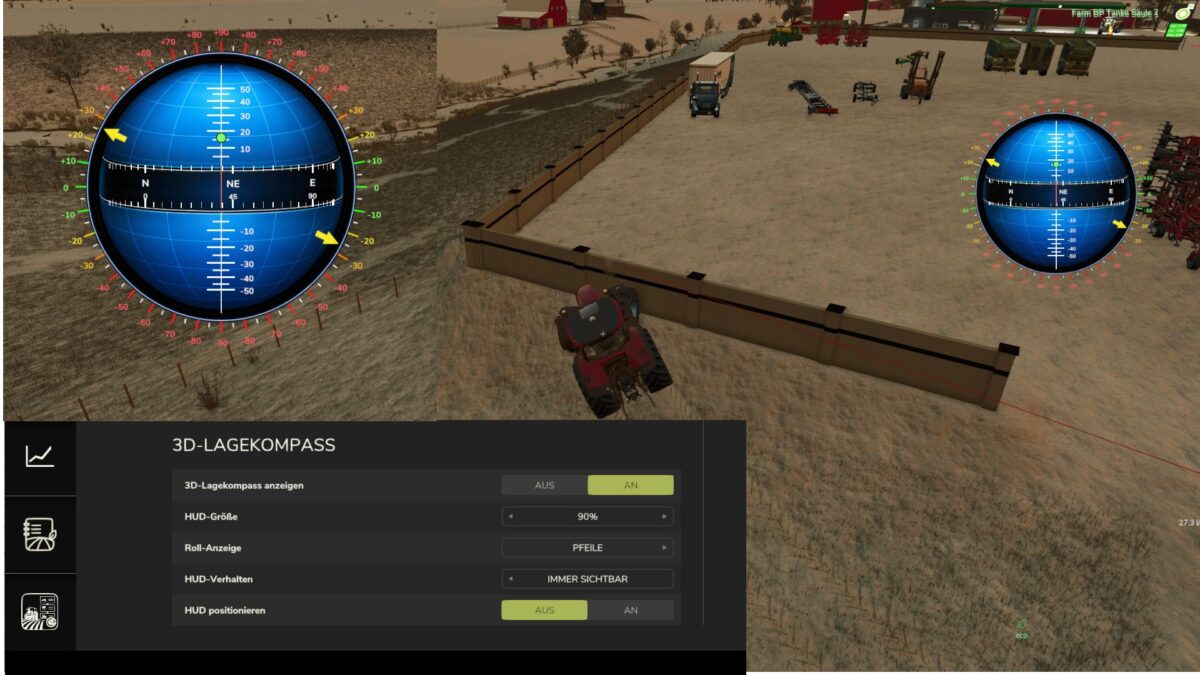
Displays all of a vehicle’s inclinations as a separate compass.
The compass values are shown in the center, while the pitch angles up and down are displayed above and below the center, with positive angles above and negative angles below. The vehicle’s roll angle is displayed along the outer edges.
The angles can be shown with arrows at the degree values or, alternatively, as dots.
The compass can also be freely repositioned and scaled, and you can choose whether it is hidden together with the UserInterface Global or remains visible.
All corresponding options are available in the settings.
Version 1.0.3.7:
* Visual fix compass display
* Options selection: show compass every 15 degrees / every 45 degrees
Credits:
duestereLegende