

Steyr Profi CVT v 1.0.0.1

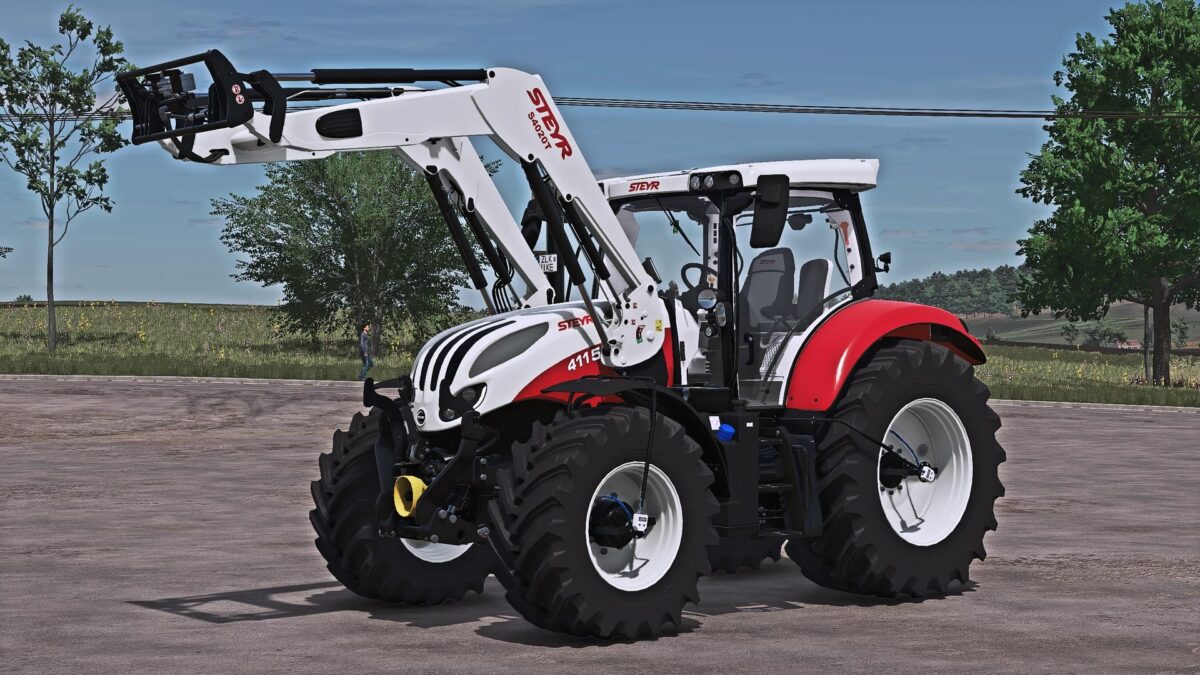
Steyr Profi CVT v 1.0.0.1
Features
Power: 145–175 hp (4-cylinder)
Power: 145–220 hp (6-cylinder)
Top speed: 40 / 50 km/h
Category: Compact tractors
Full DBL & Interactive Control integration
Custom ISOBUS screens
DBL ISOBUS preparation
Passenger script
Realistic physics (cab, suspension, engine, transmission)
4- and 6-cylinder engine sounds
Customized rims
Precision Farming compatible
Variable tire pressure script included
Interactive Control
Functions
Lighting system (low beam, front/rear work lights, rotating beacons, hazard lights)
Front and rear PTO (internal/external controls)
Front and rear lower links (internal/external controls)
Unfold implement
Animations
Doors, rear window, roof hatch
Sunblind
Steering column
Armrest
Passenger seat
Configurations
Main color & rim color
Interior color, seat color & stitching
Real-dimension tires + wheel weights
Snow chains
PTG tire pressure system
Configurable rim ring colors
Forestry cage
Stoll and Steyr front loader consoles
Rotating beacons (rotating light, LED, strobe; left/right/none)
Warning signs on front fenders
Crop sensors (Precision Farming)
Hood decals & color variants
Interior mirror
Wheel hub reflectors
S-Tech700 display with or without DBL
Schwarzmayr dealer decals
Municipal mounting plate for Agrar Design Austria snowplows
Included Implements
Steyr FL S4020T
Weight: 716 kg
Price: €9,500
Configuration: Main color
Steyr 1000 front weight
Weight: 1,000 kg
Price: €1,750
Configuration: Main color, cable, rod
Version 1.0.0.1:
* Fixed Warning signs on the front fenders correctly positioned
* Trailer monitor and Trailer 2 fill volume fixed
* CTIS hoses now show dirt only, no more scratches
* Rim color rings now retain their color after starting the game (configuration changed)
* Roof mounted beacon bar
* LED beacons now flash with a time delay instead of all flashing synchronously
* Front strobes added (front, cab sides, roof, all)
* Tank protection individually configurable