

Production Info Hud v1.3.0.0

Production Info Hud v1.3.0.0
Keep an eye on your productions and husbandries without clicking through menus.
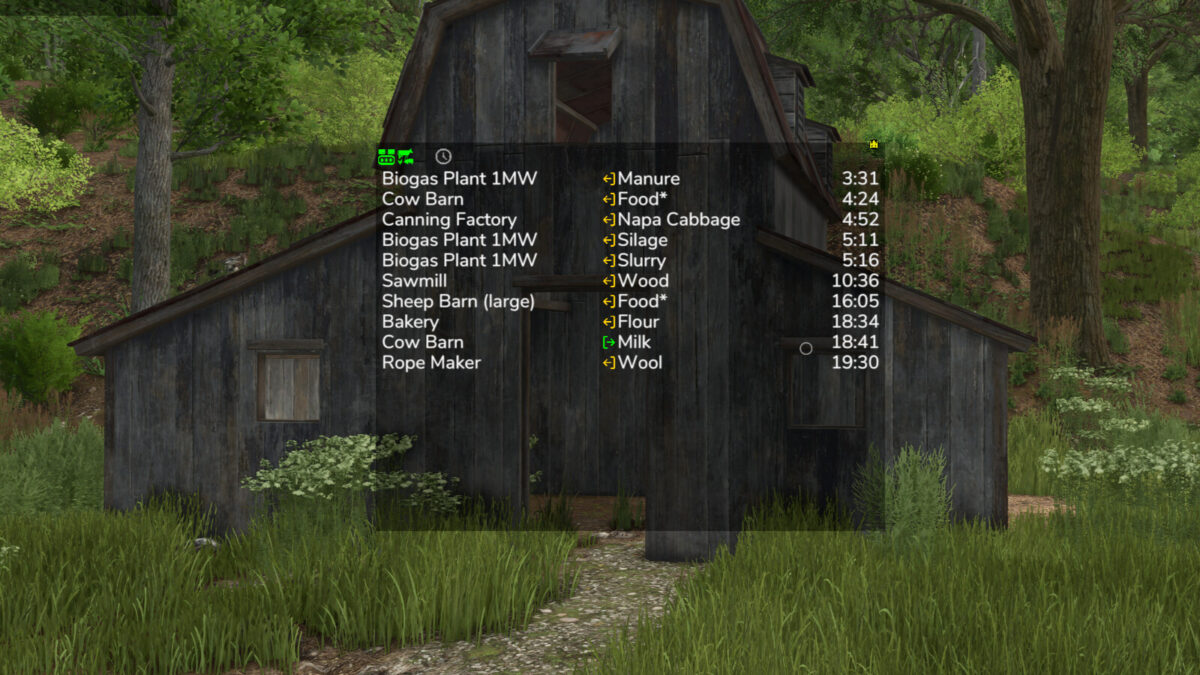
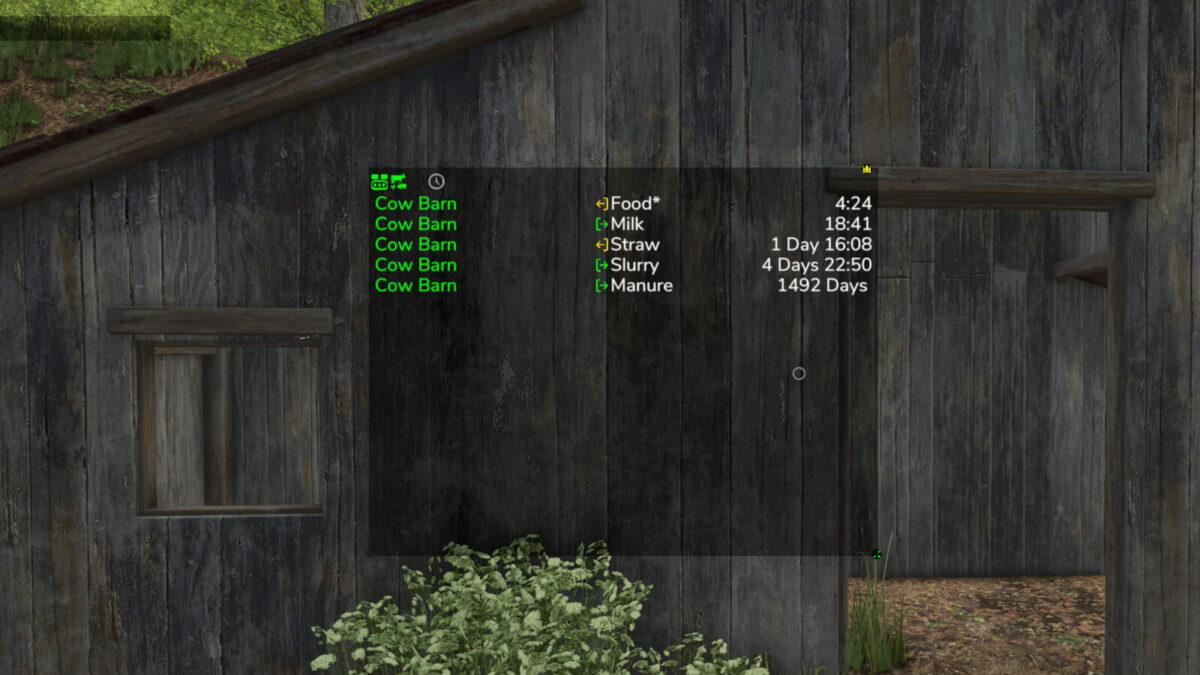
The mod shows a small list on screen telling you where things are about to get tight: which raw material is running out and which output storage is about to be full. The list is sorted by remaining time, so the most urgent entry is always on top.
What the list shows
– Column 1: name of the production or husbandry
– Column 2: the fill type
– Column 3: switchable between remaining time, amount (for raw materials how much still fits in, for products how much is in there) and production per hour
Symbols and words in the list
– Full, Empty: the storage is at its limit right now
– Missing: the production creates something but has no storage for it
– Pallets: the product is only placed as a pallet
– ~ in front of the time: the value fluctuates, for example because the production speed depends on the weather, the recipe uses random amounts, or the storage fills itself depending on the weather
– > 100 days: the mod does not look further ahead than that
– A * behind the fill type: the husbandry accepts several kinds, for example hay, silage or grass
– Several fill types in one line, such as “Wheat, Barley”: the production can use any one of them
Filters in the filter line
– Show or hide productions, animals and storages separately, storages only appear with the cargo filter
– Time filter: only show what runs empty or full within 24 hours or within a month
– Hide distributed products that are collected automatically anyway
– Cargo filter: matching places for the current vehicle – delivery points for the loaded cargo, and for seeders, spreaders or sprayers the places to refill, even when the tank is empty
Mouse controls
– Move the window with the arrow icon in the top left corner
– Open the filter line with the down arrow in the top left corner
– Switch the filter line to settings with the gear wheel in the bottom left corner, where font size and line spacing can be set
– Only show while the mouse cursor is active: the lock in the bottom left corner
– Change the window size with the arrow icon in the bottom right corner
– Save changes with the disc in the top right corner
– Left-click on a production or a fill type filters the list by it and the filtered entry turns green. Clicking again removes the filter
– Right-click on a production opens it in the menu
– Left-click on column 3 switches the display
Production consumption in the menu
A separate page in the menu shows for each crop and fill type which productions produce and consume it, and how much of it is kept, distributed or sold. The time unit can be switched between hour, day, month and year. If a crop falls short, the page also shows the additional area needed per year.
Some icons only appear while you hover over them with the mouse.
Feeding robots are not supported, the husbandries themselves are.
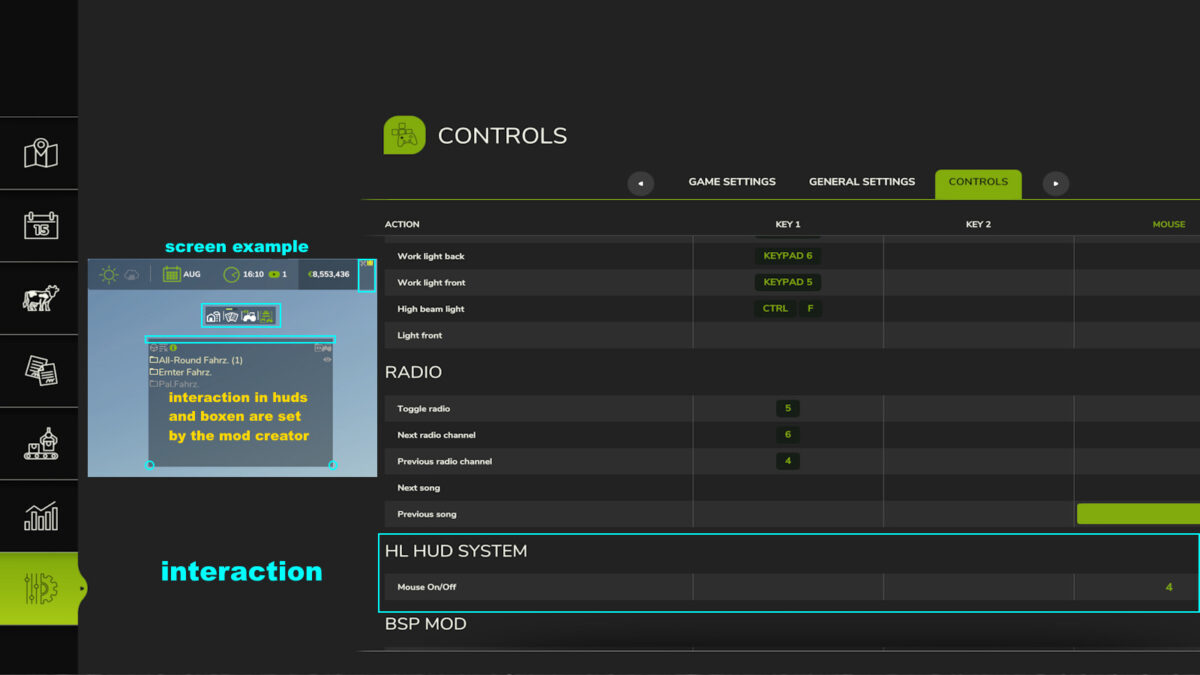
Next to your money at the top you can right-click the wrench icon to open the settings of the display system. Those apply to every mod using this system, including automatic saving. Have a look in there.
Uploading to sites other than the ModHub is prohibited and therefore illegal, links only with the original download link. NO mirror links!
Modifying or re-uploading, in whole or in part, is not permitted!
Please report bugs and suggestions on GitHub: https://github.com/Achimobil/FS25_ProductionInfoHud
Changelog
1.3.0.0
– New page in the menu: shows for each fill type what your productions produce and consume, and how much of it is kept, distributed or sold
– New cargo filter: only shows the delivery points that match the current vehicle and its load
– Cargo filter shows the refill points for seeders, spreaders and sprayers, and for empty vehicles where something is ready for pickup
– Cargo filter now also shows own storages, silo extensions and pallet storages
– Prepared for Revamp
– The display needs noticeably less computing time, especially with many productions
– Productions hidden by the GTX production script are no longer shown here either
1.2.0.0
– Fixed error in manure production calculation
– Added total row for manure type filter and production per hour at the bottom
1.1.0.0
– Added translations for FR and PL
– Display of arrows corrected
– Display full and empty improved
– Filter for removing outputs that are set to distribute
– Production per hour in the display corrected for more than 1 day per month
– Update HL display system updated