

Auto Sell Silo v1.0

Auto Sell Silo v1.0
About the mod:
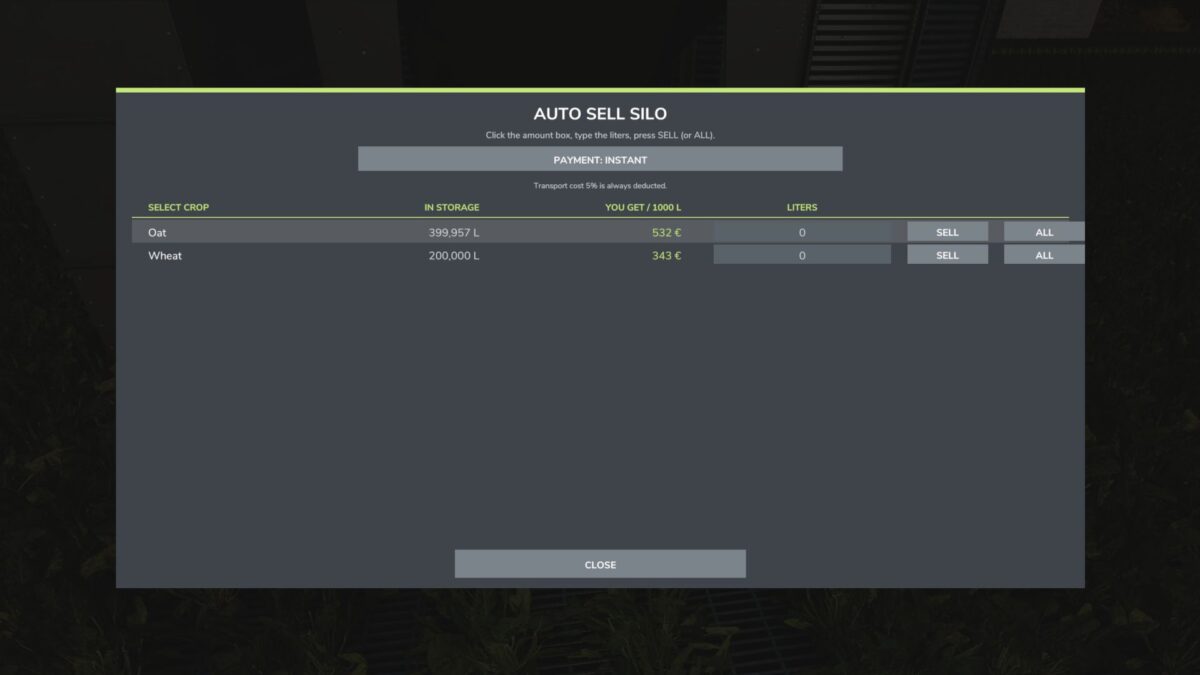
Auto Sell Silo lets you sell crops straight from your silos, without driving to a selling point.
Press Ctrl+N to open a menu that lists every crop stored in your silos. Type the exact number of liters you want to sell, or press ALL to sell the whole stock. The mod automatically picks the selling point that currently pays the best price, and the menu shows what you get per 1000 L.
Payment options:
Instant
In 1 month (+10%)
In 6 months (+20%)
In 12 months (+30%)
A fixed 5% transport cost is deducted from every sale. Deferred payments are saved with your savegame and paid out when they are due.
Credits:
GasPatos991