

Footprints v 1.0.1.0

Footprints v 1.0.1.0
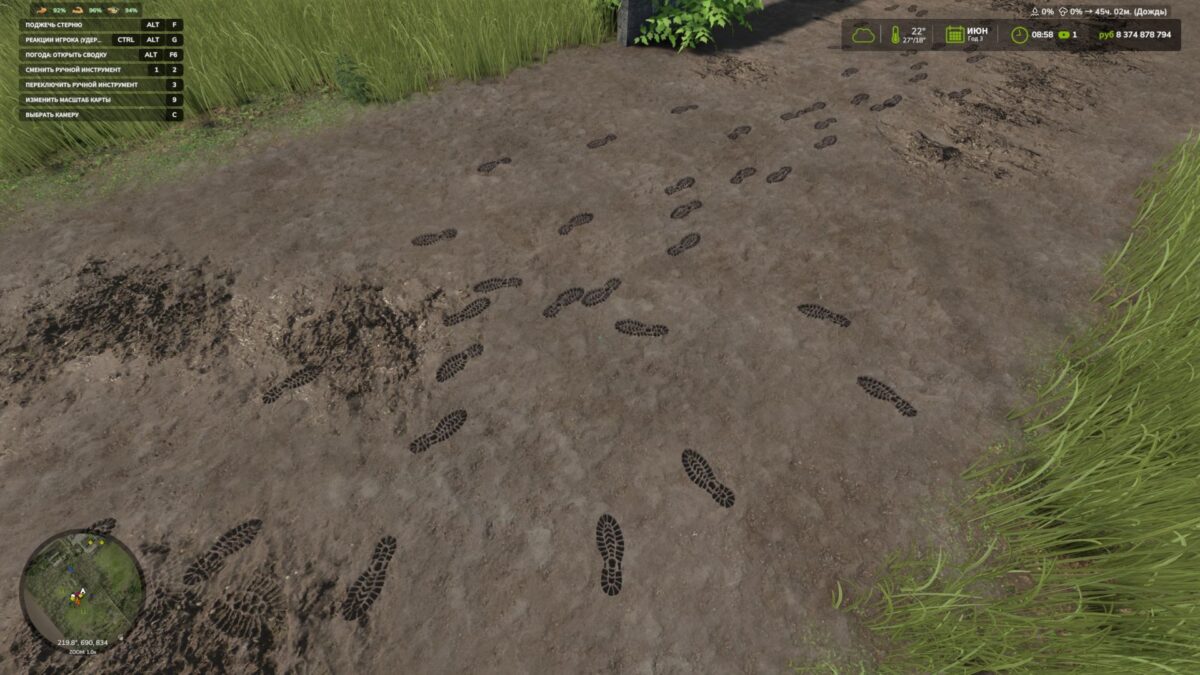
Add a little realism to Farming Simulator 25! The character now leaves shoe prints when walking and running. Each footprint appears under the corresponding foot at the moment of the step and remains on the surface for some time.
Mod features:
Separate left and right footprints.
Tracks appear only while moving — standing still and turning in place do not create them.
Support for forward, backward and sideways movement.
Footprints are placed according to the slope of the surface.
Tracks automatically disappear after 120 seconds.
Model caching and footprint reuse to reduce load.
By default, up to 512 footprints are displayed at the same time. The tracks are a visual effect: they do not alter the ground and are not saved after exiting the game.
Version 1.0.1.0:
* Added shoe dirt: denser around the soles, with sparse, subtle splashes higher up while preserving the color and details
* Added the transfer of dirt and snow to the soles: after stepping onto a hard surface, the footprints gradually fade
* Clean shoes no longer leave marks on asphalt, concrete, or other hard surfaces
* Water cleans shoes and washes away tracks. Rain speeds up the disappearance of exposed tracks, while a roof protects them
* Vehicle wheels erase overlapping footprints, including tracks left by dual tires
* Added gradual fading of tracks and accelerated melting of snow footprints in above-freezing temperatures
* Added different sole patterns for work boots, rubber boots, athletic and smooth-soled shoes, and sandals
* Improved terrain recognition